⚡ ShopSideK Verdict
The best Shopify page builder for most merchants is PageFly — it offers the deepest app integrations, a generous free plan, and proven reliability trusted by 200,000+ stores. For absolute beginners who want AI to do everything, CreateMyStore.ai builds your entire store automatically. For speed-obsessed bootstrappers, Section Store delivers the fastest performance (92/100) with zero monthly fees.
PageFly
200K+ merchants trust it. Best free plan on the market. Works with every Shopify app you already use.
💰 Free plan (1 page, all features) · Paid from $24/mo
Start Building Free →CreateMyStore.ai
AI builds your entire store in minutes — theme, products, copy, and 40+ marketing apps included. Zero coding required.
💰 Free to build · Includes Vitals app suite
Build Your Store Free →Section Store
Highest speed score in our test. One-time purchase per section — zero monthly fees, zero app bloat, zero leftover code.
💰 Free to install · Pay ~$9 per premium section
Get Free Sections →Also Reviewed
Choosing the best Shopify page builder is a high-stakes decision. The right tool can unlock stunning, high-converting landing pages that elevate your brand and drive sales. But the wrong one can saddle your store with slow load times, clunky code, and a frustrating user experience that sends customers bouncing.
That’s why we didn’t just make another list. We put the top page builders to the test, measuring their real-world impact on site speed and Core Web Vitals to find the true winners.
In this guide, you won’t find generic recommendations. You’ll get data-backed insights to help you choose the perfect app for your specific business model and growth stage. Whether you’re a first-time founder, a performance marketer testing new products, or a scaling enterprise brand, we’ll help you find the tool that builds beautiful pages and protects your bottom line.
Are You Sure You Need a Page Builder? (When Shopify’s Free Tools Are Enough)
Before you add another monthly subscription to your budget, it’s worth asking: can you achieve your goal with Shopify’s native tools? The answer might be yes.
Modern Shopify 2.0 themes have a powerful drag-and-drop editor that allows you to add, remove, and rearrange pre-designed sections on any page. For basic layouts—like adding a testimonial block to your homepage or creating a simple “About Us” page with text and images—the standard theme editor is often more than enough.
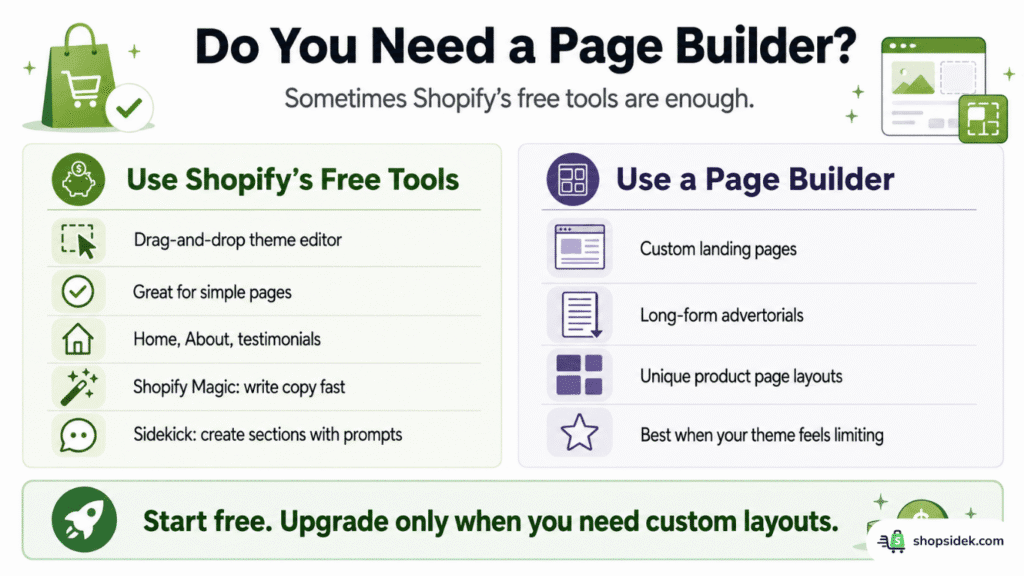
Furthermore, Shopify has integrated powerful native AI tools directly into its platform to speed up your workflow. Shopify Magic can instantly generate compelling product descriptions, headlines, and other marketing copy to cure writer’s block. Alongside it, Shopify Sidekick acts as your personal AI assistant, allowing you to generate and add entire design sections to your store using just a simple text prompt. If your main goal is to draft content or quickly build out basic layouts, these free, built-in features are your best starting point.
A dedicated page builder becomes essential when you need to break free from your theme’s structural limitations. If you want to build a completely custom landing page for a Facebook ad, create a long-form advertorial, or design a product page with a unique layout your theme doesn’t support, then a specialized app is the right investment. But for simple tasks, save your money. Shopify’s free tools have you covered.
Our Data: Which Shopify Page Builder is Actually the Fastest?
Page speed is the foundation of your conversion rate and SEO visibility. While almost every page builder claims to be “lightning fast,” we wanted to see how they actually perform under realistic conditions.
To find out, we set up a test Shopify store. Instead of an unrealistic blank canvas, we built a standard, media-rich landing page—complete with high-quality product images, text blocks, and CTA buttons—using each of the top tools. We then ran these published pages through Google PageSpeed Insights to measure their Mobile Performance Score, which heavily influences your Core Web Vitals.
Here is the truth about how these apps impact your store’s speed.
Shopify Page Builder Speed Test
Mobile Performance Scores (Real-World Setup)
The data reveals a clear divide based on how these tools are engineered. “Native” solutions like Section Store and G: Theme Sections take the top spots because they don’t force your site to load heavy, third-party JavaScript libraries; they simply inject clean code directly into your existing theme. CreateMyStore.ai also scores highly, as it generates a store using Shopify’s native architecture rather than layering a builder on top.
Conversely, heavyweight visual editors like Shogun and PageFly score lower due to the massive library of features and third-party integrations they carry. However, for growing brands running complex marketing campaigns, trading a few speed points for advanced CRO capabilities is often a necessary and profitable compromise.
💡 To protect your search rankings while using a heavier builder, pairing it with one of the best Shopify SEO apps can help you optimize images and fix the technical issues that slow your site down.
10 Best Shopify Page Builders for Your Business Model & Growth Stage
Finding the best Shopify page builder isn’t about finding the tool with the most features; it’s about finding the exact right fit for your current operational needs. What works for a solo dropshipper testing daily products will only frustrate an enterprise team needing strict brand governance.
To help you cut through the noise of the hundreds of Shopify page builder apps available, we have categorized the top performers based on specific business goals, technical skill levels, and budgets.
Best for Absolute Beginners & Instant Store Setup
Staring at a blank digital canvas is the biggest hurdle for new merchants. If you have no coding experience and limited design skills, you need tools that eliminate the steep learning curve and help you launch quickly.
1. CreateMyStore.ai Review: Ultimate AI “Store in a Box”
- Best For: First-time merchants who want a fully built store, not just a blank design canvas.
- Performance Score: 85/100 (Score reflects native theme output + standard apps)
- Pricing: Free to build (includes 40+ Vitals apps).
- Standout Feature: AI generates the theme, products, copywriting, and installs essential marketing apps instantly.
Core Review:
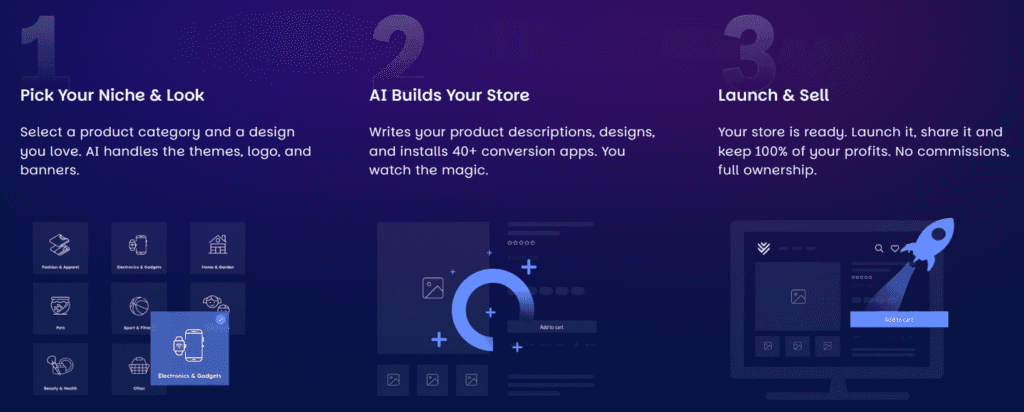
If you suffer from “blank page syndrome,” traditional drag-and-drop builders can actually be overwhelming. CreateMyStore.ai completely flips the standard workflow. Instead of handing you a toolbox and expecting you to build, it acts as a full-service AI setup wizard. You provide a prompt about your business, and the AI generates a complete, conversion-optimized store from scratch.
What makes this our top recommendation for absolute beginners is its integration with the Vitals app suite. Rather than leaving you to hunt for third-party plugins after your page is built, CreateMyStore.ai natively pre-loads your new site with over 40 essential marketing features—like customer reviews, volume bundles, and urgency timers. Because the final output is built on Shopify’s native architecture, it remains lightweight and fast.
✅Pros:
- Eliminates the entire store setup phase and developer costs.
- Includes essential conversion rate optimization (CRO) apps natively via Vitals.
- The final output runs cleanly on native Shopify code, protecting site speed.
❌Cons:
- Offers less granular control over individual pixel placement than a traditional visual editor.
- Best suited for standard e-commerce layouts rather than highly unconventional, brand-led designs.
Final Verdict: CreateMyStore.ai is the fastest, most frictionless way to go from a raw idea to a fully functioning, conversion-ready store without touching a single line of code.
2. EComposer Review: Easiest Drag-and-Drop Canvas
- Best For: Beginners who want standard drag-and-drop flexibility combined with a massive template library.
- Performance Score: 75/100
- Pricing: Free plan available; Paid plans start at $25/mo.
- Standout Feature: An extremely intuitive, beginner-friendly live visual editor.
Core Review:
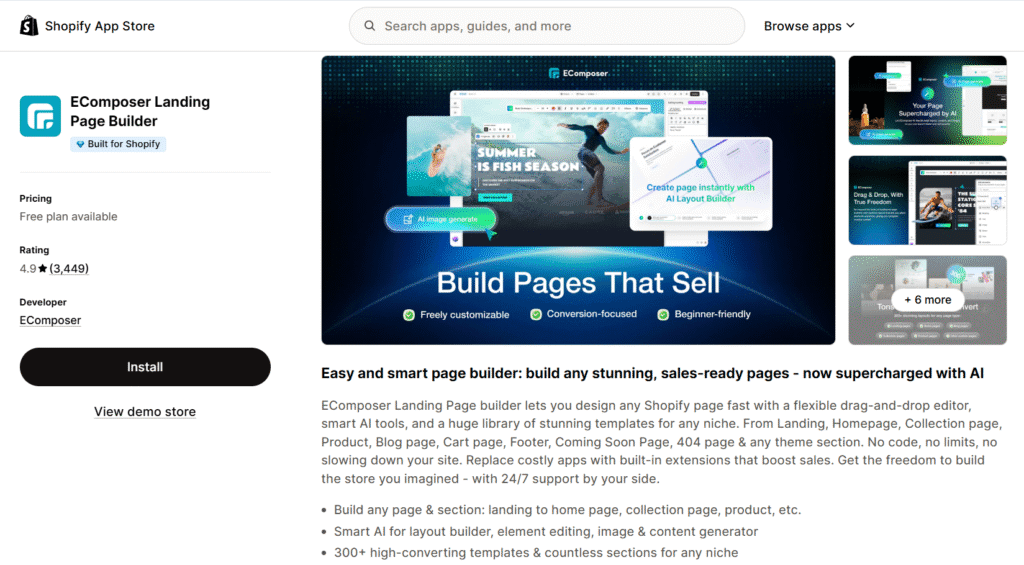
If you prefer a more hands-on approach to design but still need extreme simplicity, EComposer is the gold standard. It is currently one of the most trusted apps on the Shopify App Store, boasting a near-perfect 4.9-star rating from over 3,445 verified merchant reviews.
EComposer wins the usability category by offering an incredibly smooth live visual editor. You simply click, drag, and drop elements exactly where you want them. For non-designers, its massive library of pre-made templates and section blocks is a lifesaver. You don’t have to design a hero banner or a pricing table from scratch; you just drop in a pre-built EComposer block and update your brand colors.
✅Pros:
- Features a huge, highly categorized variety of pre-made templates.
- Backed by highly responsive 24/7 live chat support.
- Includes built-in sales extensions like cross-selling blocks and pop-ups, saving money on extra apps.
❌Cons:
- Like many heavy visual builders, it can leave behind residual code if uninstalled incorrectly.
- The performance score (75/100) means you must be mindful of image sizes to maintain fast load times.
Final Verdict: EComposer is the safest, most reliable choice for users who want a classic, easy-to-learn page builder experience with a supportive community.
Best for Bootstrappers & Site Speed Purists
If you are operating on a strict budget or obsess over every millisecond of page load time, traditional page builders might not be the right fit. Adding heavy third-party scripts can bloat your site and slow down your Core Web Vitals. For merchants who want design flexibility without the monthly fees or the performance hit, “native” section libraries are the perfect alternative.
3. G: Theme Sections & Blocks Review: 100% Free Library
- Best For: Stores on a strict $0 budget that need immediate layout upgrades without app bloat. Performance Score: 90/100
- Pricing: 100% Free.
- Standout Feature: Injects custom blocks directly into your existing Shopify 2.0 theme editor.
Core Review:
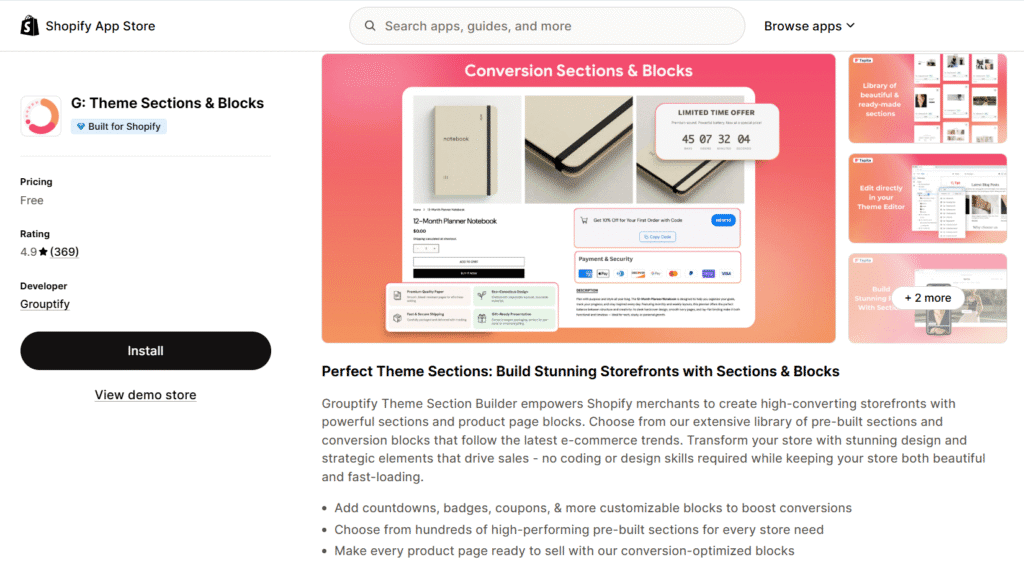
If you refuse to pay a monthly subscription but feel restricted by the basic layouts of your default Shopify theme, G: Theme Sections & Blocks is the solution. It is entirely unique because it operates at a fundamental level: rather than loading an external visual editor over your site, it simply adds a massive library of pre-coded blocks directly into your native Shopify 2.0 theme.
This means you can add robust elements like interactive FAQs, trust badges, video sliders, and pricing tables right from the standard Shopify editor. Because it relies entirely on native code, it boasts an exceptional 90/100 performance score, ensuring your site remains incredibly fast and responsive.
✅Pros:
- It is completely free forever—$0/month.
- Delivers blazing-fast load times with zero third-party script bloat.
- There is no new external editor to learn; you build within the Shopify interface you already know.
❌Cons:
- You are limited to building with section blocks; you cannot create highly complex, free-form landing pages from a blank canvas.
- Design customization is restricted to the specific settings within each pre-coded block.
Final Verdict: G: Theme Sections is a must-have, risk-free installation for any new store owner wanting to upgrade their default theme layout without spending a dime.
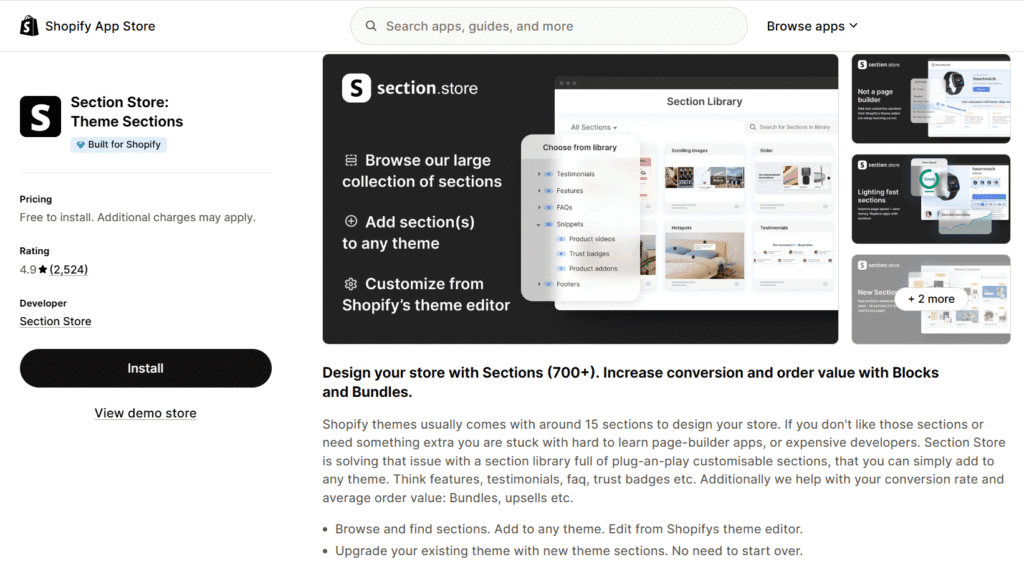
4. Section Store Review: Premium Layouts Without Monthly Fees
- Best For: Merchants who want premium, high-converting designs but refuse to pay recurring monthly app subscriptions.
- Performance Score: 92/100
- Pricing: Free to install; Pay a one-time fee per premium section (usually around $9).
- Standout Feature: A one-time purchase model for premium, cleanly coded theme sections.
Core Review:
Section Store directly solves the dreaded “app bloat” problem while securing the highest performance score (92/100) in our testing. The traditional Shopify ecosystem is built on monthly subscriptions, which can quickly drain the budget of a bootstrapped business. Section Store completely breaks this model.
Instead of forcing you to load a heavy third-party editor and pay a recurring fee, it operates like a premium marketplace. You browse their extensive library of conversion-optimized components—such as animated announcement bars, advanced product bundles, or shoppable lookbooks—and purchase the specific section you need for a small, one-time fee. Once bought, the clean HTML and CSS code drops right into your Shopify 2.0 theme, yours to keep forever.
✅Pros:
- Zero monthly fees; you only pay once for what you actually use.
- Secures the highest speeds and will not damage your Core Web Vitals.
- Keeps your theme code perfectly clean and manageable.
❌Cons:
- You build pages sequentially block-by-block, which is less visual than a true drag-and-drop canvas.
- Purchasing many individual sections could eventually rival the cost of a lower-tier builder subscription.
Final Verdict: The smartest, most budget-friendly choice for merchants who prioritize lightning-fast load times, clean site architecture, and predictable costs.
Best for Dropshippers & Rapid Product Testing
In the dropshipping business, speed is survival. If a new trend emerges on TikTok or Facebook Ads, you cannot afford to spend a week designing a landing page. You need to launch, test, and adapt within hours. The builders in this category are less about pixel-perfect design and entirely focused on rapid execution and aggressive conversion tactics.
💡If you’re still building your dropshipping tech stack, our guide to the best dropshipping apps for Shopify covers the essential sourcing and fulfillment tools that pair perfectly with these page builders.
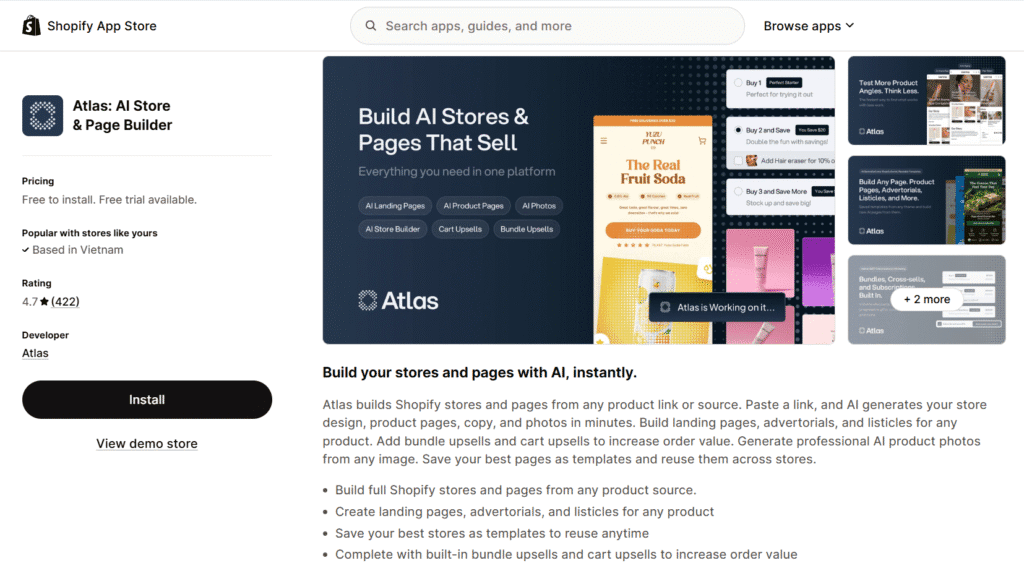
5. Atlas Review: Advertorial & Upsell Engine
- Best For: Media buyers testing multiple product angles with listicles and advertorials.
- Performance Score: 70/100
- Pricing: Free for dev stores; Paid plans start at $39/mo.
- Standout Feature: AI-generated advertorials and native bundle upsells.
Core Review:
Atlas is engineered specifically for the performance marketing workflow. While traditional builders focus on standard storefronts, Atlas excels at building the exact types of pages media buyers use to drive cold traffic: advertorials, presell pages, and “top 5” listicles.
What sets Atlas apart is its ability to consolidate your tech stack. It features an AI engine that can instantly generate compelling copy tailored for direct-response marketing. Furthermore, it natively integrates bundle upsells and AI studio mockups right into the page layouts. Instead of paying for a page builder, a separate bundling app, and a copywriting tool, Atlas gives you all three in one aggressive, conversion-focused package.
✅Pros:
- Delivers incredible speed for testing new product angles and creative concepts.
- Built-in AOV (Average Order Value) boosters eliminate the need for extra upsell apps.
- AI tools can generate studio-quality product photos, saving time and money on assets.
❌Cons:
- Geared heavily toward single-product funnels and landing pages, not large, multi-category catalogs.
- The performance score (70/100) means you must strictly optimize media to ensure fast load times for ad traffic.
Final Verdict: An indispensable tool for dropshippers and media buyers who need to launch, test, and scale new product angles daily.
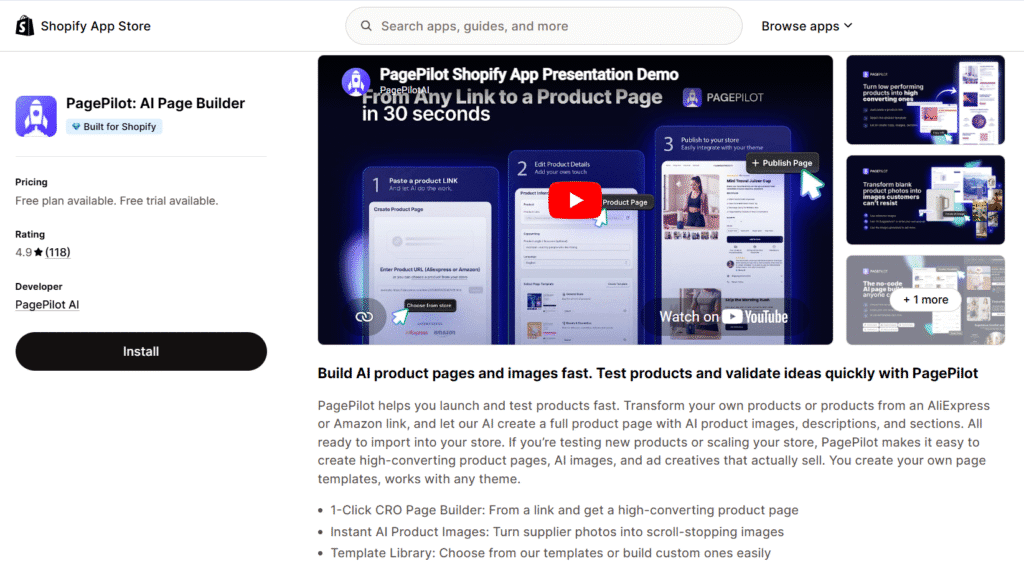
6. PagePilot Review: 60-Second Product Page
- Best For: AliExpress dropshippers who hate writing copy and need to launch immediately.
- Performance Score: 65/100
- Pricing: Paid plans start at $39/mo.
- Standout Feature: AliExpress URL-to-Shopify page automation.
Core Review:
PagePilot stretches the definition of a traditional page builder and acts more like an AI automation tool for dropshippers. It addresses the most time-consuming bottleneck in the dropshipping workflow: migrating a raw, messy product listing from AliExpress into a polished, high-converting Shopify page.
The process is remarkably simple. You paste an AliExpress product link into PagePilot. The AI then scrapes the data, strips out the broken English, rewrites the copy to be conversion-focused (perfect for Facebook Ads), imports the images, and pushes a completed product page directly to your Shopify store—often in under 60 seconds. It also includes a built-in “winning product finder,” creating an all-in-one suite for rapid testing.
✅Pros:
- Saves hours of manual data entry, image saving, and copywriting.
- Integrates a product research tool directly alongside the builder.
- Ideal for rapid A/B testing of different products on cold traffic.
❌Cons:
- Offers limited design customization compared to a full visual builder.
- The output quality relies heavily on the source link; you still need to review the AI-generated copy.
- Has the lowest performance score (65/100) among our top picks, requiring careful media optimization.
Final Verdict: The ultimate speed-hack for high-volume dropshippers who want to bypass the tedious setup phase entirely and focus solely on driving traffic.
Best for Growing Brands & Conversion Optimization
When your store moves past the launch phase and begins generating steady traffic, your priorities shift. It is no longer just about getting a page live; it is about maximizing the value of every visitor. Brands in this growth stage need robust builders that offer deep Conversion Rate Optimization (CRO) features, extensive third-party app integrations, and the stability to handle higher sales volumes.
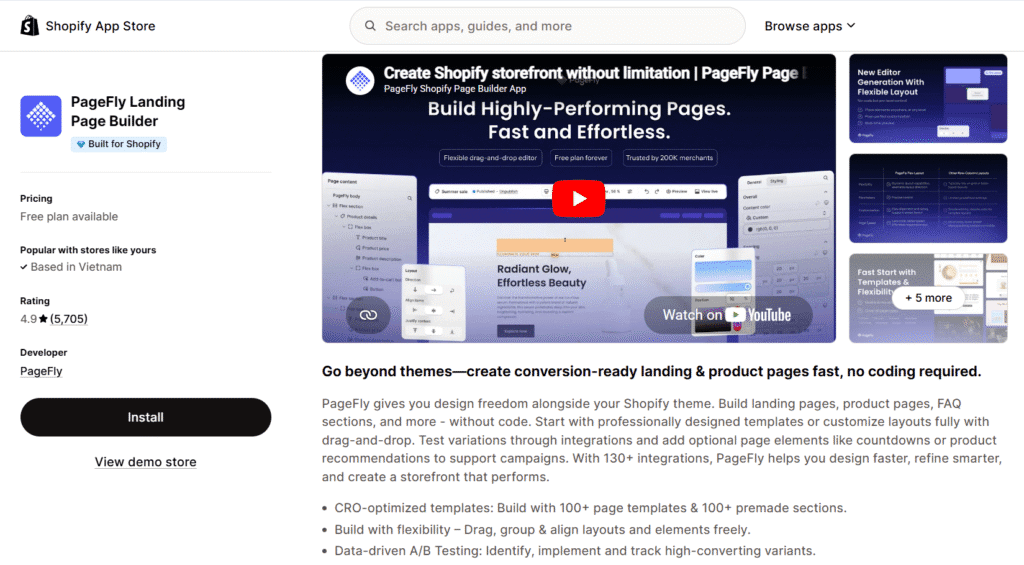
7. PageFly Review: Heavyweight Champion & Best Free Plan
- Best For: Brands that want a reliable, proven builder with a deeply capable free tier.
- Performance Score: 68/100
- Pricing: Excellent Free Plan (1 page); Paid plans start at $24/mo.
- Standout Feature: The most comprehensive element library and deepest Shopify ecosystem integrations.
Core Review:
PageFly is the most widely adopted page builder in the Shopify ecosystem, trusted by over 200,000 merchants and boasting thousands of five-star reviews. It earned this position by being the ultimate “Swiss Army Knife” of page building. If you need a specific feature or layout, PageFly likely has a tool for it.
Where PageFly truly shines for growing brands is its seamless compatibility. It integrates flawlessly with almost every major Shopify app you might be using, from Judge.me for reviews to Omnisend for email capture. Brands like Volant rely on PageFly to create highly customized, brand-consistent experiences without worrying about tech-stack conflicts. Furthermore, their free plan is exceptionally generous, allowing you to use all of their premium features to build and publish one highly optimized page before ever paying a dime.
✅Pros:
- Unmatched third-party app integrations guarantee compatibility with your existing tech stack.
- Extremely reliable, heavily tested, and relatively bug-free.
- Outstanding free plan that is perfect for testing the waters.
❌Cons:
- The sheer volume of features can make the interface feel slightly dated and clunky compared to newer tools.
- Heavy feature sets result in a lower performance score (68/100), requiring diligent image optimization.
Final Verdict: The safest, most robust choice if you want guaranteed compatibility and a proven track record of supporting scaling brands.
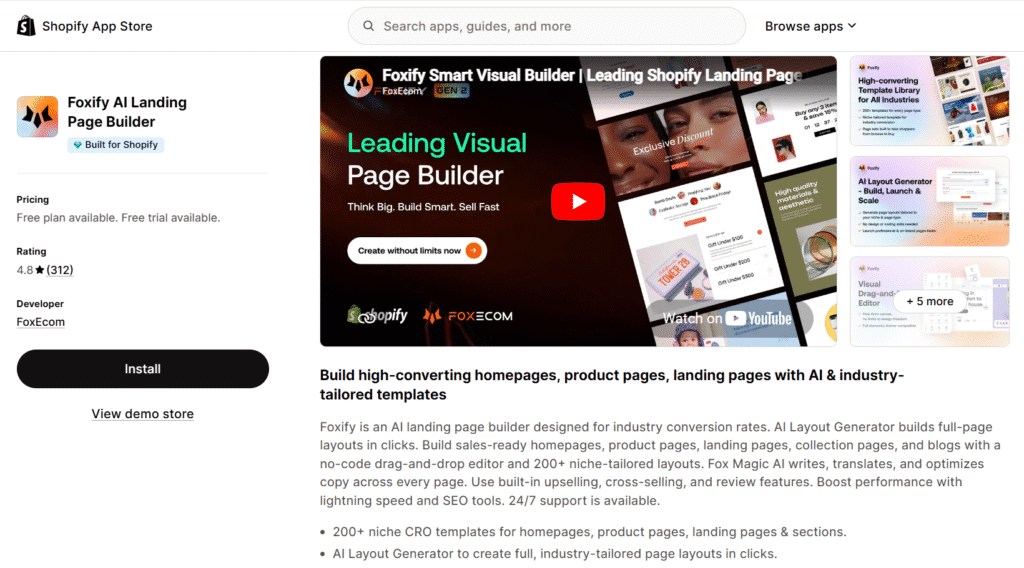
8. Foxify Review: Advanced CRO & Conversion Focus
- Best For: Marketers focused on deep conversion rate optimization and maximizing ROAS.
- Performance Score: 78/100
- Pricing: Free plan available; Paid plans start at $19/mo.
- Standout Feature: 200+ industry-tailored CRO templates.
Core Review:
Foxify was built by e-commerce operators who understand that a beautiful page is useless if it doesn’t sell. It sits in the perfect sweet spot between a flexible visual editor and a powerhouse CRO toolkit. Rather than giving you generic layouts, Foxify provides over 200 templates engineered around proven industry conversion data, ensuring your pages are mathematically optimized for sales.
Beyond its CRO focus, Foxify is a favorite among modern design teams due to its smooth workflow. It offers seamless Figma integration, allowing teams to bridge the gap between design and development effortlessly. You can design a highly optimized layout in Figma and bring it to life in Foxify without losing fidelity, making it a highly efficient tool for growing brands running targeted campaigns.
✅Pros:
- Built-in upselling, cross-selling, and urgency tools designed to maximize AOV.
- Highly optimized, modern mobile layouts that perform well (78/100).
- Excellent workflow features for design teams, including Figma support.
❌Cons:
- The sheer volume of CRO settings and data-driven options can be intimidating for casual users.
Final Verdict: The ultimate tool for data-driven merchants who want enterprise-level conversion elements and design flexibility without the enterprise price tag.
Best for Design-Led Teams & Enterprise Scale
Based on my projects, when an e-commerce business scales to a certain point, the challenges change. You are no longer just building pages; you are managing a complex design system across multiple regions, coordinating large teams, and maintaining strict brand guidelines. For design-heavy agencies and Shopify Plus merchants, standard builders are too restrictive. You need enterprise-grade tools built for flawless design translation and large-scale governance.
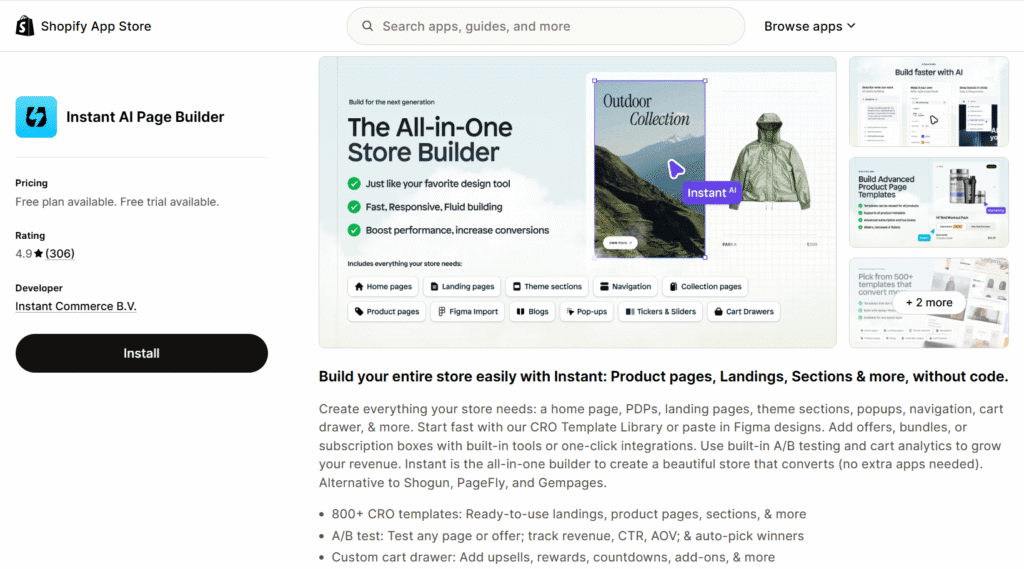
9. Instant Review: Figma-to-Shopify Magic Tool
- Best For: Design agencies and teams looking for direct Figma integration alongside built-in testing tools. Performance Score: 74/100
- Pricing: Free plan available; Paid plans start at $39/mo.
- Standout Feature: Direct Figma-to-Shopify integration combined with native A/B testing.
Core Review:
Instant built its reputation around its design workflow, specifically its Figma plugin. This feature allows UI/UX teams to copy and paste frames directly from Figma into Shopify, effectively bypassing the standard developer handoff process. It’s a highly practical tool for agencies looking to deploy custom designs faster.
Beyond its core design capabilities, Instant has expanded its feature set to include over 800 templates and built-in CRO tools. You can customize your cart drawer with upsells and run native A/B tests to track revenue and click-through rates. While it packs a lot of functionality into one dashboard, it is distinctly built for users who actively manage design systems and run structured conversion tests, rather than casual merchants looking for a simple page layout.
✅Pros:
- Direct Figma-to-Shopify integration streamlines the design handoff process.
- Includes useful native features like A/B testing and custom cart drawer editing.
- Offers a large library of over 800 ready-to-use templates.
❌Cons:
- Can be overly complex for solo users who simply need basic page structures.
- The 74/100 performance score means you must carefully optimize any imported Figma assets.
Final Verdict: A highly capable builder specifically geared toward design-focused teams that need to deploy Figma prototypes quickly and test their performance.
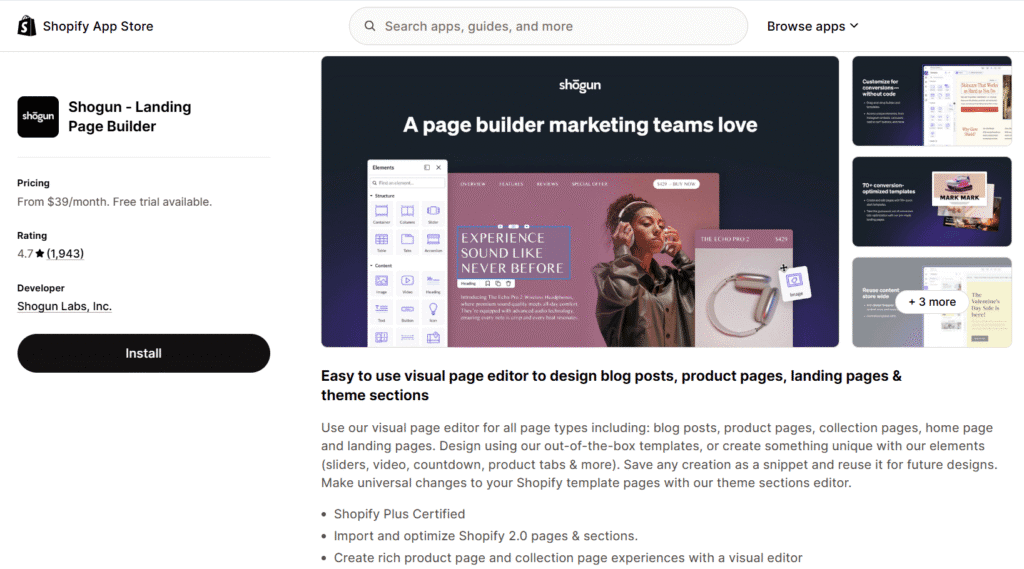
10. Shogun Review: Enterprise Choice for Governance
- Best For: Scaling brands, large marketing teams, and Shopify Plus merchants.
- Performance Score: 72/100
- Pricing: Starts at $39/mo (Built for larger budgets).
- Standout Feature: Multi-store content syncing and reusable code snippets.
Core Review:
Shogun is the undeniable industry standard for large, scaling operations and Shopify Plus merchants. Trusted by major brands like BondiBoost, Olipop, and Nextbase—who used Shogun to boost conversions by a staggering 122%—it is built to handle complex, high-volume e-commerce ecosystems.
While it has a great visual editor, Shogun’s real power lies in its enterprise governance features. It allows large teams to create reusable content “Snippets” to update massive catalogs instantly. If you run multiple regional storefronts, Shogun allows you to sync page content across all of them with a single click. It also provides advanced custom code access (HTML, CSS, Liquid) and deep user permission controls, ensuring your marketing team can move fast without breaking the core theme.
✅Pros:
- Best-in-class multi-store syncing for international brands.
- Allows custom HTML/Liquid editing for in-house developers.
- Deep user permission controls protect brand governance.
❌Cons:
- Highly expensive starting price that excludes most beginners.
- The robust enterprise features contribute to a heavier footprint and a lower performance score (72/100).
Final Verdict: The absolute king of page builders for complex, high-volume teams that require strict brand governance, multi-store management, and custom code flexibility.
How to Choose the Right Page Builder for YOU
Choosing the best Shopify page builder isn’t about looking at the longest feature list; it’s about identifying your immediate business bottlenecks. If you select a tool that doesn’t align with your technical skills or operational goals, you will end up wasting time and money.
To simplify your decision, start by identifying which of these statements sounds most like you:
👉 “I am launching my first store and have zero design or coding skills.” You need tools that remove friction. Choose CreateMyStore.ai to generate the entire setup automatically, or EComposer for the most intuitive, beginner-friendly drag-and-drop experience.
👉 “I am on a tight budget and want my site to be as fast as possible.” Skip the heavy visual builders. Choose Section Store or G: Theme Sections to inject premium, cleanly coded blocks directly into your native theme without paying a monthly subscription.
👉 “I am a dropshipper focused on Facebook/TikTok ads and need to test products daily.” Speed of execution is your priority. Choose PagePilot to automate AliExpress imports instantly, or Atlas to quickly generate high-converting advertorials.
👉 “We are an established brand focused on deep CRO and advanced design workflows.” You need robust features and integrations. Choose PageFly for guaranteed app compatibility, Foxify for industry-specific CRO templates, or Instant to flawlessly translate Figma files into live pages.
👉 “We are a scaling enterprise or Shopify Plus brand with multiple regional stores.” You need team governance and scale. Choose Shogun for its unparalleled multi-store syncing and reusable custom code snippets.
At-a-Glance Comparison
| App Name | Best For… | Performance Score | Starting Price |
|---|---|---|---|
| Section Store | Premium Native Layouts (No Subscriptions) | 92/100 | Free (Pay per section) |
| G: Theme Sections | Bootstrappers & Site Speed Purists | 90/100 | Free |
| CreateMyStore.ai | Absolute Beginners & Instant Setup | 85/100 (Native output) | Free to build |
| Foxify | Advanced CRO & Conversion Focus | 78/100 | $19/mo |
| EComposer | Easiest Drag-and-Drop Canvas | 75/100 | $25/mo |
| Instant | Design-Led Teams & Figma Workflows | 74/100 | $39/mo |
| Shogun | Enterprise Governance & Shopify Plus | 72/100 | $39/mo |
| Atlas | Dropshippers Testing Advertorials | 70/100 | $39/mo |
| PageFly | Growing Brands & Deep App Integrations | 68/100 | $24/mo |
| PagePilot | 60-Second Product Page Automation | 65/100 | $39/mo |
The Hidden Danger: A Guide to Avoiding ‘App Bloat’ & Slowdowns
Even the best Shopify page builder can become a liability if used incorrectly. One of the most common mistakes new merchants make is falling victim to “app bloat”—installing too many heavy applications that inject unnecessary scripts into your store. This drags down your Shopify site speed, hurts your search engine rankings, and ultimately kills your conversion rate.
To protect your store’s performance while still unlocking the design flexibility you need, follow this simple playbook used by top e-commerce operators:
1. Limit builders to campaign-specific pages
It is tempting to use a visual drag-and-drop editor to redesign your entire website, but you should avoid using third-party apps to overwrite your core theme files. Keep your standard homepage, default product templates, and collections running on your theme’s native Liquid code to ensure maximum speed and stability. Reserve your heavy page builder for standalone landing pages, targeted sales funnels, and marketing campaigns where advanced CRO features are actually required.
2. Always verify the mobile layout before publishing
A custom landing page that looks stunning on a large desktop monitor can easily break on a smartphone screen. Because the vast majority of e-commerce traffic comes from mobile devices, always use the mobile preview toggle within your page builder before hitting publish. Check closely for overlapping text, overly large unoptimized image files, and buttons that are too small to easily tap.
3. Clean up residual code after uninstalling
If you test a page builder during a free trial and decide it isn’t for you, simply clicking “Delete” in the Shopify admin panel is not always enough. Many builders leave behind unused Liquid snippets or JavaScript files in your theme’s backend. Over time, this abandoned residual code accumulates and silently slows down your site.
To protect your performance, it is a best practice to duplicate your live theme before installing any new builder. If you decide not to keep the app, you can simply revert to your clean, duplicated theme, ensuring zero leftover code remains.
Our Final Verdict & Top Picks
Finding the best page builder for Shopify ultimately comes down to matching the tool to your current growth stage and technical abilities. While every app on our list excels in its specific niche, three distinct winners emerge:
For the absolute best balance of proven reliability, massive ecosystem integrations, and a truly useful free plan to start, PageFly remains the heavyweight champion for growing brands.
If you are a first-time founder suffering from “blank page syndrome” and just need a fast, conversion-ready store built for you immediately, the AI-driven setup of CreateMyStore.ai is unmatched.
Finally, if you are a bootstrapper obsessed with maintaining top-tier Shopify site speed without paying recurring monthly fees, Section Store is the clear winner.
Ready to build a store that converts? Start your risk-free Shopify trial today, and install our top-rated page builder to get your first high-converting product page live in under an hour.

Just a heads-up: As a Shopify Media Partner, I may earn a small commission if you sign up. It won’t cost you anything, and it helps me continue providing free resources.
Shopify Page Builder FAQs
Do Shopify page builders slow down your store?
Yes, they can, but the impact depends entirely on the app’s architecture. As our speed test data revealed, heavyweight visual editors add third-party JavaScript libraries that can slightly lower your Core Web Vitals.
However, if you use native-focused tools like Section Store (which scored a 92/100) or strictly optimize your images, the slowdown is barely noticeable. To stay safe, I recommend using these apps exclusively for high-converting landing pages rather than overriding your entire core theme.
What is the best free Shopify page builder?
If you want a completely free tool with zero recurring monthly fees, G: Theme Sections & Blocks is the best choice for adding pre-built layouts directly into your native theme. If you need a more traditional, blank-canvas visual editor, PageFly offers the most generous free plan on the market. It allows you to build, publish, and test one highly optimized page with full access to their premium element library before ever upgrading.
Does Shopify have its own native page builder?
Shopify does not have a separate app labeled as a “page builder,” but its native Shopify 2.0 Theme Editor acts very much like one. It features a drag-and-drop interface that allows you to easily add, arrange, and customize sections across your homepage, product pages, and blogs. For basic text edits, simple image placements, and standard layouts, this built-in tool is incredibly powerful and highly recommended.
Are Shopify AI website builders worth using?
Absolutely, especially if you lack design experience or need to launch campaigns rapidly. A Shopify AI website builder drastically reduces the friction of getting a site live by automating the hardest parts of the setup process. Tools like CreateMyStore.ai can generate an entire, conversion-ready storefront instantly, while apps like PagePilot can rewrite copy and format a complete product page from a single dropshipping link in under 60 seconds.