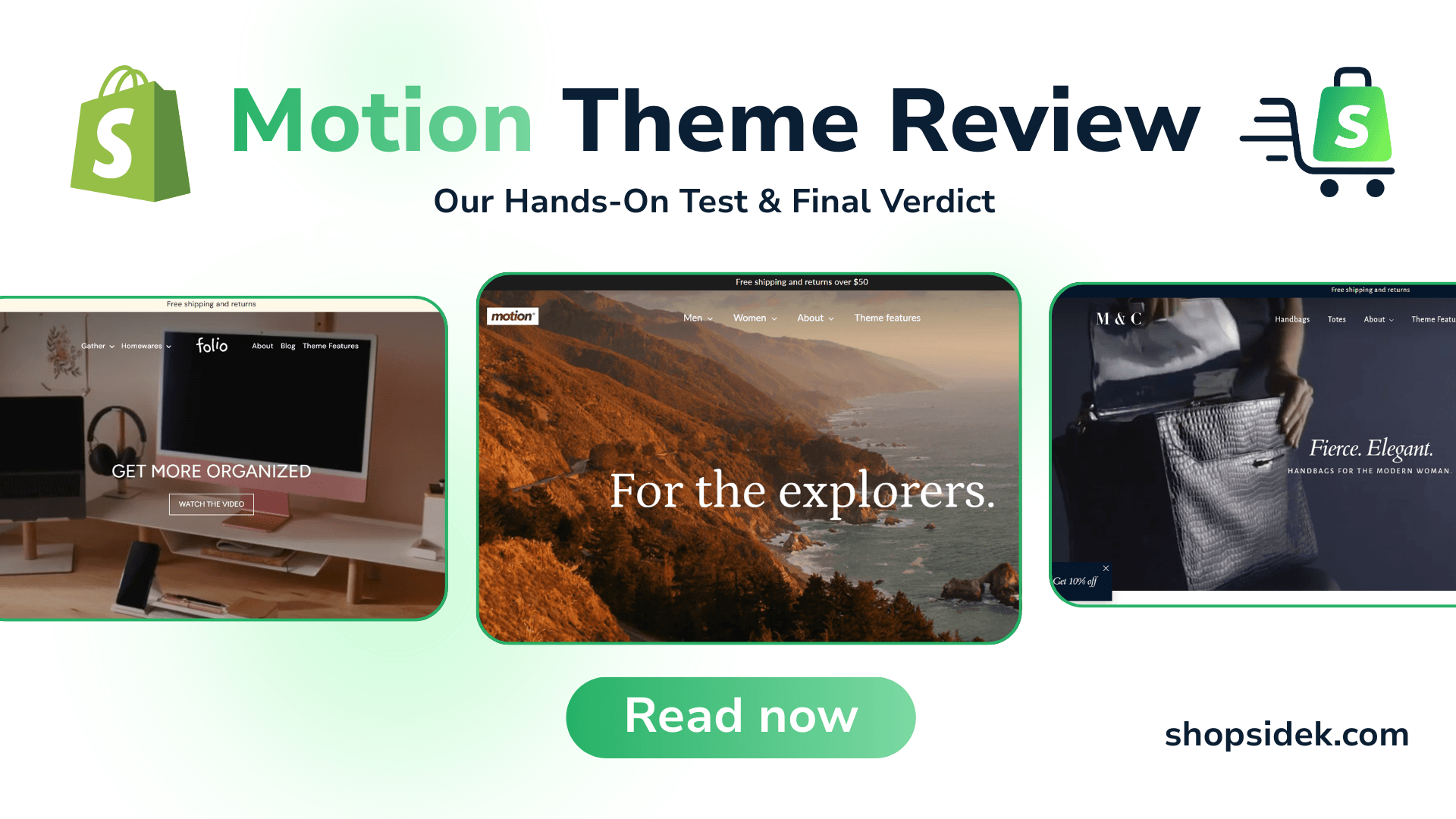
If you are building a brand in a visually demanding niche like fashion, beauty, or lifestyle, you have likely come across the Motion Shopify theme. It is one of the most popular premium themes on the market, famous for its smooth animations and video-first focus.
But with a price tag of $400 USD, it represents a significant upfront investment for a new or growing store. Is it actually worth the cost, or are you paying for flashy effects that might slow down your site?
We analyzed the theme’s performance, broke down its features, and compared it against top free alternatives to give you a definitive answer. Here is the quick verdict before we dive into the details.
| Motion Theme at a Glance | Details |
|---|---|
| Price | $400 USD (One-time payment, unlimited free trial available) |
| User Rating | 97% Positive (Based on 551+ verified reviews) |
| Best For | Visual-heavy brands in Fashion, Beauty, Health, and Lifestyle |
| Our Verdict | A top-tier investment for brands with high-quality video and photography assets. However, it may be overkill for absolute beginners on a tight budget who lack professional visual content. |
In this review, we will test the theme’s speed, explore its three distinct presets, and help you decide if Motion is the right engine to drive your Shopify store’s growth.
What is the Motion Shopify Theme? A Visual-First Approach
The Shopify theme Motion is designed with a singular focus: bringing your brand to life through movement. Unlike standard, static themes that rely solely on flat images, Motion integrates smooth animations and video auto-play directly into the browsing experience to capture customer attention immediately.
It was developed by Archetype Themes, a highly respected agency in the Shopify ecosystem known for building high-performance, premium themes like Impulse and Streamline. I’ve found that their reputation adds a layer of trust to the purchase, ensuring the code is clean and well-supported.
Motion is best described as a tool for visual storytelling. It is engineered for brands that need to demonstrate how a product moves, fits, or functions—making it a favorite for fashion, jewelry, and activewear stores. It transforms a standard product catalog into a high-end, immersive digital showroom.
💡If you aren’t quite sure whether this visual-heavy approach is the right fit for your business, you can use our best Shopify theme finder tool to quickly discover templates tailored to your exact niche and budget.
Three Presets Explored: Classic, Elegant & Minimal
When you purchase the Motion theme, you aren’t limited to a single look. It comes with three distinct presets (often referred to as Classic, Elegant, and Minimal in the demo stores) that serve as starting points for your design. While you can customize every aspect, these presets help you launch faster by providing a cohesive aesthetic out of the box.
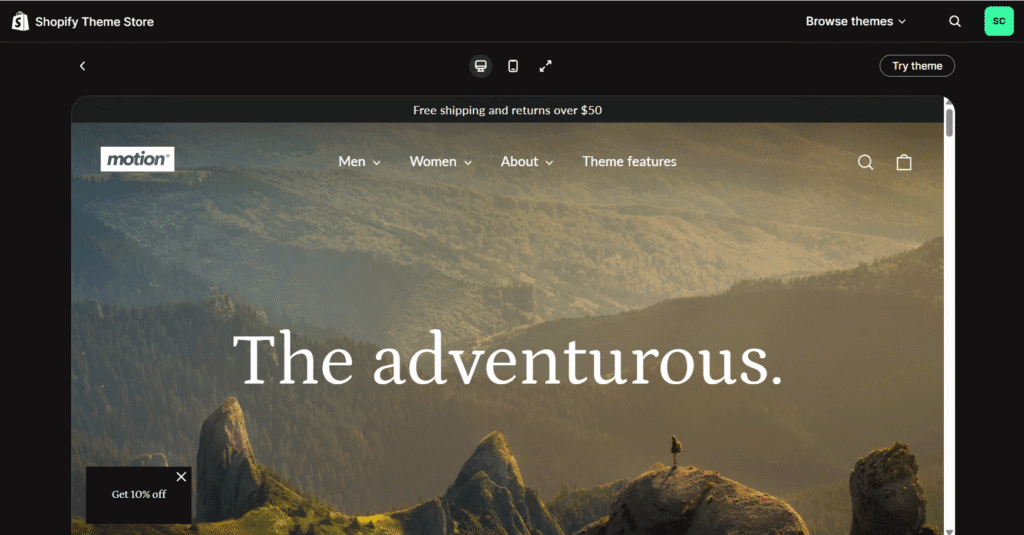
1. Classic (The “Motion” Preset)
The Class Motion style is the signature look of the theme. It is bold, dynamic, and designed to grab attention immediately. This preset makes the heaviest use of auto-playing video and large typography, making it the perfect choice for activewear, outdoor gear, and high-energy lifestyle brands that need to show their products in action.
2. Elegant (The “Satchel” Preset)
The Elegant Satchel style offers a more refined, sophisticated atmosphere. It typically uses darker tones and structured layouts to create a sense of luxury and exclusivity. This preset is ideal for high-end fashion, jewelry, and premium accessories where the goal is to build a sense of prestige around the brand.

3. Minimal (The “Memo” Preset)
The Minimal Memo style strips away the noise to focus entirely on the product. It utilizes generous white space, clean lines, and a simplified color palette. This preset is best suited for boutique clothing, skincare, or home goods brands that want a clean, modern aesthetic that lets the product photography speak for itself.
Deep Dive: Motion Theme Features for Growth
While the Motion theme is famous for its aesthetics, a pretty store doesn’t always equal a profitable one. To justify its premium price tag, Motion includes a robust suite of tools designed to turn visitors into customers without requiring a dozen expensive third-party apps.
We’ve categorized the most impactful features below to help you understand how they support your store’s growth, breaking them down by function.
Marketing & Conversion Features
These tools are designed to leverage psychological triggers and reduce friction, encouraging immediate action from shoppers.
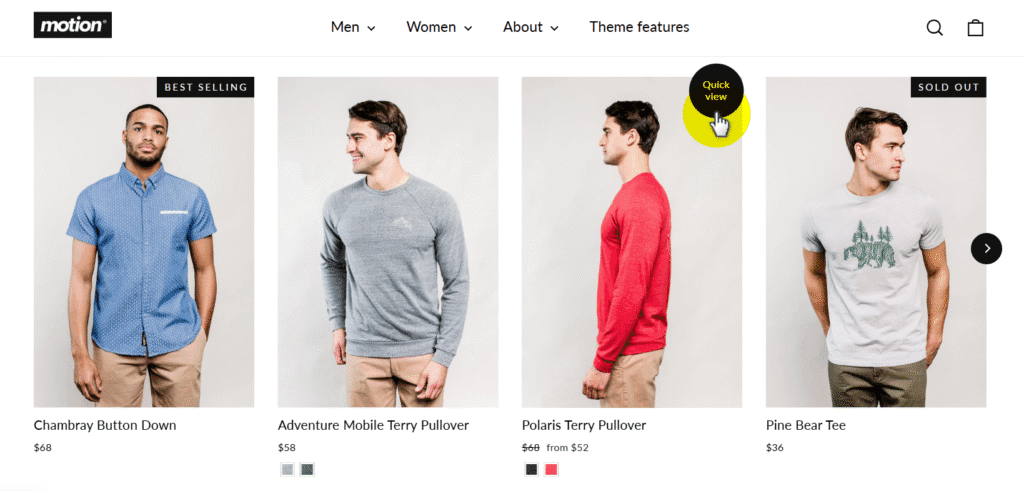
Product Quick View: Speed is critical for conversion. Motion’s built-in Quick View allows customers to preview product details and add items to their cart via a modal popup without leaving the collection page. This seamless experience keeps users browsing and reduces the “pogo-sticking” effect (clicking back and forth between pages).
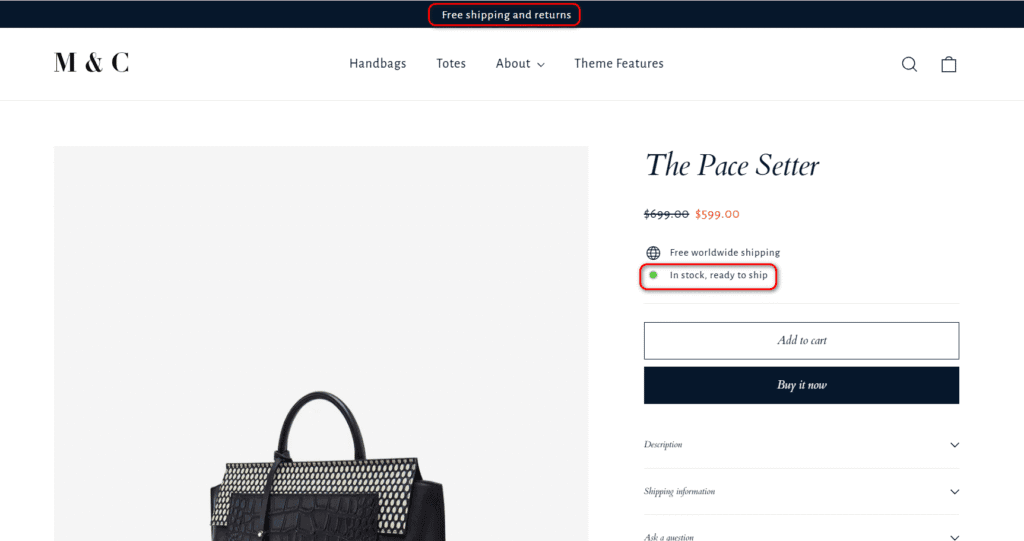
Stock Counter: You can leverage scarcity natively. The Stock Counter displays low inventory levels (e.g., “Only 3 left in stock”) on product pages to drive FOMO (Fear Of Missing Out) and accelerate purchase decisions.
Promo Banners: Customizable Promo Banners can be placed strategically to highlight sales, countdown timers, or free shipping thresholds. Unlike standard announcement bars, these can be placed within page sections to break up content and catch the eye.
In-Store Pickups: For brands with physical locations, this feature integrates local availability directly onto the product page, bridging the gap between online browsing and offline purchasing.
Merchandising & Visual Storytelling Features
This is where the Motion theme truly outshines the competition. It provides editorial-style tools that usually require custom development.
Smooth Animations: The theme’s namesake feature. Text and images don’t just appear; they fade and slide in with a premium, fluid motion as the user scrolls. This subtle movement keeps the user’s eye moving down the page and increases time-on-site.
Shoppable Lookbooks: Instead of standard grids, you can create lifestyle scenes where customers can click directly on items within a photo to view the product (“Shop the Look”). This acts like a digital catalog or magazine spread, perfect for selling bundles.
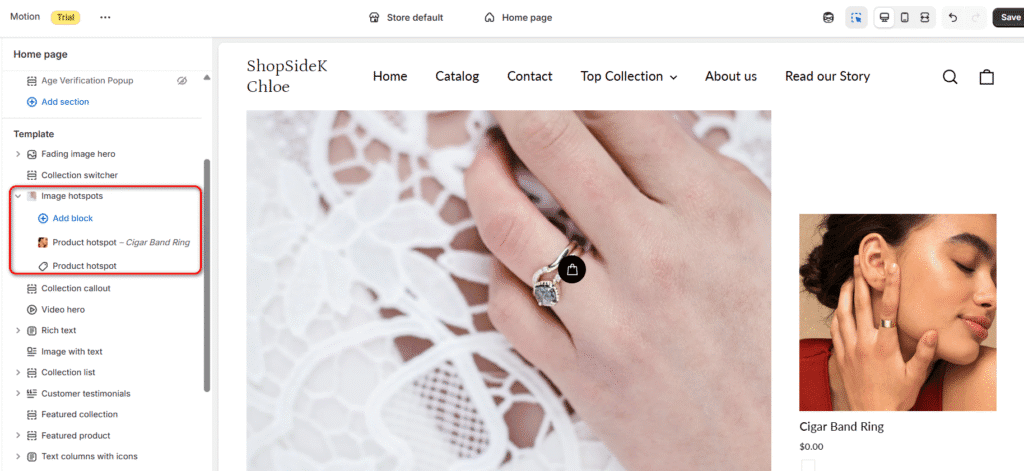
Image Comparison (Before/After Image Slider): Personally, I think this is a standout feature for beauty and skincare brands. You can overlay two images with a draggable slider to demonstrate product effectiveness (e.g., skin before and after using a serum). This interactive element builds immense trust.
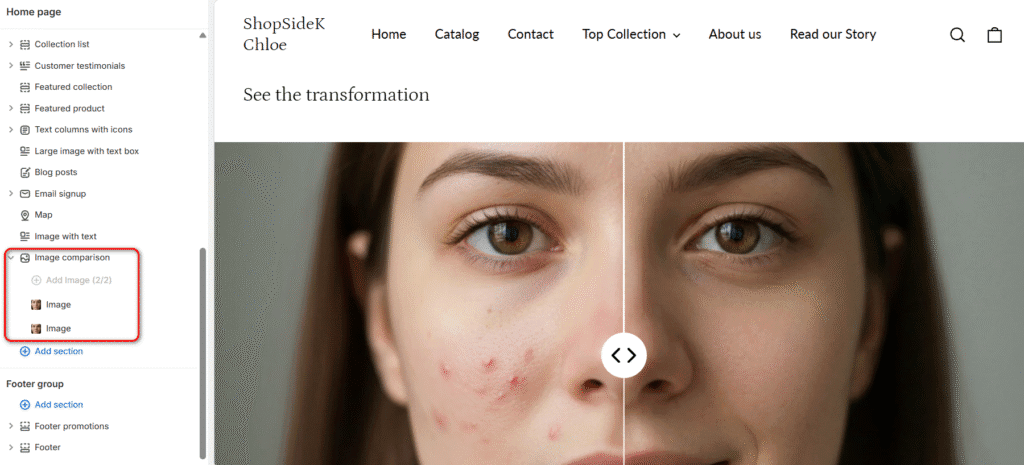
Autoplay Video (Video Hero): Motion supports high-quality, autoplaying video on the homepage and product pages. Unlike older themes that struggle with video load times, Motion optimizes these assets to start playing instantly, grabbing attention the second a visitor lands on your site.
Cart & Checkout Features
The checkout flow is where most sales are lost. Motion optimizes this critical final step to minimize cart abandonment.
Quick Buy: This feature allows customers to add a product to their cart directly from a collection page or search result. By removing the need to visit the specific product page, you significantly reduce the number of clicks required to make a purchase.
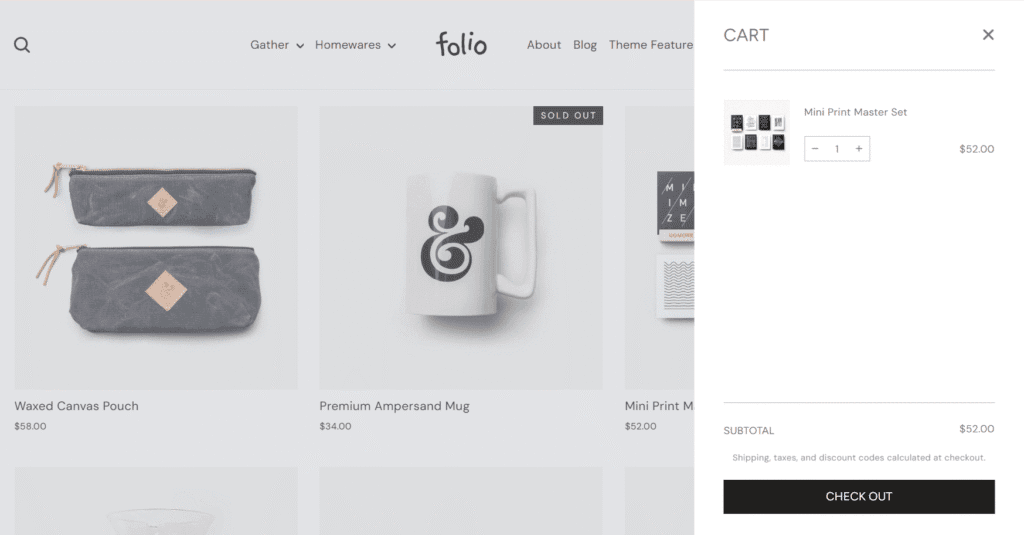
Slide-Out Cart: Instead of redirecting users to a separate cart page every time they add an item, Motion uses a Slide-Out Cart (or Cart Drawer). This confirms the addition while keeping the customer on the current page, allowing them to continue shopping without interruption. It simplifies the path to checkout while keeping the shopping momentum going.
Product Discovery & Navigation Features
If customers can’t find what they want, they can’t buy it. Motion offers enterprise-level navigation tools to handle growing catalogs.
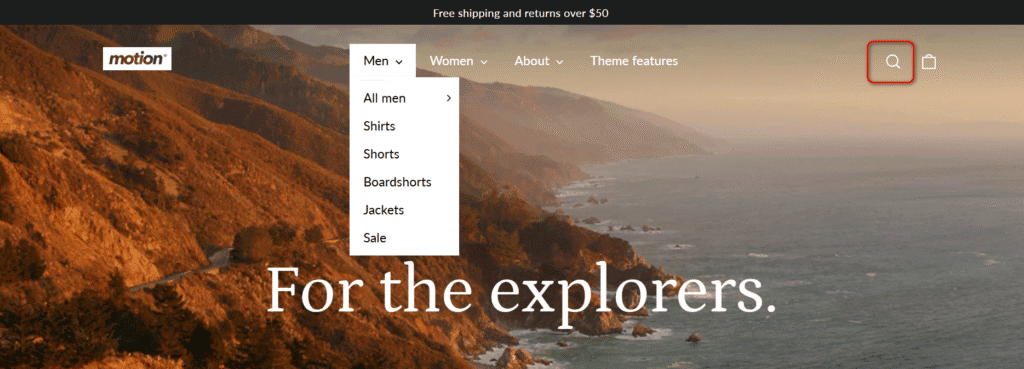
Mega Menu: For stores with deep inventories, a standard dropdown menu isn’t enough. Motion’s Mega Menu allows you to organize products into visual columns with images inside the navigation, making it easy for users to scan categories at a glance.
Enhanced Search: The predictive search bar suggests products, collections, and articles as the user types, helping them get to the right page faster. It effectively anticipates user intent before they even finish typing.
Sticky Header: As users scroll down long pages, the navigation bar remains fixed (or “sticky”) at the top of the screen. This ensures that the menu, search, and cart are always just one click away, regardless of how deep a user is into your content.
Performance Test: How Fast is the Motion Theme?
One of the biggest fears store owners have with “visual” themes is speed. Does all that animation and video slow down your site and hurt your SEO? Instead of guessing, we put it to the test. We used the pre-built demo store of the Motion ‘Classic’ preset, which already includes standard high-resolution demo products and a compressed homepage background video.
We then ran the site through Google PageSpeed Insights. Here is what the data says.
The Results
Desktop Performance: 84/100
On desktop, the theme performs reliably well, scoring an 84.
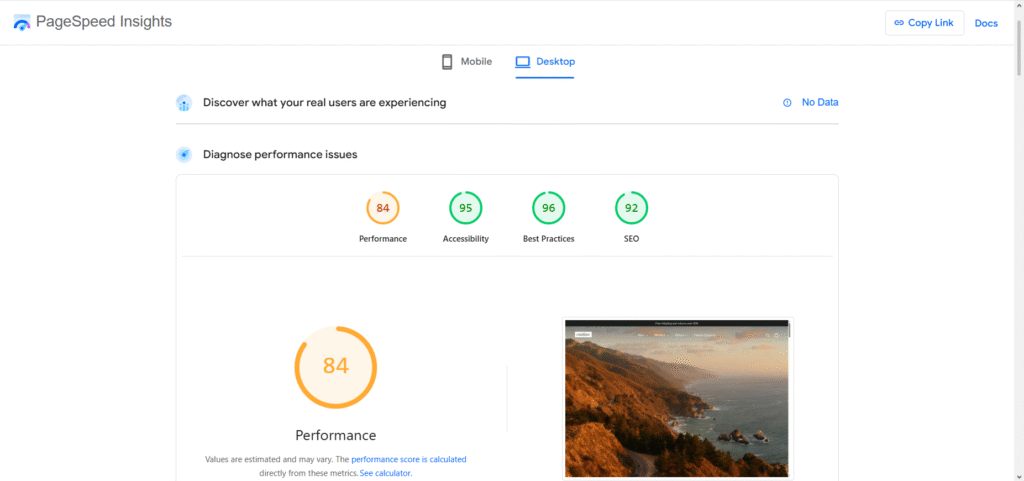
Note: Accessibility (95), Best Practices (96), and SEO (92) all scored exceptionally high, indicating clean, standards-compliant coding.
Mobile Performance: 70/100
On mobile devices—where processing power is more limited—the theme scored a 70.
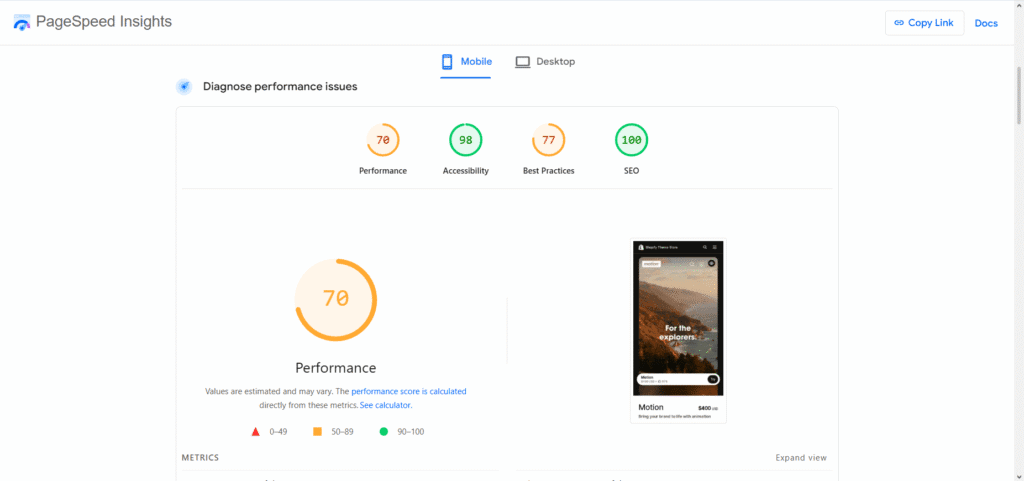
Note: The theme achieved a perfect 100 score for Mobile SEO.
Our Analysis
For a theme heavily reliant on autoplaying video and complex animations, these scores are impressive.
It is common for “heavy” aesthetic themes to score in the 30-50 range on mobile due to bloated code. Motion’s score of 70 on mobile and 84 on desktop confirms that Archetype Themes has optimized the backend efficiently. The animations are smooth and do not block the main thread significantly.
The Bottom Line: Motion is fast enough to rank well on Google and provide a good user experience, provided you do your part. The theme is optimized, but you must still compress your videos and use modern image formats (like WebP) to maintain these speeds.
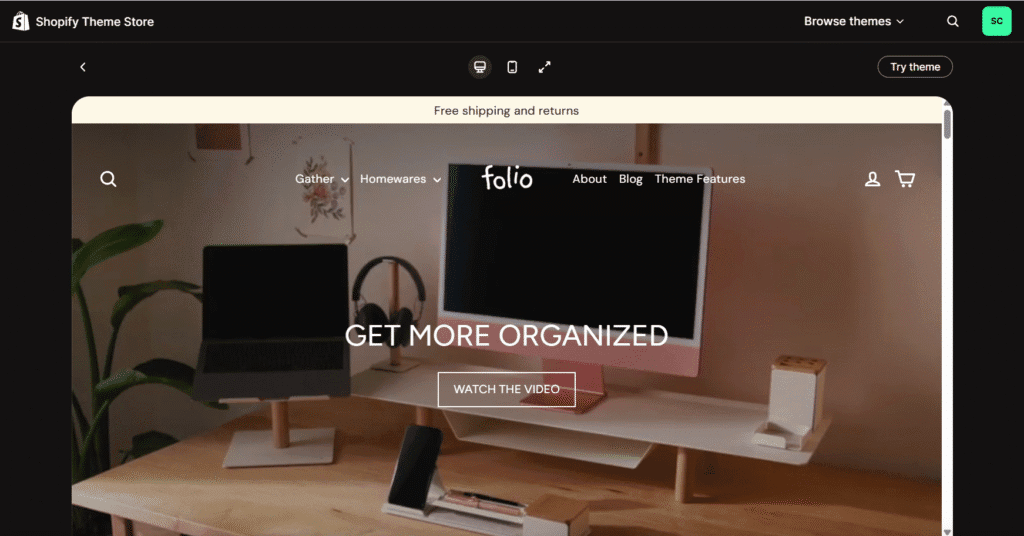
Impressed with the speed and features? See the Motion theme in action with a live demo on Shopify’s Theme Store.
Real Stores Using the Motion Theme: 3 Store Examples
Seeing a theme in a developer demo is helpful, but seeing it drive a live, high-volume business provides the real proof of concept. These three brands leverage the Shopify Motion theme to create distinct, high-converting customer experiences.
1. Jones Sports Co.
The Aesthetic: Premium, Heritage, Minimalist
Jones Sports Co. masters the ‘less is more’ approach with Motion. By using structured product grids, they let their premium golf bag photography take center stage.
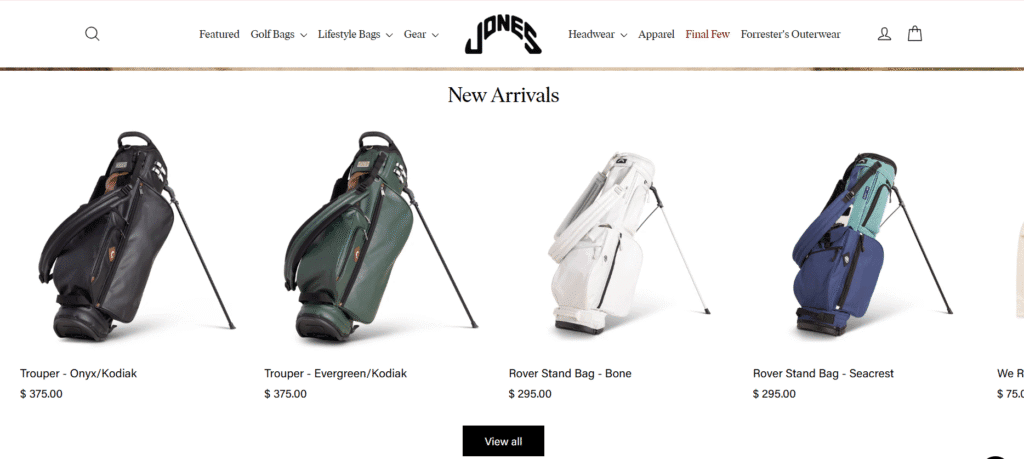
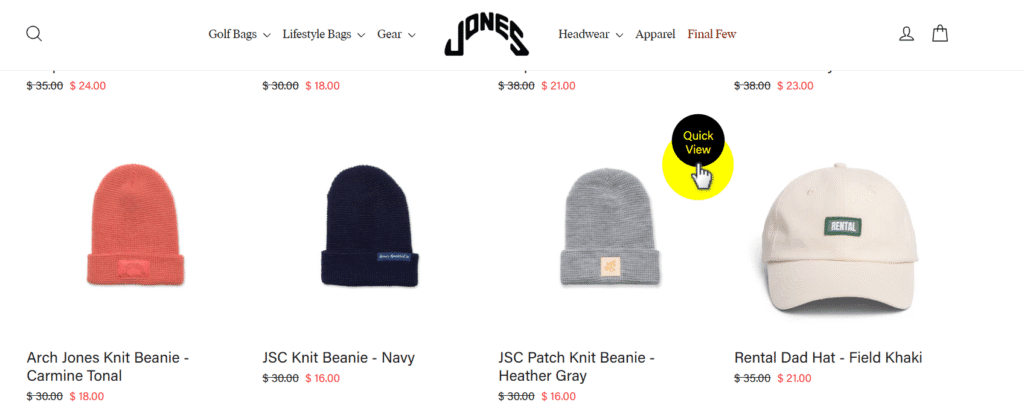
More importantly, they utilize the theme’s Quick View feature, providing a seamless and frictionless shopping experience that perfectly matches their high-end brand.
2. Bec + Bridge
The Aesthetic: High-Fashion, Moody, Dynamic
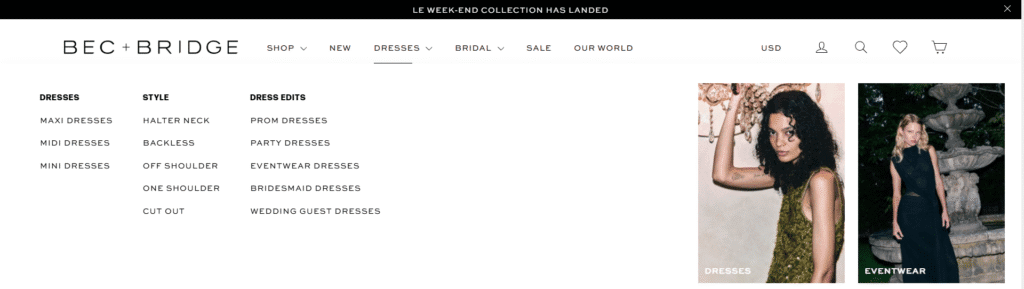
Australian fashion label Bec + Bridge perfectly leverages two standout features of the Motion theme. First, a full-width background video instantly immerses shoppers in the brand’s lifestyle and shows how fabrics move.
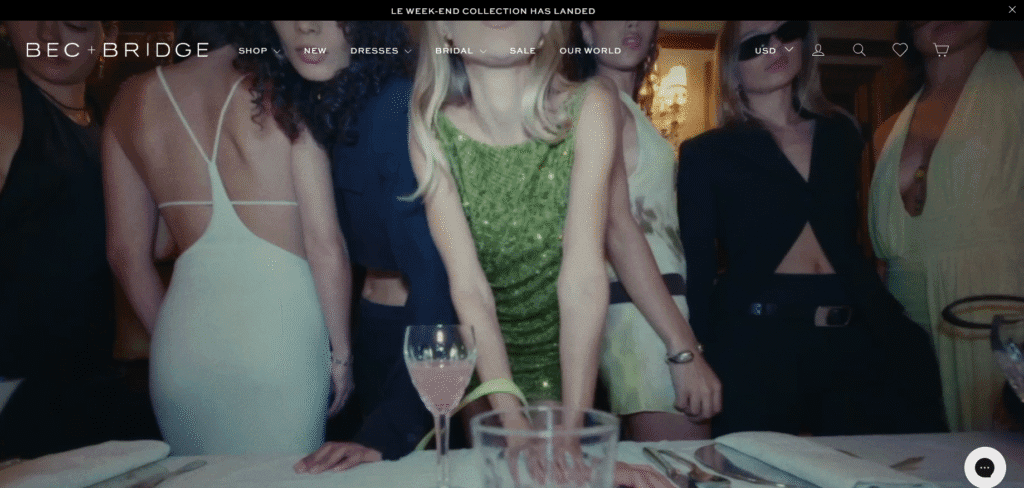
Second, they utilize the theme’s Mega Menu for seamless navigation, allowing customers to easily browse extensive collections without feeling overwhelmed.
3. The Landmark Project
The Aesthetic: Adventurous, Story-Driven, Warm
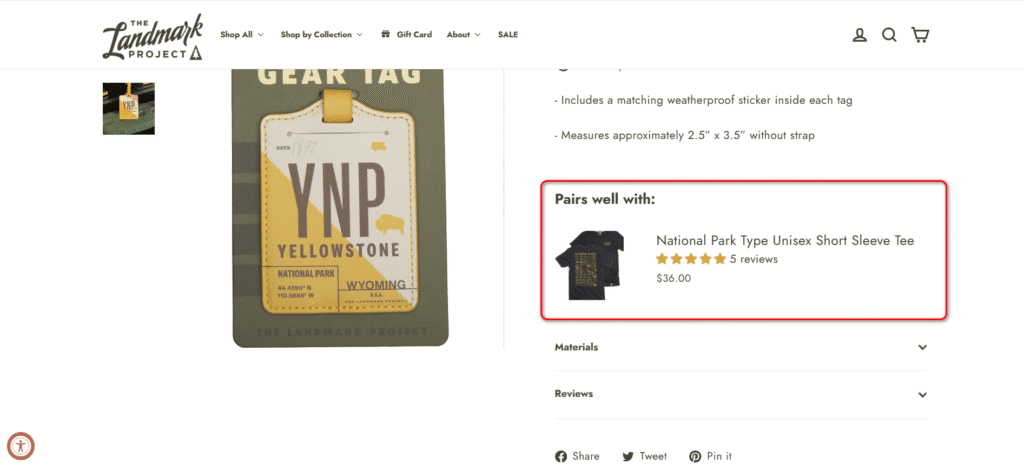
The Landmark Project uses Motion’s fluid animations to create an engaging, journey-like scrolling experience that matches their outdoor narrative. Beyond visuals, they effectively utilize the theme’s upsell features to recommend complementary gear, naturally increasing their average order value.
💡Wondering how we know exactly which theme these successful brands are running? We verified all the stores in this list using our free Shopify theme and app detector. If you ever stumble upon a stunning Shopify store and want to uncover the exact theme or apps powering their design, you can use this tool to find out instantly!
Motion vs. Shopify’s Free Dawn Theme: Is the Upgrade Worth It?
For many new merchants, the biggest hesitation isn’t the features—it’s the price. Why pay $400 for the Motion theme when Shopify’s official Dawn theme is free, fast, and modern?
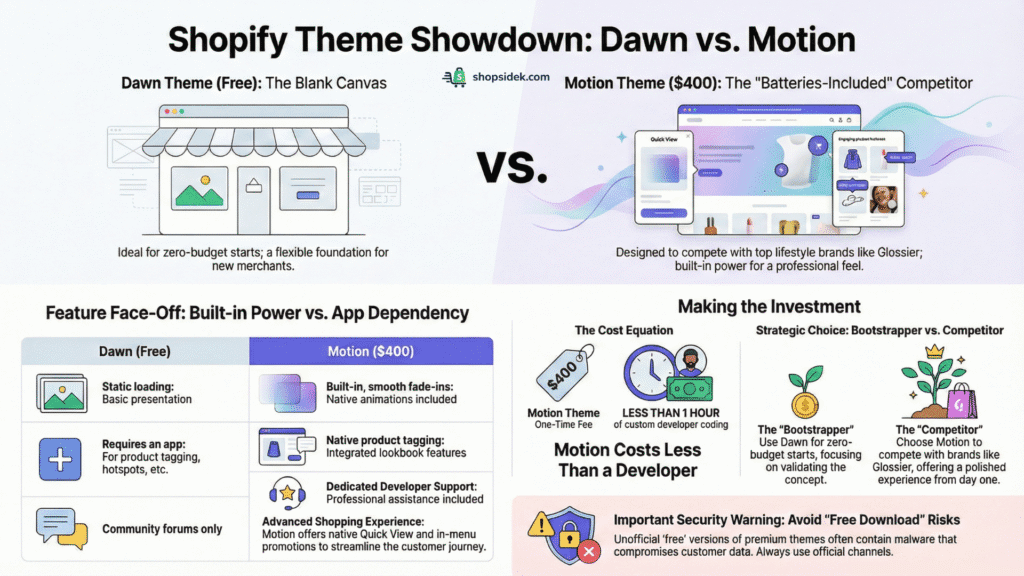
In my opinion, Dawn is an incredible starting point. It is lightweight, supports Online Store 2.0, and works well for simple catalogs. However, it is designed to be a “blank canvas.” To get Dawn to look like a premium lifestyle brand, you often need to hire a developer or install multiple apps (which can slow down your site and increase monthly costs).
Motion, on the other hand, is a “batteries-included” solution. It comes pre-loaded with the high-end visual tools that fashion and beauty brands need to compete.
Here is a direct breakdown of what you get for your investment:
| Feature | Motion Theme ($400) | Dawn Theme (Free) |
|---|---|---|
| Animations | ✔️ Yes (Built-in, smooth fade-ins) | ❌ No (Static loading) |
| Lookbooks & Image hotspot | ✔️ Yes (Tag products in photos) | ❌ No (Requires an app) |
| Image Comparison | ✔️ Yes (Native section) | ❌ No (Requires an app or code) |
| Video Hero | ✔️ High (Optimized for hero sections) | ⚠️ Basic (Standard video sections) |
| Quick view | ✔️ Yes (Native popup for seamless shopping) | ❌ No (Requires a third-party app) |
| In-menu promos | ✔️ Yes (Highlight promotions inside menus) | ❌ No |
| Customer Support | Dedicated Developer Support (Archetype) | Community-based support (Relies on forums, help docs) |
The Verdict: When to Upgrade
If you are bootstrapping with zero budget and just need to process orders, start with Dawn. It is reliable and free.
Do not risk your business security looking for a Motion Shopify theme free download; these files often contain malware that can compromise customer data. Instead, rely on the official unlimited free trial to test the premium features safely.
However, if your goal is to build a brand that competes with established players like Gymshark or Glossier, Motion is the better investment. The $400 fee is a one-time cost—likely less than what you would pay a developer for just one hour of custom work to build these features into Dawn. By choosing Motion, you are effectively buying a pre-coded, high-performance visual identity.
Seeing the difference is the best way to decide. If you’re ready to see what a premium theme can do, you can try Motion on Shopify’s free trial to compare it directly against your current setup.
The Pros and Cons of Motion (Backed by 551+ User Reviews)
With a 97% positive rating across more than 551 reviews on the Shopify Theme Store, Motion is undeniably a crowd favorite. However, a high score doesn’t mean it’s perfect for every merchant.
To give you an unbiased perspective, we analyzed the feedback to find the recurring patterns—both good and bad—that real store owners experience after purchase.
👍PRO: Creates a Modern, Fluid Storefront
The most consistent praise for Motion is its ability to instantly elevate a brand’s perceived value. Users frequently report that the smooth animations and clean layout make their products look more expensive and their store feel more established. This isn’t just vanity; it directly impacts trust and conversion rates.
This sentiment is validated by the team at Barefoot Asia, who shared their experience:
I’ve been using the Motion theme for my store, and I’m genuinely impressed. The design is modern, fluid, and truly brings my products to life with smooth animations and a clean layout.

👍PRO: Top-Notch, Responsive Customer Support
When you pay $400 for a theme, you are paying for the code and the service. Reviews indicate that Archetype Themes offers exceptional support, often going beyond standard troubleshooting to help with specific functionality requests. This level of service can save you hundreds of dollars in developer fees.
One verified user noted exactly this value add:
Great theme, but what really stands out is the responsiveness of the support team. I wanted some functionality that the theme didn’t support, and they fixed it for me. Really impressed. Highly recommended.

👎CON: Can Be Difficult for Deep Customization
While Motion is feature-rich, it is opinionated in its design structure. Some users find it challenging to customize layouts beyond the pre-set sections without knowing how to code. If you have a very specific, non-standard vision for your store, you might feel restricted by the theme’s logic.
This frustration was highlighted by a reviewer from Kickin Powersports, who warned:
This theme is horrible. Super hard to work with and have to custom create absolutely everything on it… if you plan on doing anything custom at all, do not buy this theme.

Note: This usually applies to merchants trying to force the theme to do something it wasn’t designed for. If you stick to the provided sections, the experience is generally smooth.
👎CON: Heavily Dependent on High-Quality Assets
This is the “hidden cost” of the Motion Shopify theme. Because it is a visual-first theme, it relies entirely on the quality of your media. The demo stores look incredible because they use professional 4K video and editorial photography.
If you launch this theme with low-resolution, inconsistent, or poorly lit product photos, the store can actually look worse than a simpler theme like Dawn. Motion amplifies your content—for better or for worse. Before buying, ensure you have the creative assets to fill the frame.
Our Final Verdict: Who Should Buy the Motion Theme?
After testing the speed, exploring the features, and analyzing over 500 user reviews, our conclusion is clear: The Shopify Motion theme is a powerhouse for brands that rely on visual storytelling.
Overall Rating
9.0/10It is not just a pretty face; it is a high-performance engine designed to keep customers engaged through animation and video. However, it is not the right fit for every single store.
✅ You should buy the Motion theme if:
- You are a visual-first brand: You sell fashion, jewelry, beauty, or lifestyle products where “the look” sells the item.
- You have high-quality content: You have professional photography and at least one high-resolution video ready to feature on your homepage.
- Brand perception is a priority: You want your store to look like a custom-built, premium website from day one, without hiring an agency.
If that sounds like you, the Motion theme is a powerful investment in your brand’s future. The best way to decide is to see it live in your own store.
❌ Consider an alternative if:
- You are on a tight budget: If $400 stretches your finances too thin, stick with one of the best free Shopify themes (like Dawn) until you are generating consistent sales.
- You have a massive catalog: If you sell thousands of SKUs like an Amazon-style marketplace, a visual-heavy theme like Motion might feel cluttered.
- Your photos are basic: If you are dropshipping with low-resolution supplier images, Motion will highlight those flaws. Stick to a simpler layout.
FAQs About Motion Shopify Theme
Investing in a premium theme raises valid questions about ownership, technical requirements, and long-term value. Here are the answers to the most common questions regarding the Motion Shopify theme.
What happens if I buy the Motion theme and switch to another one later?
The Motion theme license is tied specifically to the Shopify store where you originally purchased it. You own a lifetime license for that store, meaning you can switch to a different theme temporarily and switch back to Motion anytime—it remains in your theme library forever. However, you cannot transfer the license to a completely different Shopify store or resell it.
Will I need a developer to customize the Motion Shopify theme?
For the vast majority of merchants, no. The theme is built with Shopify’s Online Store 2.0 architecture, giving you access to over 20 pre-built sections. You can easily drag and drop elements, change colors, and adjust fonts directly in the visual editor. You would only need to hire a developer if you require deep structural changes or unique custom features that go beyond the theme’s default settings.
How does Motion handle SEO and site speed with all the animations?
This is a common concern with visual-heavy themes. The developers at Archetype Themes have optimized the Motion theme SEO and performance by using lightweight code for animations. The theme also supports native lazy loading, ensuring images only load as the user scrolls down. As our performance test showed, the theme is capable of high speeds, but it is critical that you compress your images and videos before uploading them to maintain that performance.
Is the Motion theme a good choice for a single-product store?
Yes, it is an excellent choice. The theme’s focus on visual storytelling—with its large video banners and detailed image sections—is perfect for showcasing a single “hero” product from multiple angles. You can stack various sections on the homepage to detail features, benefits, and testimonials, effectively turning your storefront into a high-converting landing page.
💡However, if you want to compare it against layouts built exclusively for one-item catalogs, browse our roundup of the best single-product Shopify themes.