Running an online store often feels like hosting a crowded retail shop while wearing a blindfold. You watch traffic metrics tick upward, but you cannot see why high-intent shoppers abandon their carts seconds before completing checkout. While standard ticketing platforms force buyers to wait hours for an email response, modern e-commerce demands instant engagement. High-latency support is a silent conversion killer that drives buyers straight to your competitors.
LiveChat Shopify app aims to bridge this communication gap by transforming your customer support widget into an active sales assistant. Instead of waiting for support tickets to pile up, this platform gives support agents the tools to monitor live shopping carts, pitch custom discounts, and close sales before visitors leave your site.
But with premium, seat-based pricing structures, growing merchants must ask if the app delivers enough return to justify its monthly software overhead.
| LiveChat Shopify App: At a Glance | Details & Metrics |
|---|---|
| Developer | TEXT SA |
| Shopify App Rating | 4.8 ★ (based on 48 verified reviews) |
| Starting Price | From $25/month (billed monthly or annually) |
| Free Trial | Standard 14 days |
| ShopSideK Exclusive Offer | 30-Day Free Trial + 10% Discount |
To help you evaluate this platform thoroughly, we conducted a hands-on LiveChat app review to test its deep integration with Shopify checkout, its impact on retail profit margins, and its ability to consolidate messy communication channels. We also secured an exclusive partnership deal to help you test the software with zero financial risk.
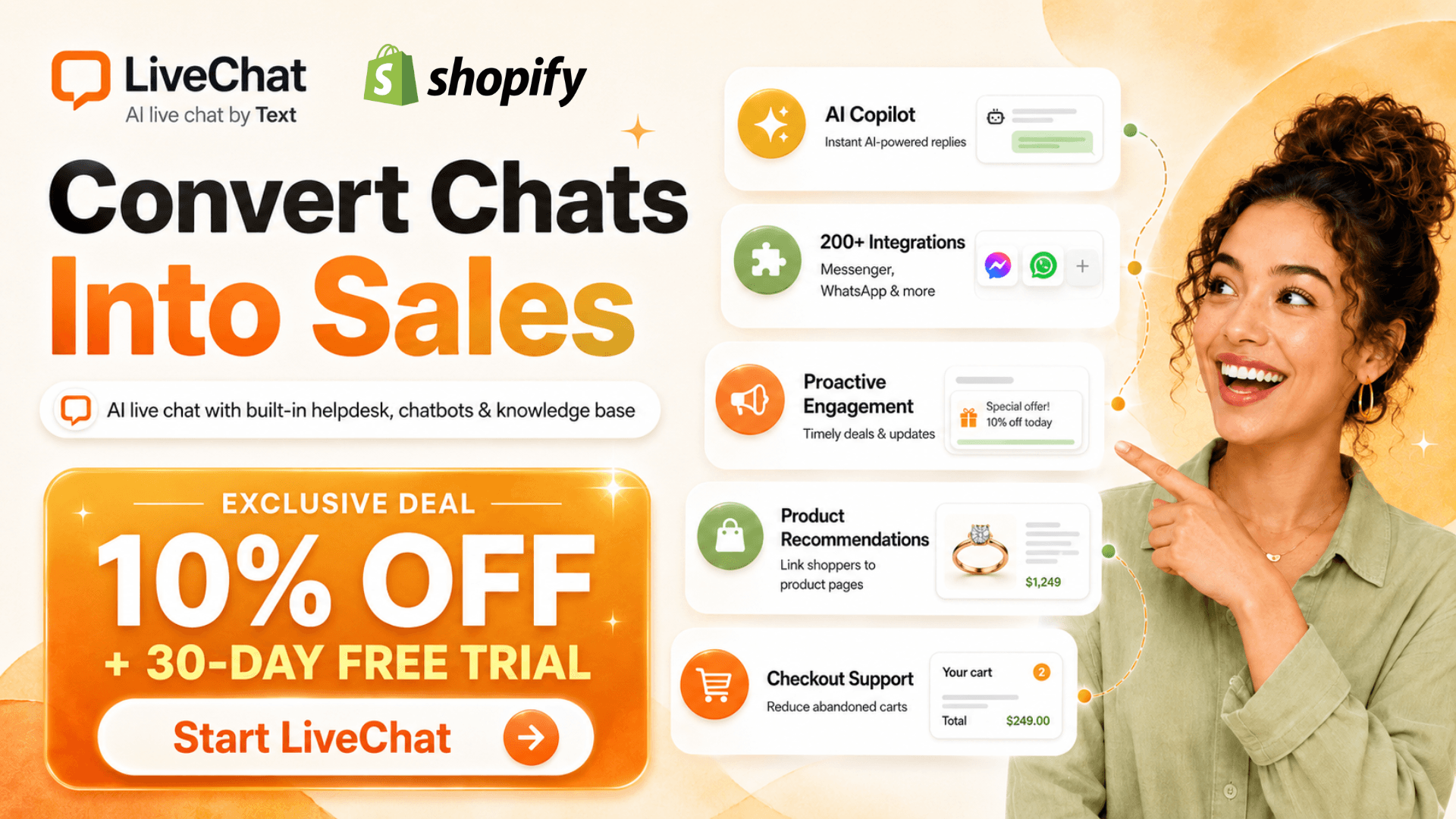
Ready to upgrade your support? ShopSideK readers get an exclusive 30-day free trial plus 10% OFF your LiveChat subscription when you sign up today—allowing you to test real-time cart tracking and secure sales risk-free.
- 1. Real-Time Cart Preview (Knowing the Play Before It Happens)
- 2. Visual Product Cards & Checkout Discounts (Ditching Boring Text Links)
- 3. Instant Order History Tracking & WISMO Deflection (The Zero-Switching Workflow)
- 4. Customer Message Preview (Reading Minds in Real Time)
- 5. Unified Omnichannel Inbox & Mobile Accessibility
Quick Verdict: Who Should (and Shouldn’t) Use LiveChat?
The Bottom Line: LiveChat is a premium Shopify live chat platform built for growing brands that want to turn customer service into a direct sales channel. If you are a solo operator with low traffic, free alternatives like Shopify Inbox or the free tier of Tidio will serve you better. But if you have active daily traffic and want to actively close sales, LiveChat’s cart-tracking tools are unmatched.
✅ Choose LiveChat if: You want to see what is in your customers’ shopping carts in real time, run automated sales campaigns, and manage multiple social messaging channels from one central inbox.
❌ Avoid LiveChat if: You are on a strict bootstrap budget, do not have dedicated staff to answer live inquiries, or only require a basic, passive contact form.
The Core Strengths of LiveChat Shopify App
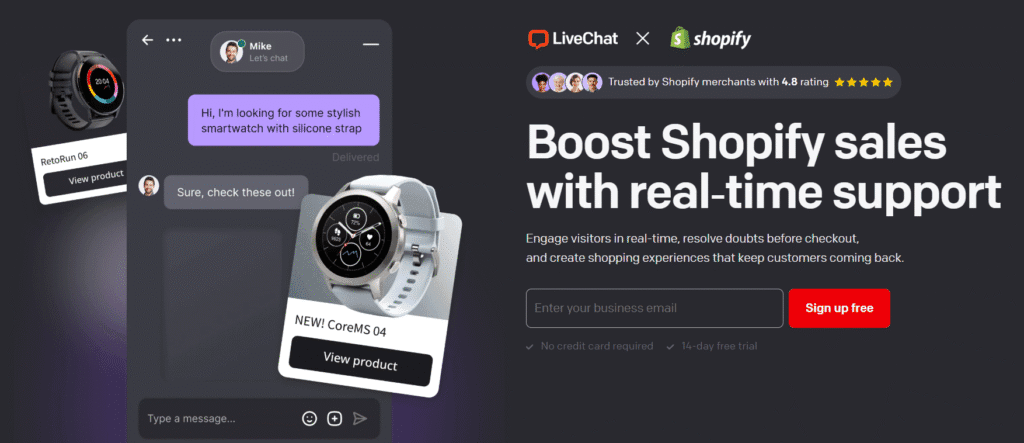
LiveChat Shopify app does not just sit passively on your site waiting for customer complaints. Instead, it acts as an active, in-store sales assistant that greets visitors, answers pressing pre-purchase questions, and recovers abandoning carts.
By pulling real-time customer data directly from your store, the widget helps agents cross-sell and recommend relevant products right in the chat window. This balance between daily customer support and active upselling makes the tool a true profit center for your business.
The Drawbacks & Limitations to Keep in Mind
While highly effective, LiveChat Shopify app does not offer a permanent free plan like Tidio or Shopify Inbox. However, this lack of a free tier reflects its design as a premium business tool built to generate a high ROI that easily offsets the monthly subscription.
Another consideration is that automated, off-hours support requires a separate integration with ChatBot. While this ensures top-tier conversational AI instead of a basic, rule-based widget, it does introduce an extra step and cost for 24/7 automation.
The Role of Shopify Live Chat Apps: Speed & Conversion Metrics
Many online merchants view customer service as a cost center—a necessity to handle shipping delays or refund requests. However, when you integrate LiveChat on Shopify, you are not just setting up a troubleshooting desk. You are building a high-speed sales lane that directly influences your conversion rates, customer satisfaction, and average cart value.
To understand the true value of this tool, we must look at the hard numbers. The speed of your support directly dictates whether a visitor completes their purchase or walks away forever.
How Response Times Impact Cart Abandonment Rates
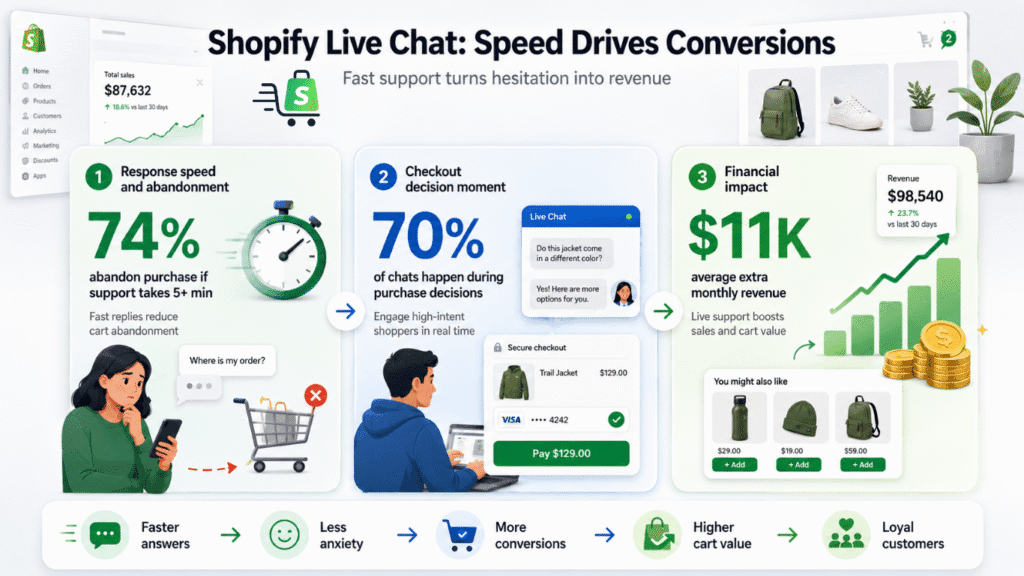
In digital commerce, delay is the ultimate deal-breaker. According to ShopSideK internal tracking, 74% of customers will abandon a purchase if they have to wait more than five minutes for a support response. I often notice that traditional email ticketing and phone support lines are too slow to rescue these active transactions.
LiveChat solves this problem by allowing your team to shift from slow, reactive channels to immediate, real-time resolutions. Resolving checkout hesitation or sizing questions in under a minute protects customer satisfaction and prevents buyers from leaving your store empty-handed.
70% Checkout Window: Engaging High-Intent Shoppers
Timing is everything when it comes to preventing cart abandonment. Industry data reveals that 70% of chat conversations happen while customers are in the middle of making a purchase decision. These are not casual browsers; they are high-intent shoppers standing at the digital checkout line with their credit cards in hand.
Engaging visitors during this critical window is essential for securing the sale. A quick answer about delivery times or product compatibility at this moment completely removes purchase anxiety. This active engagement turns a hesitant visitor into a confirmed buyer before they can change their mind.
Financial Impact: Boosting Your Store’s Monthly Revenue
When you stop treating customer support as a passive expense and start using it as an active sales channel, the financial returns are immediate. Official LiveChat benchmark data shows that integrated merchants generate an average of $11,000 in additional monthly revenue simply by engaging shoppers in real time.
By offering proactive help, your team can easily recommend complementary items, directly increasing your average cart value. This minor strategic shift turns simple inquiries into structured upselling opportunities. Ultimately, this approach maximizes your overall retail profit margins while building long-term customer loyalty.
Where LiveChat Fits: 5 Strategic Tiers of Shopify Chat Software
Shopify App Store is crowded with messaging solutions, making it difficult to find the perfect fit. To make an informed choice, merchants need a clear mental model of how these tools differ in scope, cost, and purpose.
Understanding Tier 1 to Tier 5 E-Commerce Support Tools
We categorize the primary chat technologies into five distinct operational tiers. This classification helps you align your support infrastructure with your store’s current growth stage and revenue goals.
| Tier | Category | Core Example Platforms | Primary Use Case |
|---|---|---|---|
| Tier 1 | Native Baseline Widgets | Shopify Inbox | Lightweight, free storefront messaging |
| Tier 2 | Unified Helpdesks | Zendesk, Gorgias | Complex post-purchase ticketing systems |
| Tier 3 | Sales-Driven Customer Insights | LiveChat | Real-time cart tracking & sales conversion |
| Tier 4 | Automated Conversational AI | Rep AI, Chatty | Autonomous LLM-driven query resolution |
| Tier 5 | Social Direct Messaging Engines | Spur, ManyChat | Automated WhatsApp & Instagram funnels |
- Tier 1: Native Baseline Widgets are simple, zero-cost options built directly into your store platform. They are perfect for new merchants testing the waters of customer messaging without any monthly financial commitment.
- Tier 2: Unified Helpdesks function as heavy-duty ticketing systems designed to manage post-purchase issues. Platforms like Gorgias specialize in routing complex tickets across large support teams rather than driving front-end conversions.
- Tier 3: Sales-Driven Customer Insights Platforms like LiveChat bridge the gap between customer service and active sales. These tools monitor active shopping carts in real time to help your agents intervene and close deals directly on your storefront.
- Tier 4: Automated Conversational AI Agents leverage advanced LLMs to answer customer queries without human intervention. These autonomous systems resolve repetitive questions around the clock to keep support teams from burning out.
- Tier 5: Social Channel & Direct Messaging Engines are built specifically to handle off-site communication. Software like Spur or ManyChat automates high-volume conversations on channels like WhatsApp and Instagram to drive external traffic back to your store.
Proactive Sales Engagement vs. Reactive Support
Most traditional customer support setups operate purely on a reactive basis. Under this model, your chat widget sits quietly in the corner of your screen, only drawing attention when a customer has a complaint, a billing error, or a shipping delay.
From what I’ve seen, LiveChat shifts this dynamic entirely by prioritizing proactive sales engagement. Instead of waiting for a message, the platform uses automated triggers to initiate conversations with high-intent shoppers before they abandon their carts. This proactive nudge resolves doubts instantly and transforms simple customer service into a reliable sales engine.
Inside the Profit Center: How LiveChat Translates Shopify Data Into Direct Sales
Connecting a standard messenger to your site is easy, but most tools act as basic contact forms that only capture messages. LiveChat Shopify app functions differently by syncing directly with your store database. This deep technical link feeds live customer activity directly into your agent interface, allowing your team to act as high-performing sales representatives.
By displaying real-time cart contents, purchase history, and browsing paths, the app turns blind conversations into targeted, data-backed sales opportunities. Let’s dive into the core features that turn this platform from a basic support widget into an active profit center.
1. Real-Time Cart Preview (Knowing the Play Before It Happens)
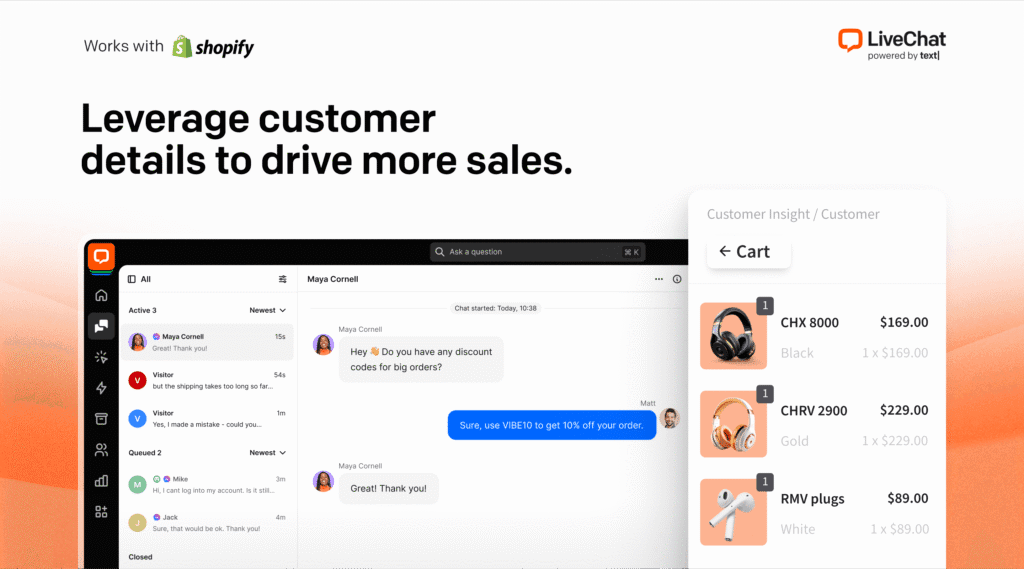
The real-time cart preview completely changes how support teams interact with active shoppers. Instead of guessing what a buyer wants, your agents can see the exact products sitting in a visitor’s cart and the specific collections page they are currently browsing. This active intent tracking reveals exactly where a customer is hesitating before they walk away.
Imagine an agent noticing a visitor hovering on a high-value leather boots checkout page with a pair in size 10 in their real-time cart. The agent can trigger a targeted greeting to confirm sizing details or offer shipping assurances before the customer gets cold feet. By tracking this behavioral data, your staff can step in precisely when a shopper is experiencing checkout hesitation, dramatically reducing cart abandonment.
2. Visual Product Cards & Checkout Discounts (Ditching Boring Text Links)
When a customer asks for a product recommendation, copy-pasting a long, text-only URL kills the aesthetic appeal of your brand. It forces the shopper to open a new tab, navigate away from the conversation, and restart the checkout process. LiveChat replaces this clunky workflow with engaging, visual product recommendations that keep the buyer focused.
From the agent panel, your staff can search your Shopify product catalog, choose specific variants, and drop elegant Product Cards directly into the chat. These cards feature high-resolution product images, prices, descriptions, and a direct “Buy Now” checkout button that takes the shopper straight to a pre-filled cart.
To sweeten the deal, agents can instantly generate and share custom checkout discounts inside the chat screen. If a customer is debating a purchase, dropping a personalized 10% coupon directly into a visual product card removes final financial barriers. This seamless checkout experience keeps the buyer within a single, distraction-free environment, directly increasing your conversion rates.
3. Instant Order History Tracking & WISMO Deflection (The Zero-Switching Workflow)
“Where Is My Order” (WISMO) queries represent a massive chunk of daily customer inquiries and can quickly overwhelm a support queue. To solve this, LiveChat Shopify app integrates deep order tracking and customer history directly beside the active conversation panel. Your staff no longer needs to waste precious minutes switching tabs, opening the Shopify admin panel, and copying order numbers.
The app displays a customer’s past purchase history, current order status, fulfillment records, and shipping carrier data in real time. Within the chat panel, an agent can instantly lookup tracking numbers, modify incorrect delivery addresses, cancel pending items, or process return requests.
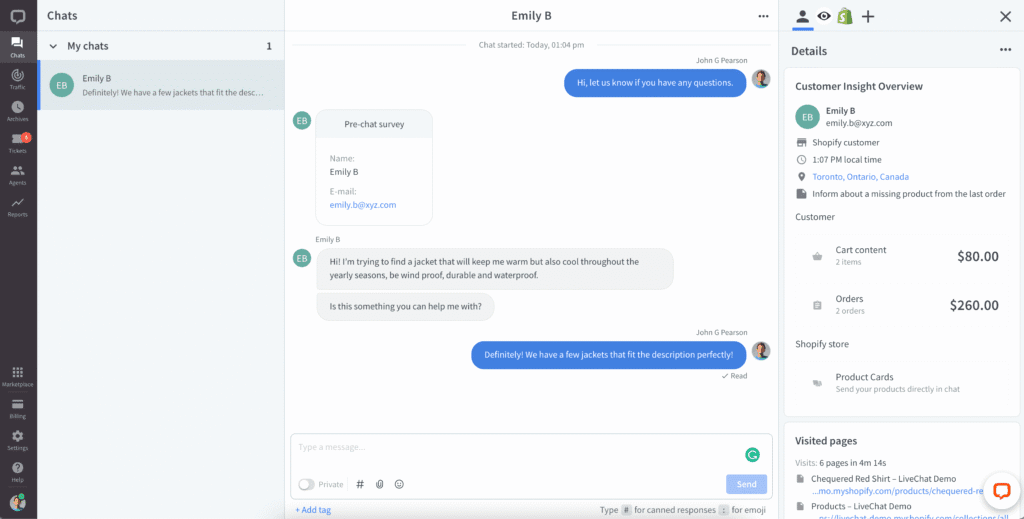
This zero-switching workflow dramatically slashes your average handle time (AHT) and allows a single agent to manage multiple high-velocity chats simultaneously. Resolving these simple logistics questions in seconds provides powerful WISMO deflection. This reduces your support ticket backlogs and gives your team more time to focus on closing new sales.
4. Customer Message Preview (Reading Minds in Real Time)
Speed is the absolute key to maintaining high customer satisfaction scores in digital retail. LiveChat’s Customer Message Preview feature gives your support staff a massive head start by showing exactly what a shopper is typing before they click the send button.
As you watch a buyer draft their query in real-time, your agent can begin looking up product specifications, checking store return policies, or pulling up alternative items. By the time the customer hits enter, the agent is already prepared to send a polished, helpful reply. This preview feature virtually eliminates agent wait times, resulting in lightning-fast response times that keep buyers engaged throughout the purchase process.
5. Unified Omnichannel Inbox & Mobile Accessibility
Modern buyers do not limit their shopping to your website; they interact with your brand across Instagram, Facebook, WhatsApp, and email. Managing all of these fragmented channels individually leads to missed messages and delayed responses. LiveChat solves this by routing all incoming inquiries into a single, unified agent dashboard.
Whether a buyer sends an Instagram DM inquiring about stock or a WhatsApp message about an active cart, the conversation lands in the same inbox. Your staff can reply to any social channel using a centralized interface, utilizing saved replies and tag tracking.
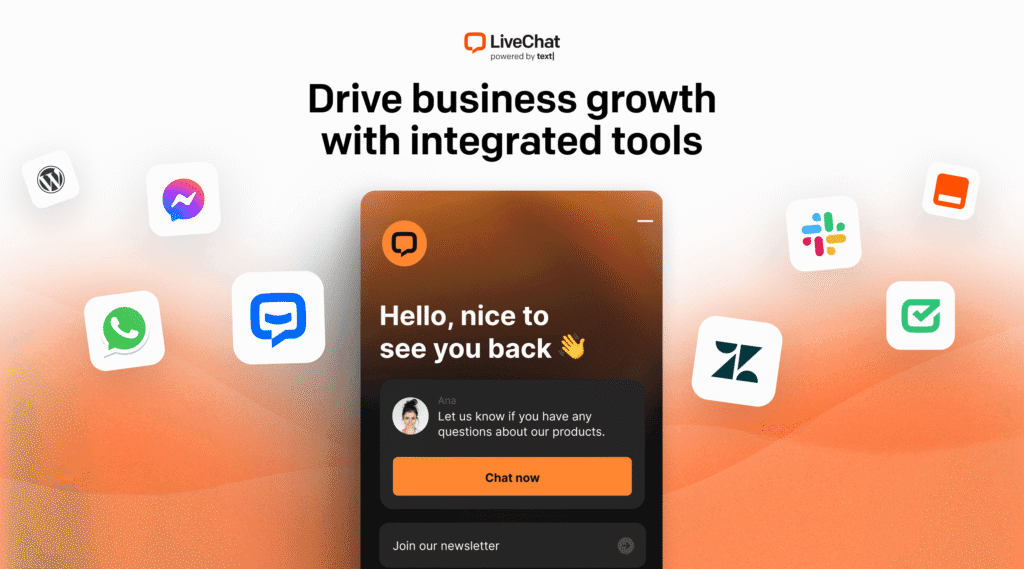
Additionally, the platform features robust, native mobile apps for iOS and Android. This mobile accessibility allows small e-commerce teams or solo founders to maintain flawless responsiveness on the go. You can easily track the LiveChat Sales Tracker metrics, view cart values, and close sales directly from your smartphone while away from your desk.
If you want to stop losing sales to abandoned carts, try active upselling. You can explore product cards and real-time cart previews with our exclusive deal: claim your 30-day free trial of LiveChat with a 10% discount here.
Real-World Case Studies: How LiveChat Powers Success for Real Brands
While reading about features is helpful, the true test of any platform lies in its real-world performance. Top brands across various e-commerce sectors use LiveChat to optimize their customer success strategies, handle massive spikes in web traffic, and turn passive browsing sessions into highly profitable sales.
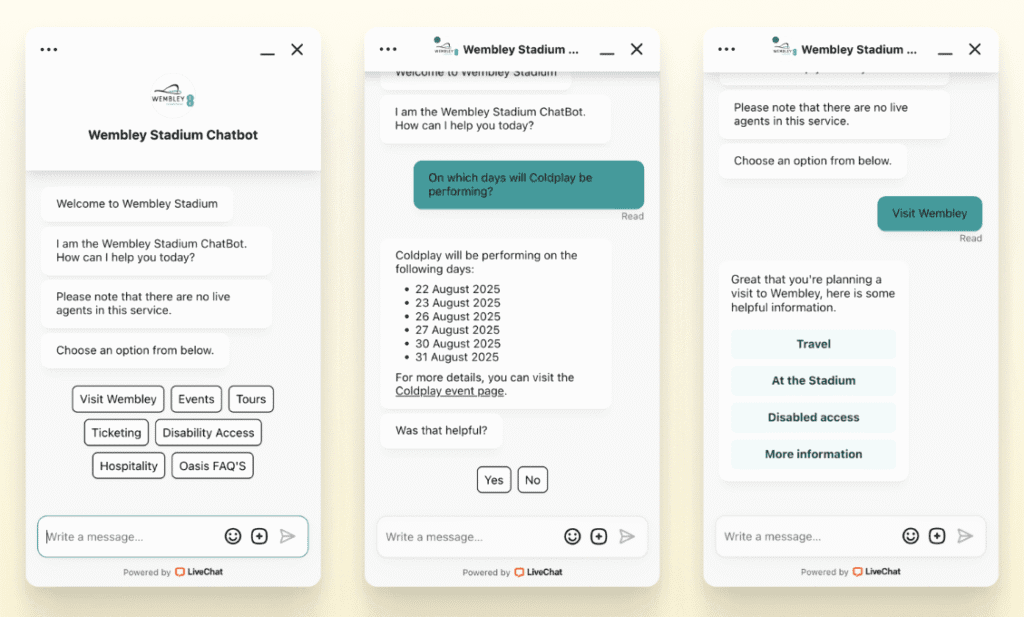
Wembley Stadium: Generating $1.5M in Online Sales Within 8 Months
Managing customer service for a legendary venue like Wembley Stadium presents unique challenges. During major sporting events or concerts, their online merchandise store experiences sudden, massive spikes in visitor traffic from fans looking to buy gear.
To manage this extreme demand without hiring a massive army of support staff, Wembley’s e-commerce division used LiveChat’s canned responses and chat routing tools. Agents could handle multiple inquiries simultaneously, ensuring that no customer was left waiting in line during peak purchasing hours. This efficient setup allowed the team to capture high-intent interest quickly, generating a remarkable $1.5 million in online sales within just eight months of installation.
Sephora: Increasing Average Order Value (AOV) by 25%
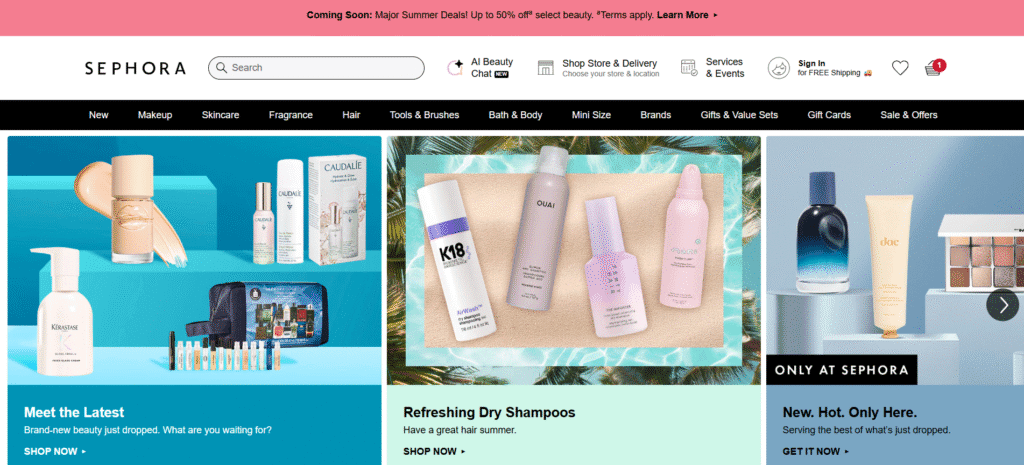
As a leading global beauty retailer, Sephora wanted to recreate the personalized touch of their physical stores on their online storefront. By integrating LiveChat, the brand’s beauty advisors could actively engage online shoppers and offer real-time product recommendations based on skin type, style preferences, and current trends.
This proactive consultation strategy built deep consumer trust and guided buyers toward the correct product selections. Instead of guessing and abandoning their shopping carts, customers felt confident adding higher-value items to their orders. This personalized approach to digital shopping led to an outstanding 25% increase in AOV, proving that helpful conversations directly drive larger transactions.
Auto Accessories Garage: Securing a 485% Conversion Rate Boost
The automotive parts industry is notoriously technical. Buyers often experience hesitation when purchasing expensive parts, fearing they might select an incompatible component for their specific vehicle make or model. To solve this problem, Auto Accessories Garage integrated Shopify live chat widgets to address complex product fitment questions in real time.
Instead of forcing shoppers to wait days for email replies, the brand’s customer success agents used LiveChat to instantly verify product compatibility and guide customers through the checkout process. This quick verification completely eliminated purchase anxiety and checkout hesitation. By providing immediate, expert answers on the spot, the store achieved a massive 485% conversion rate boost, turning a complex support challenge into a highly efficient sales engine.

LiveChat Pricing Plans: Unpacking the Total Cost
Selecting the right e-commerce software requires looking past the entry-level price tag. You need to understand how billing cycles affect your bottom line as your customer support team grows. LiveChat utilizes seat-based pricing, which means you pay for the number of support agents logged into the system at any given time.
To keep your software investments predictable, you can choose between flexible monthly billing or a discounted annual subscription. Below is a structured breakdown of the primary pricing tiers, featuring the exclusive ShopSideK extended 30-day free trial and a 10% lifetime discount.
| Pricing Tier | Monthly Price | Annual Price (Pre-Tax) | Best For | Core Feature Highlight |
|---|---|---|---|---|
| Starter | $25/mo per seat | $228/year ($19/mo equivalent) | New store owners | 60-day history, product cards, 24/7/365 support |
| Team | $59/mo per seat | $588/year ($49/mo equivalent) | Growing support teams | Unlimited history, real-time cart, order tracking |
| Business | $89/mo per seat | $948/year ($79/mo equivalent) | Large-scale operations | Staff scheduler, geolocation routing, advanced AI |
| ShopSideK Deal | 30-Day Free Trial | 10% Discount | All retail merchants | Extended testing, reduced software overhead |
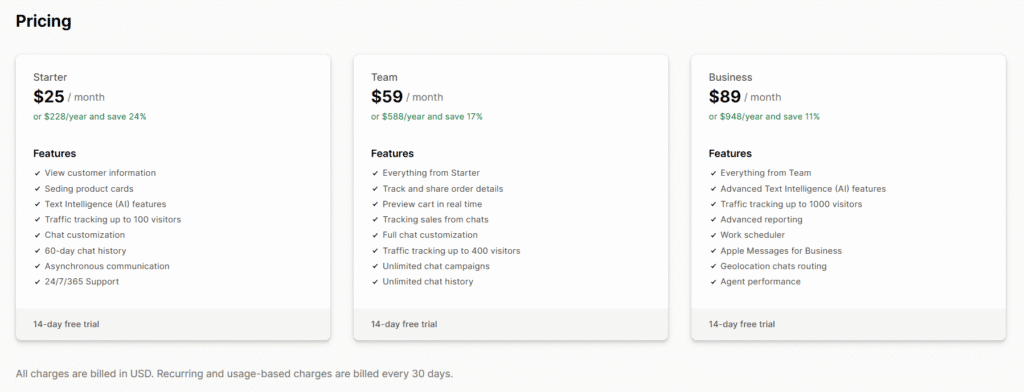
Starter ($25/mo or $228/year – Save 24%): Best for New Store Owners
The Starter plan is designed for small stores and solo founders taking their first steps into customer messaging. For $25 per month (or $228 billed on an annual subscription), you get access to a 60-day chat history log and can track up to 100 active website visitors.
This tier also includes asynchronous communication, allowing you to follow up with shoppers who leave your site, and the ability to send visual product cards. Best of all, even at this entry level, you benefit from official 24/7/365 live customer support to keep your storefront running smoothly.
Team ($59/mo or $588/year – Save 17%): Built for Growing Support Teams
As your transaction volume climbs, the Team plan becomes highly attractive at $59 per month (or $588 per year). This package unlocks unlimited chat history and upgrades your tracking capacity to 400 active website visitors.
More importantly, this tier introduces real-time cart previews, order details tracking, and unlimited automated campaigns. These features allow your support staff to instantly view active checkouts, run targeted promotions, and identify high-intent buyers in real time.
Business ($89/mo or $948/year – Save 11%): Built for Large-Scale Operations
For large e-commerce brands with multiple support agents, the Business tier offers advanced enterprise-level utilities at $89 per month (or $948 per year). It introduces critical workforce tools, including an integrated agent work scheduler and detailed performance metrics to monitor team productivity.
You also get access to geolocation routing to direct customers to local support staff, advanced reporting dashboards, and sophisticated built-in AI writing assistants. This is the ultimate tier for stores handling hundreds of daily conversations that require strict quality control and staff coordination.
Seat-Based vs. Ticket-Based Pricing: Which Keeps Costs Predictable?
Understanding the structural difference between seat-based pricing and ticket-based billing is crucial to preventing unexpected software bills. LiveChat charges per agent seat, which means you can handle an unlimited number of customer messages without your costs changing as your sales volume spikes.
Conversely, alternative ticketing systems like Gorgias utilize ticket-based billing, charging you based on the volume of customer interactions processed. If your store suffers a batch of delivery delays or handles seasonal holiday rushes, ticket-based bills can skyrocket unpredictably. For high-volume stores that receive hundreds of quick, simple inquiries, LiveChat’s seat-based structure offers far more predictable and cost-effective monthly budgeting.
LiveChat Alternatives on Shopify: How It Compares
No single messaging application fits every e-commerce business model. To help you choose the right tool for your current budget and growth goals, let’s compare LiveChat with other top Shopify live chat apps.
| Platform | App Rating & Reviews | Starting Cost | Key Integrations (Works With) | Primary Advantage |
|---|---|---|---|---|
| LiveChat | 4.8 ★ (48 reviews) | $25/mo per seat | Checkout, Facebook, Instagram, WhatsApp, Zapier, Omnisend, Klaviyo | Real-time cart tracking & proactive sales tools |
| Shopify Inbox | 4.7 ★ (5,394 reviews) | 100% Free | Online Store, Shopify Admin | Zero cost, native Shopify checkout integration |
| Tidio | 4.7 ★ (1,251 reviews) | Free plan (Paid from $29/mo) | Klaviyo, Omnisend, Google Analytics, Judge.me, Zapier | No-code automated chatbots & Lyro AI |
| Gorgias | 4.3 ★ (645 reviews) | $10/mo (Starter plan) | Checkout, Shopify Flow, Shopify Admin, Klaviyo, Recharge | Complete post-purchase support ticketing |
LiveChat vs. Shopify Inbox: Premium Features vs. 100% Free
If you are looking for a free live chat Shopify solution, Shopify Inbox is the undisputed starting point. It is completely free, maintains a strong 4.7★ rating based on 5,394 verified reviews, and works seamlessly with your Online Store and Shopify Admin dashboard.
However, Shopify Inbox is fundamentally a basic, reactive communication tool. LiveChat, which starts at $25 per month, justifies its premium cost by integrating with Checkout, Facebook, Instagram, WhatsApp, Omnisend, and Zapier to support active sales and marketing campaigns.
LiveChat vs. Tidio: Balancing Chatbots and Live Support
Tidio LLC offers an excellent middle ground, featuring a solid 4.7★ rating with 1,251 reviews. It provides a generous free version alongside paid plans like Customer Service/Flows at $29 per month and Lyro AI starting at $39 per month. It also works with essential marketing tools like Omnisend, Klaviyo, Google Analytics, Judge.me, Zapier, and even Zendesk.
The primary differentiator between these two platforms comes down to automation versus live sales engagement. Tidio focuses heavily on automated chatbots to resolve queries, whereas LiveChat excels at giving live agents deep, real-time insights to close active sales.
LiveChat vs. Gorgias: Built-In Sales Tools vs. Large-Scale Helpdesks
Gorgias Inc. is a dedicated, post-purchase ticketing helpdesk rated 4.3★ based on 645 reviews. It starts at $10 per month for its Starter plan (supporting 3 agents and 50 tickets) and scales to $60 per month for the Basic plan (supporting 300 monthly tickets). It integrates with Checkout, Shopify Flow, Shopify Admin, Klaviyo, Recharge, and Yotpo.
While Gorgias is a powerhouse for resolving shipping issues, managing refunds, and handling subscriptions, its pricing scales strictly based on ticket volume. LiveChat focuses on front-end sales metrics, using seat-based pricing to keep your costs completely predictable as your store scales.
Step-by-Step Guide: How to Integrate LiveChat on Shopify
Setting up your live chat on Shopify should not require advanced coding knowledge. The modern integration between Shopify and LiveChat is completely code-free, allowing you to launch your storefront widget in just a few clicks.
- Secure Your Exclusive ShopSideK Discount: Before downloading the app, register your account using the exclusive ShopSideK partner link. This sets you up with an extended 30-day free trial and a 10% discount on your future billing cycles instead of the standard 14-day window.
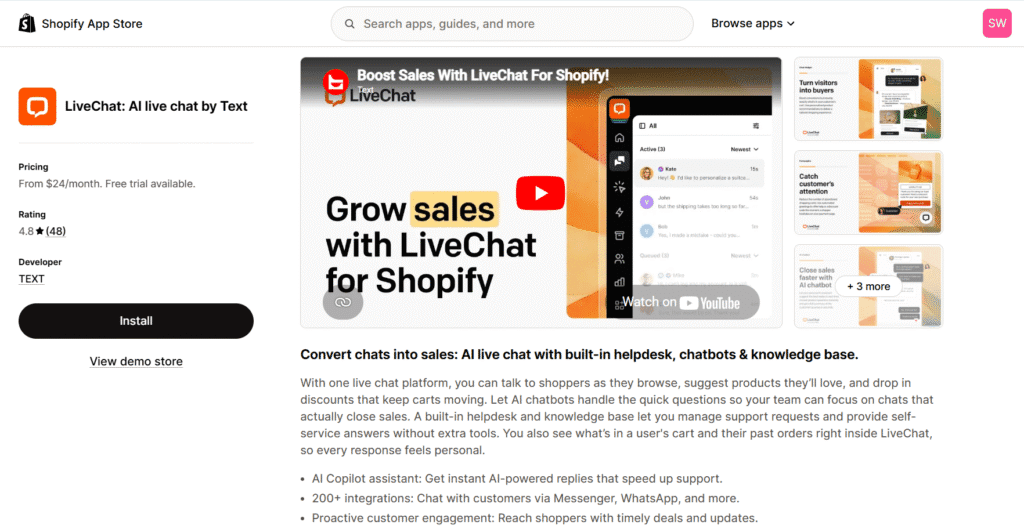
- Complete the App Installation: Log in to your admin panel and go directly to the official LiveChat on the Shopify App Store. Click the “Install” button to authorize the connection, which automatically places the necessary tracking code into your storefront theme files without requiring any manual template edits.
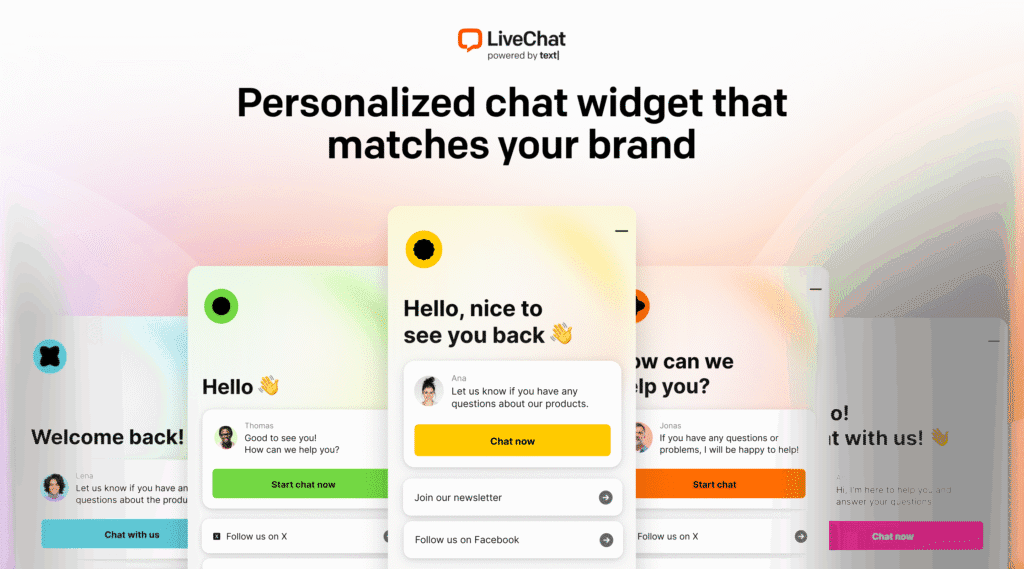
- Design Your Custom Widget and Triggers: Once the installation is complete, navigate to your LiveChat dashboard to design your custom widget. You can adjust colors to match your brand style, set up pre-chat surveys to collect emails, and define your online support hours. Finally, configure active chat triggers to automatically greet visitors when they view your checkout page or experience cart hesitation.
Troubleshooting Common LiveChat Challenges on Shopify
Even the most polished app can run into setup hurdles or sync delays. To help you maintain a seamless customer experience, we have compiled direct solutions to the most common challenges merchants face when using LiveChat Shopify app.
Q: What happens when my team is offline, and how do I prevent missed leads?
A: When your agents go offline, you can configure the widget to automatically display an offline contact form instead of disappearing entirely. This offline messages form prompts shoppers to leave their name, email, and question. Once your team logs back in, these messages route directly to your inbox so you can follow up with customers via email. For a fully automated 24/7 solution, you can integrate LiveChat’s sister platform, ChatBot, to handle basic pre-purchase inquiries while your staff is asleep.
Q: How do I ensure customer data syncs properly with my marketing tools?
A: To avoid manual contact imports, I recommend you set up a direct data sync between LiveChat and your CRM. If you use Omnisend for email marketing, you can install its official integration via the LiveChat Marketplace in just a few clicks. This link automatically forwards contact profiles, newsletter opt-ins, and conversation transcripts from the chat widget directly into your Omnisend lists, allowing you to run highly targeted post-chat email campaigns.
Final Verdict: Is LiveChat Shopify App the Right Choice?
Choosing the right customer service platform comes down to how you view buyer interactions. If you simply want a passive inbox to handle basic shipping questions, free tools like Shopify Inbox will serve you fine. But if you want to turn customer conversations into a reliable sales driver, LiveChat is an exceptional investment.
As our LiveChat app review demonstrates, the platform’s ability to show real-time cart data, share visual product recommendations, and automate sales triggers directly improves your overall conversion rate. It acts as a digital retail assistant that actively recovers abandoning carts and drives higher order values.
👉Final Verdict: LiveChat is highly recommended for growing Shopify brands with active web traffic and a dedicated customer support team. It pays for itself by directly increasing average cart values and rescuing sales that would otherwise be lost to checkout hesitation.
Don’t settle for passive cost centers that only handle complaints. Turn your live chat into a profit engine today. Install the LiveChat Shopify App with 10% OFF and a 30-day free trial through our exclusive ShopSideK partnership, and begin driving more revenue for your store.
LiveChat Shopify App FAQs
Have more questions about setting up your Shopify live chat app? Below, we answer the most common queries merchants raise when evaluating LiveChat for their online stores.
Does adding LiveChat slow down my Shopify store’s page load speed?
No, LiveChat will not slow down your storefront loading times. The app script loads asynchronously, which means it runs in the background and only initializes once your main page content, product images, and checkout buttons have completely rendered.
Additionally, the platform features exceptional mobile responsiveness. This ensures the chat widget adjusts instantly to any screen size or mobile device without causing layout shifts or performance lag for your buyers.
Is there a free version of the LiveChat app for Shopify?
Unlike some basic communication tools, LiveChat does not offer a permanent free plan. Instead, they provide a standard 14-day trial, which is upgraded to an exclusive 30-day free trial through our partnership.
There are also absolutely zero hidden onboarding costs or setup fees associated with launching the application. If you require a permanent zero-cost widget to start, you can begin with Shopify Inbox and upgrade to LiveChat once your daily transaction volume justifies the software investment.
Can I run LiveChat on multiple Shopify stores simultaneously?
Yes, you can manage conversations from multiple Shopify storefronts using a single, centralized LiveChat account. The platform allows you to create separate groups and customize distinct widgets to match the individual branding of each unique domain.
All incoming customer chats, order histories, and social channel messages route into one centralized agent dashboard. This unified workspace allows your support team to resolve queries across multiple brands efficiently without switching between different browser tabs.