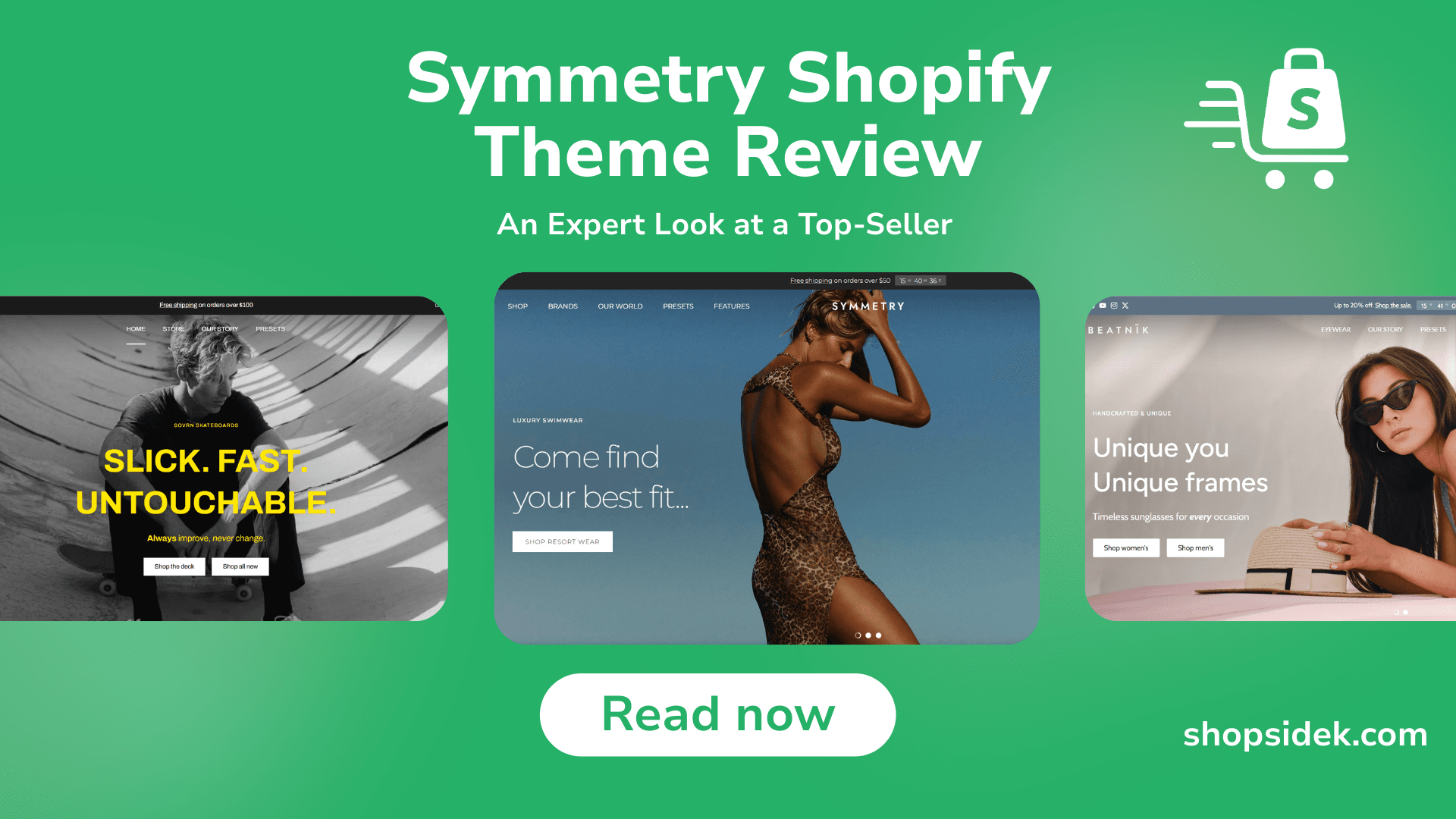
Choosing a theme can make or break your store. With a $400 price tag, the Symmetry Shopify theme by Clean Canvas is a significant investment, but its reputation as a top-seller has likely put it on your radar. So, is it worth the cost?
This expert review goes beyond a simple feature list. We’ll dive into performance data, analyze hundreds of real user reviews, showcase over a dozen real stores using the theme, and compare it directly against its top competitors to help you make a confident decision.
Throughout this review, you can follow along by trying Symmetry unlimited free trial—let’s see if it’s the right fit for your brand.
Symmetry Shopify Theme: Quick Review
- Developer: Clean Canvas
- Price: $400 USD
- Rating: 95% Positive (from 377+ reviews on Shopify)
- Best For: Fashion, Beauty, and High-Volume Stores
- Our Score: 4.8 / 5.0
For a quick visual overview of everything covered here, you can watch my illustrated guide below.
What is the Symmetry Shopify Theme? A Visual Tour of the 5 Presets
The Symmetry theme is a premium Shopify theme developed by Clean Canvas, a team of UK-based developers known for creating some of the most reliable and well-regarded themes on the market. With Symmetry, their goal was to create a versatile, professional, and conversion-focused theme that looks just as good on mobile as it does on a desktop.
It achieves this with a collection of five distinct presets, or “styles,” that serve as beautiful starting points for your store’s design.
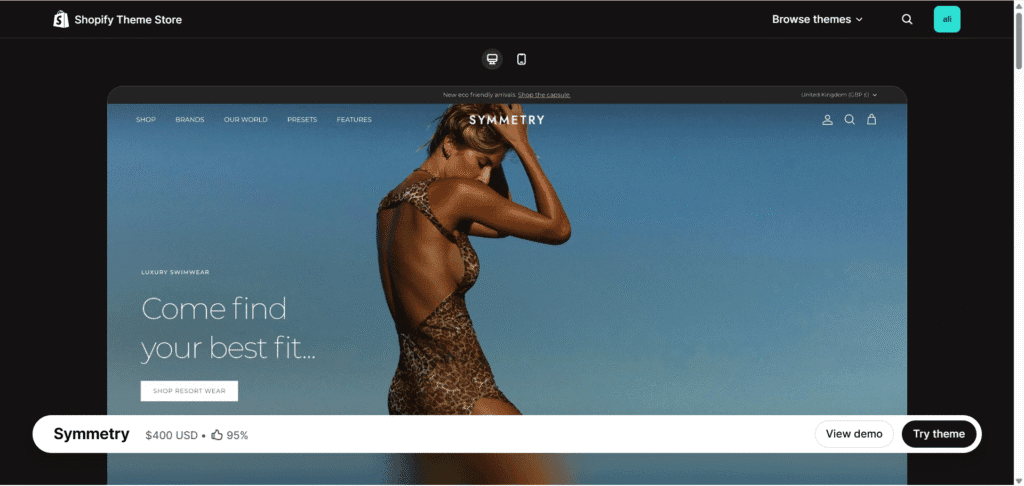
Symmetry Preset
The flagship Symmetry preset offers a clean, professional, and highly versatile layout. It’s perfect for brands that want a classic grid-based design that puts product imagery front and center.
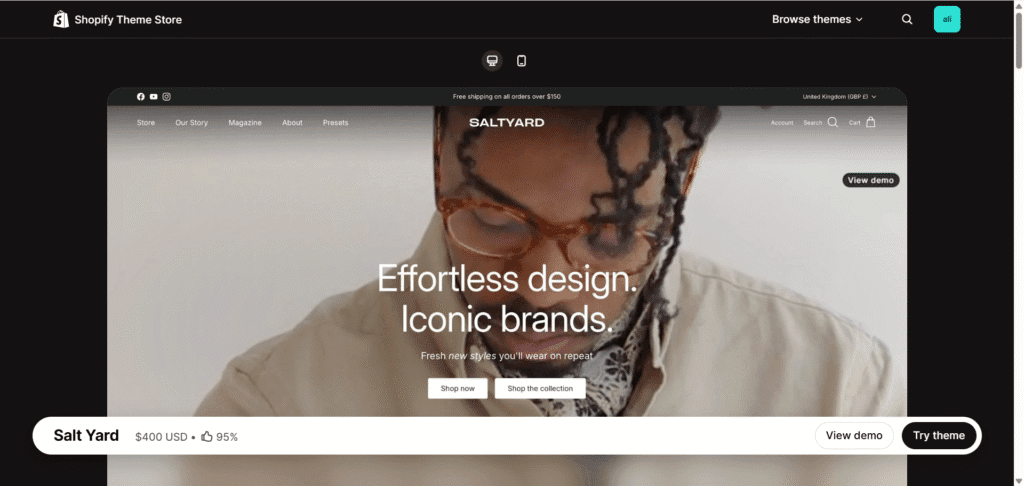
Salt Yard Preset
Salt Yard provides a more spacious and editorial feel with asymmetrical grids and large image blocks. This style is ideal for lifestyle brands that rely on high-quality photography to tell their story.
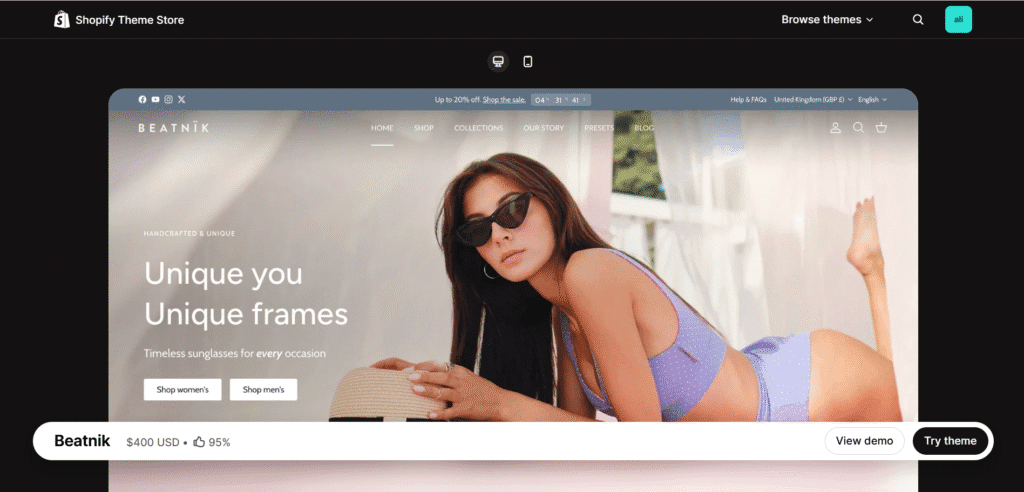
Beatnik Preset
Beatnik brings a bold, high-contrast design with a minimalist aesthetic. Its striking typography and clean lines make it a great choice for modern fashion, apparel, and accessory brands.
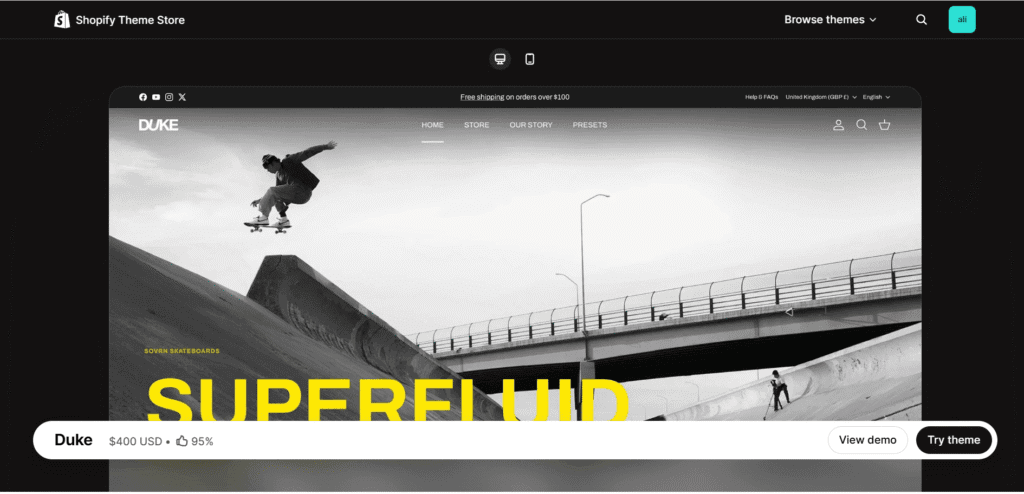
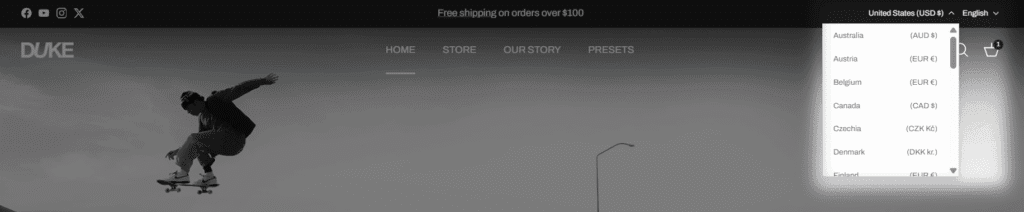
Duke Preset
Duke offers a sleek and sophisticated design with a focus on sharp lines and a refined color palette. This preset is well-suited for luxury goods, high-end electronics, or premium cosmetic brands.
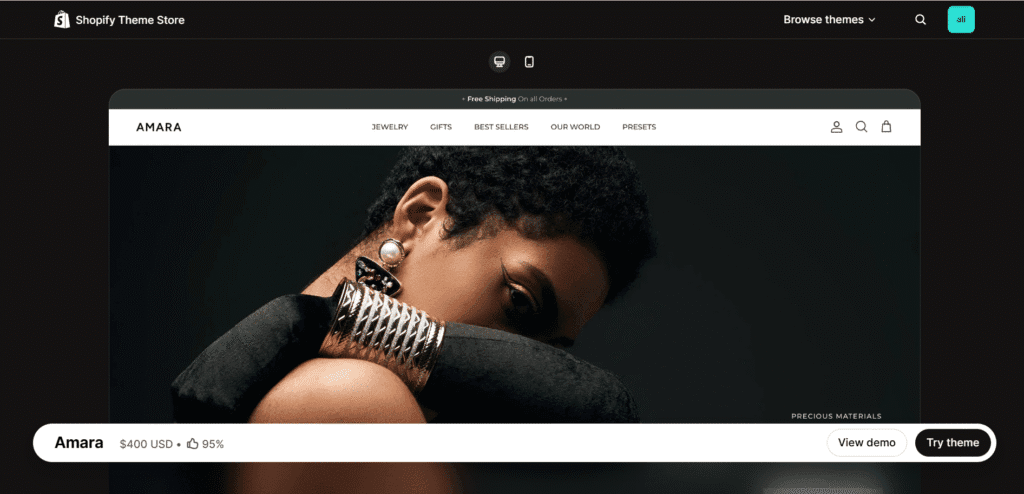
Amara Preset
Amara introduces a softer, more elegant aesthetic with refined typography and a warm, inviting layout. This style is an excellent fit for beauty, skincare, and wellness brands looking to create a serene online experience.
7 Key Features That Justify the $400 Price Tag
A premium theme’s value isn’t just in its design, but in the powerful, built-in features that enhance customer experience and drive sales. Symmetry is built on Shopify’s Online Store 2.0, giving it a flexible and modern foundation.
Here are seven key features that demonstrate why it’s a worthwhile investment for serious brands.
Visual Storytelling with Long-Form Homepage Sections
Symmetry excels at helping you tell your brand’s story right on the homepage. Thanks to its OS 2.0 architecture, you can add, remove, and reorder a wide variety of pre-built sections—like image galleries, featured products, videos, and testimonials—to create a custom, long-form landing page. This flexibility is perfect for launching new collections or running dynamic marketing campaigns without ever touching a line of code.
Conversion-Boosting Tools: Quick Buy & In-Cart Recommendations
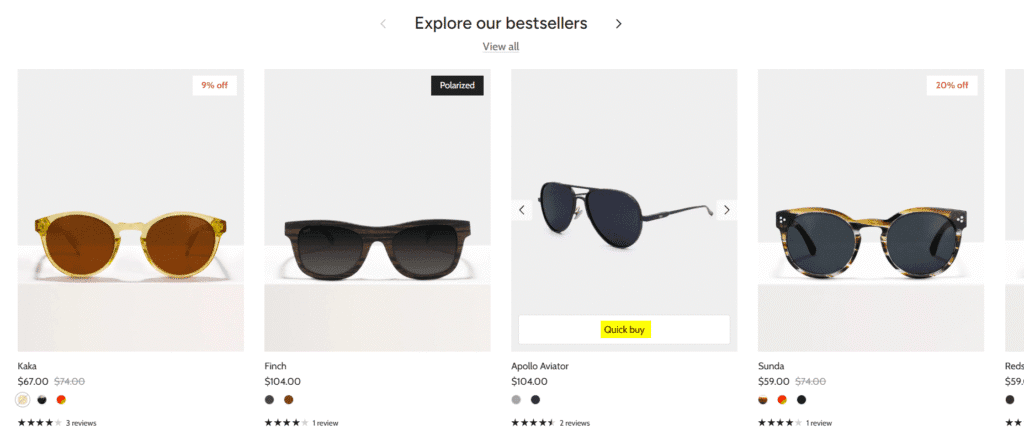
Reducing the number of clicks to purchase is key to improving conversions. Symmetry includes a “Quick Buy” option that lets customers add items to their cart directly from collection pages.
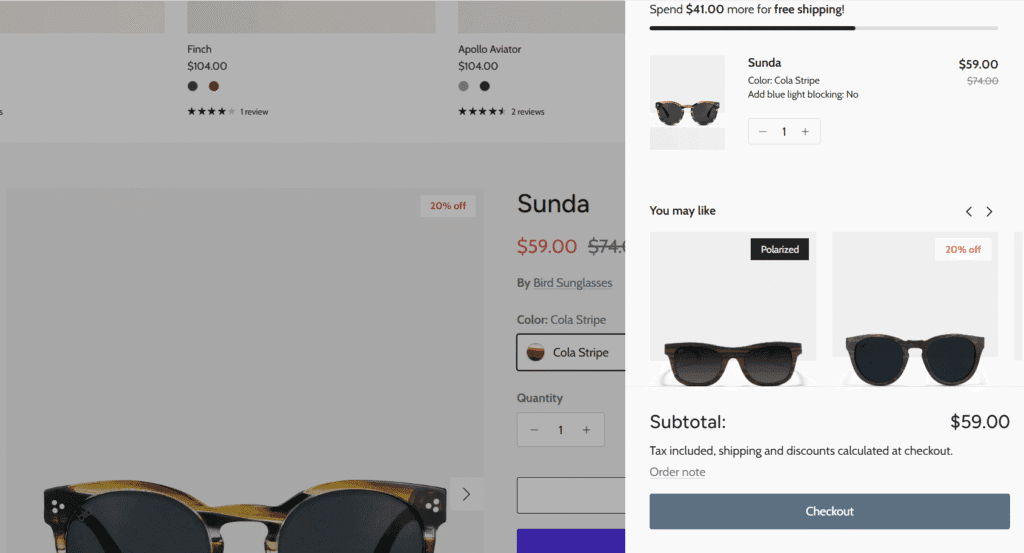
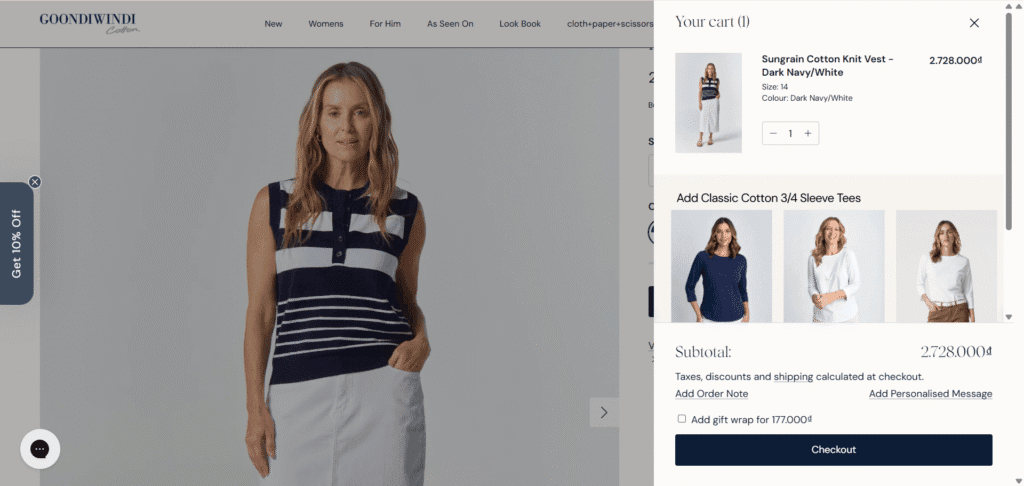
More importantly, its slide-out cart includes a section for in-cart recommendations, allowing you to suggest complementary products or last-minute add-ons. This is a proven strategy for increasing a store’s average order value (AOV).
Superior Navigation with the Multi-Column Mega Menu
For stores with extensive product catalogs, clear navigation is non-negotiable. Symmetry’s customizable mega menu is a powerful solution, allowing you to create multi-column dropdowns with images, featured products, and promotions.
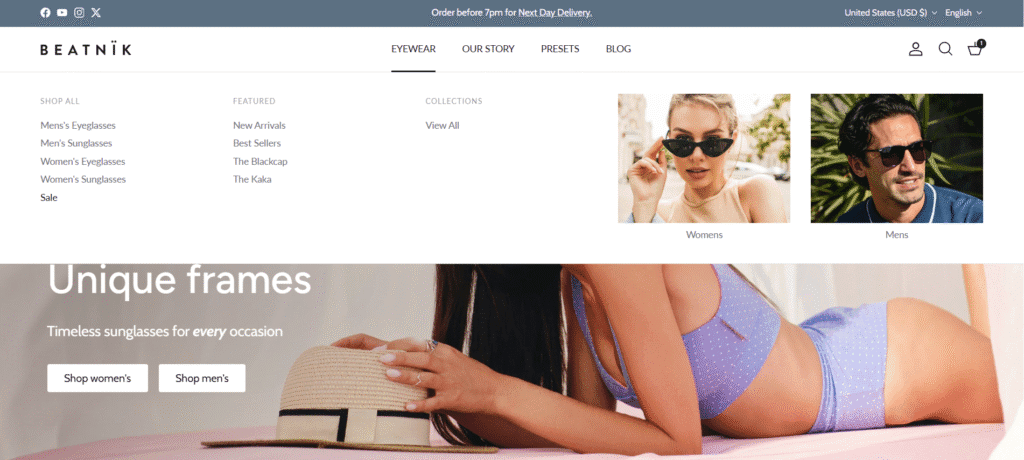
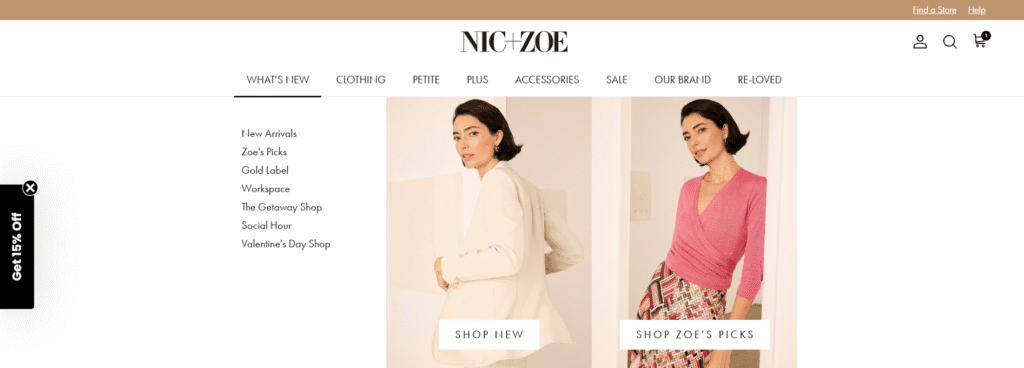
In practice, this helps shoppers quickly find what they’re looking for, preventing overwhelm and reducing bounce rates. Brands like Nic+Zoe use this feature effectively to organize their wide range of apparel and accessories.
Advanced Product Discovery with OS 2.0 Filtering
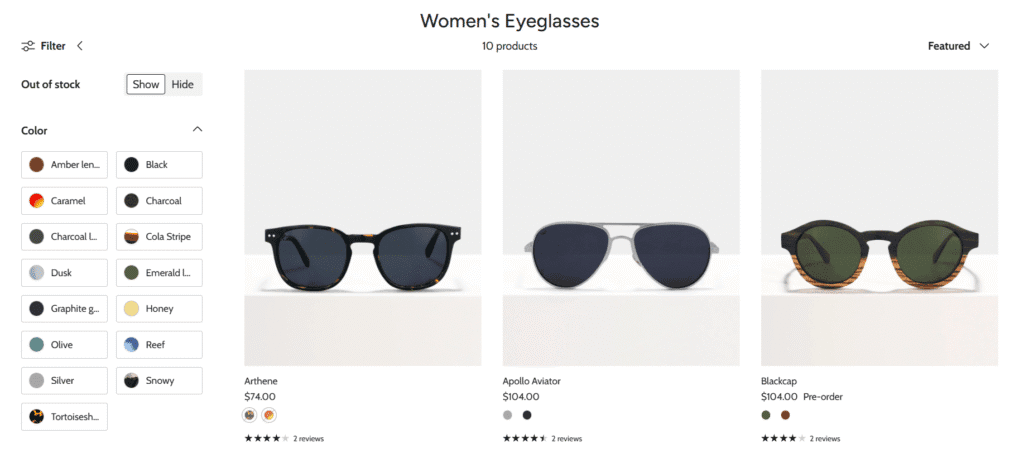
Finding the right product should be effortless. Symmetry leverages Shopify’s powerful Online Store 2.0 filtering system, allowing customers to sort and filter products on collection pages by availability, price, color, size, and any other product tag you create. This advanced filtering is crucial for improving the shopping experience, especially in stores with hundreds of items, and leads directly to more sales.
Built-in Promotional Tools: Banners, Timers, and Popups
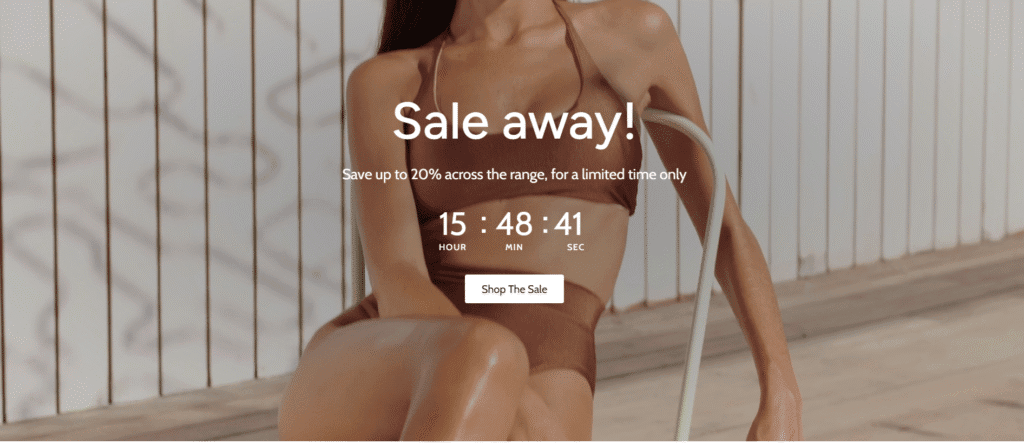
Many essential marketing tools require paying for third-party apps. I’ve found that Symmetry includes several of these features natively, saving you money and reducing site bloat. You can easily add promotional banners to the top of your site, run flash sales with countdown timers, and capture emails with built-in popups. These features replace the need for subscriptions to tools like Privy or the popup functionality in email services like Klaviyo.
Lookbooks and “Shop the Look” Image Galleries
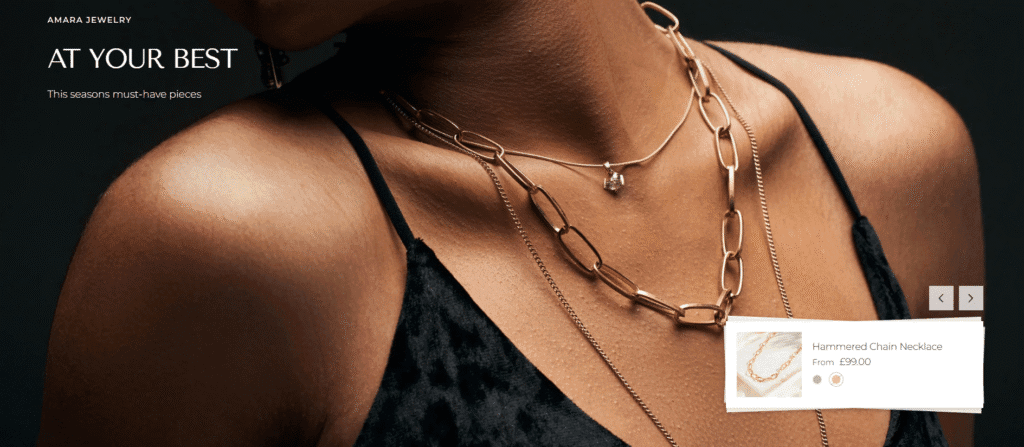
Personally, I think visual brands in fashion, home decor, and lifestyle niches will love Symmetry’s lookbook feature. It allows you to create stunning, editorial-style galleries with high-resolution images. You can tag products directly within these images, creating a “Shop the Look” experience that inspires customers and allows them to purchase entire outfits or room sets seamlessly.
Global Ready: Multi-Language and Multi-Currency Support
If you have ambitions to sell internationally, Symmetry Shopify theme is built to scale with you. It’s fully compatible with Shopify Markets, supporting multi-language translations and currency conversions. This ensures that customers from around the world can browse your store in their local language and pay in their native currency, a critical factor for building trust and maximizing global sales.
Our Performance Test: How Fast is the Symmetry Theme?
In eCommerce, speed is everything. A faster website leads to a better user experience, higher conversion rates, and improved SEO rankings. A slow, bloated theme can undo all your hard work. To provide data-driven insights into the Symmetry theme’s performance, we ran all five official demo presets through Google PageSpeed Insights in February 2026.
Here are the results:
Symmetry Preset Performance Scores (Feb 2026)
| Preset | Mobile Score | Desktop Score |
|---|---|---|
| Symmetry | 62 | 95 |
| Salt Yard | 67 | 94 |
| Beatnik | 74 | 96 |
| Duke | 74 | 95 |
| Amara | 82 | 98 |
As the data shows, desktop performance is excellent across the board, with all presets scoring 94 or higher. This indicates a clean, modern codebase. Mobile scores are solid for a theme with so many built-in visual features, ranging from 62 to an impressive 82 for the minimalist Amara preset.
The key takeaway is that Symmetry is built on a high-performance foundation. You are starting with a fast, well-built theme, which is a critical factor for success on Shopify. Your final store speed will, of course, depend on factors like image compression and the number of third-party apps you install.
12 Inspiring Stores Using the Symmetry Shopify Theme
A theme’s demo store is one thing, but seeing it in action with real products and branding is the ultimate test. The Symmetry theme is trusted by thousands of successful Shopify merchants across dozens of industries. Here is a curated gallery of inspiring stores that showcase the theme’s versatility and power.
Fashion & Apparel Brand Examples
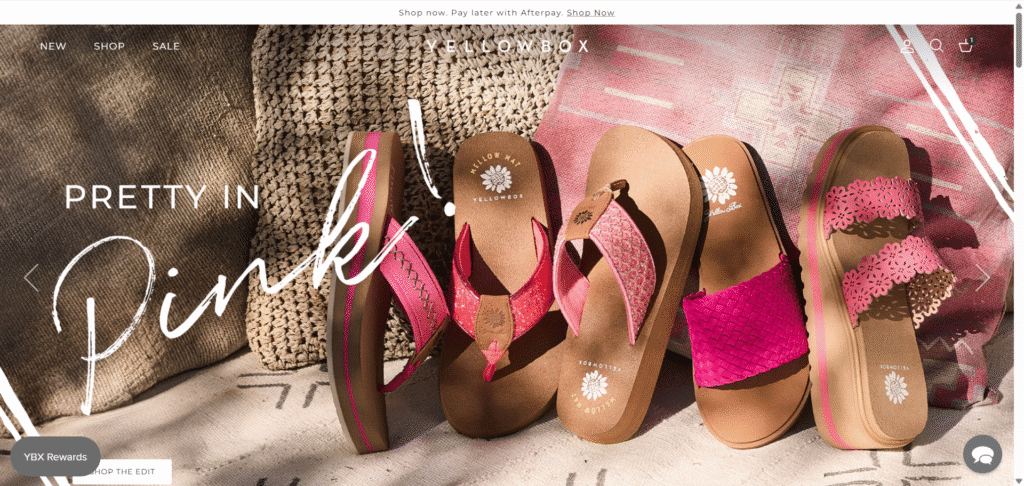
Yellow Box Shoes: Leverages the long-form homepage to tell its brand story and showcase seasonal collections.
Goondiwindi Cotton: Implements the slide-out cart with in-cart recommendations to boost average order value.
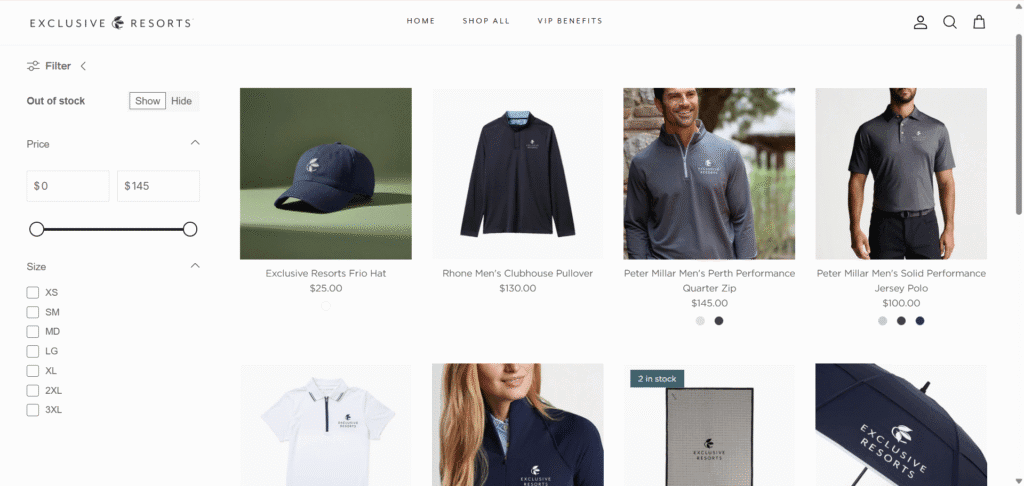
Exclusive Resort: Uses clean collection pages with prominent product imagery to create a premium feel.
Nic+Zoe: Effectively uses the mega menu to organize its large women’s knitwear catalog.
Home, Art & Lifestyle Examples
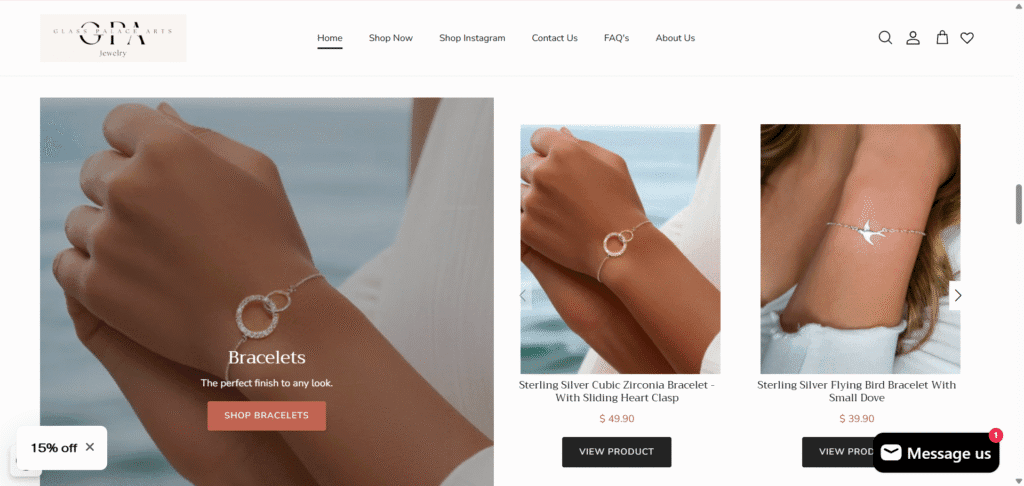
Glass Palace Arts: Uses the theme’s flexibility to create a gallery-like experience for its elegant and handcrafted jewelry collections.
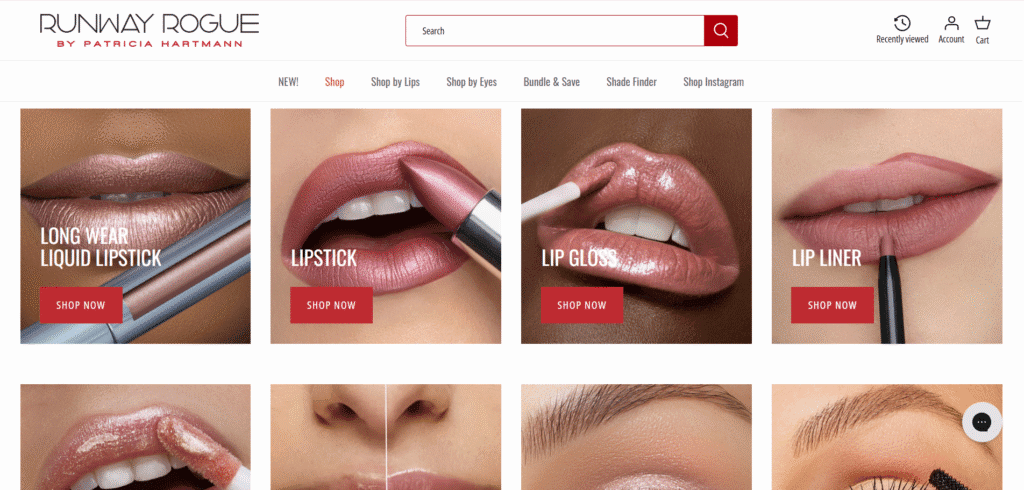
Runway Rogue: Features a clean, grid-based layout to showcase its bold cosmetic and lipstick collections.
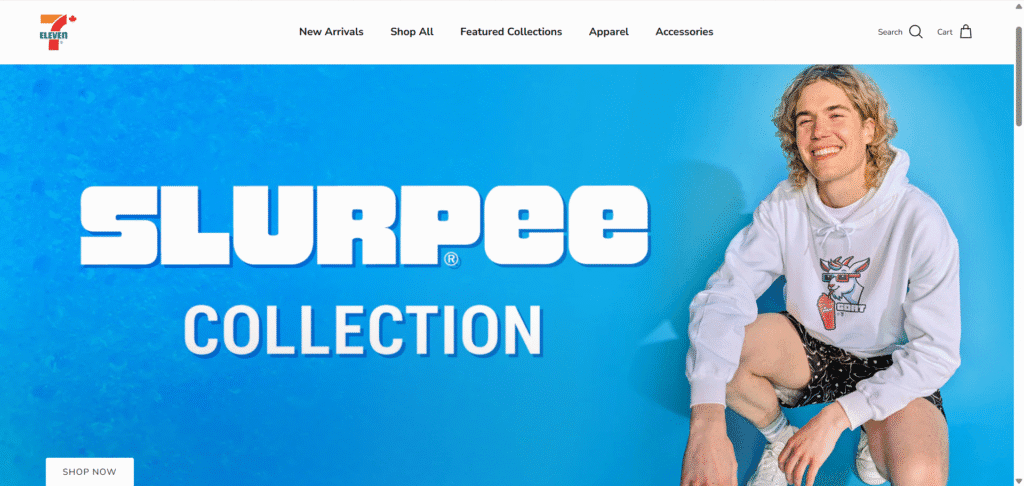
7-Eleven Canada: Effectively uses a large hero banner to promote featured collections and implements the theme’s ‘quick buy’ function to create a streamlined shopping experience.
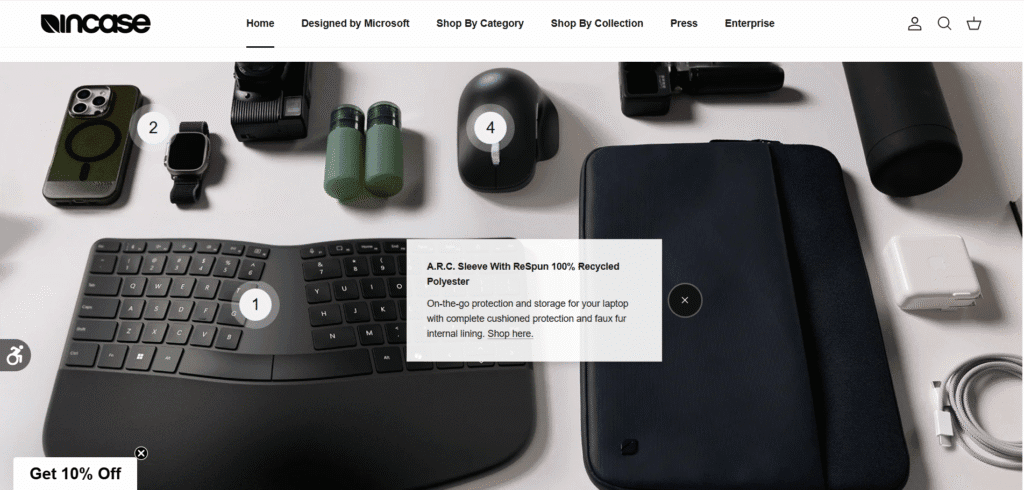
Incase: Utilizes Symmetry’s interactive “Shop the Look” feature with clickable hotspots and a full-width video banner to elegantly display its tech accessories.
Children’s Brands & Niche Store Examples
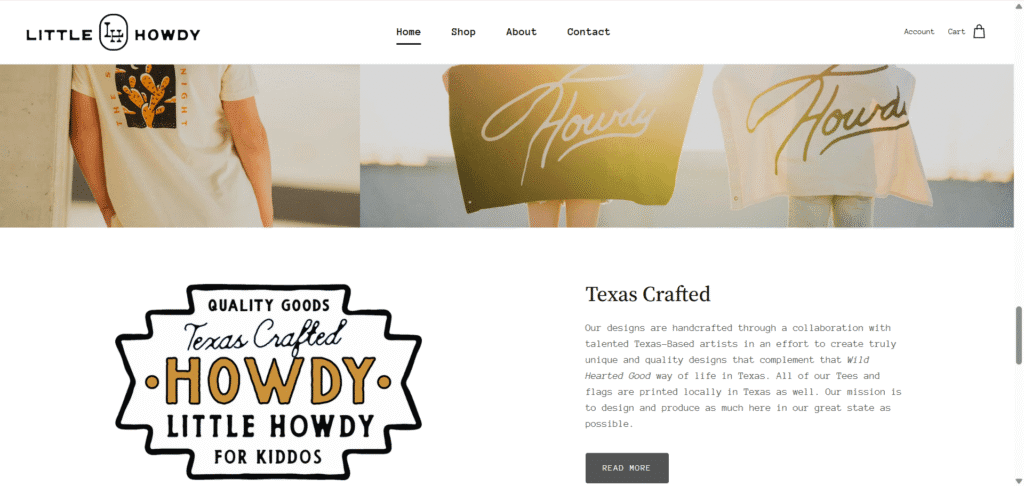
Little Howdy: Uses a playful and colorful version of the theme to appeal to parents shopping for children’s goods.
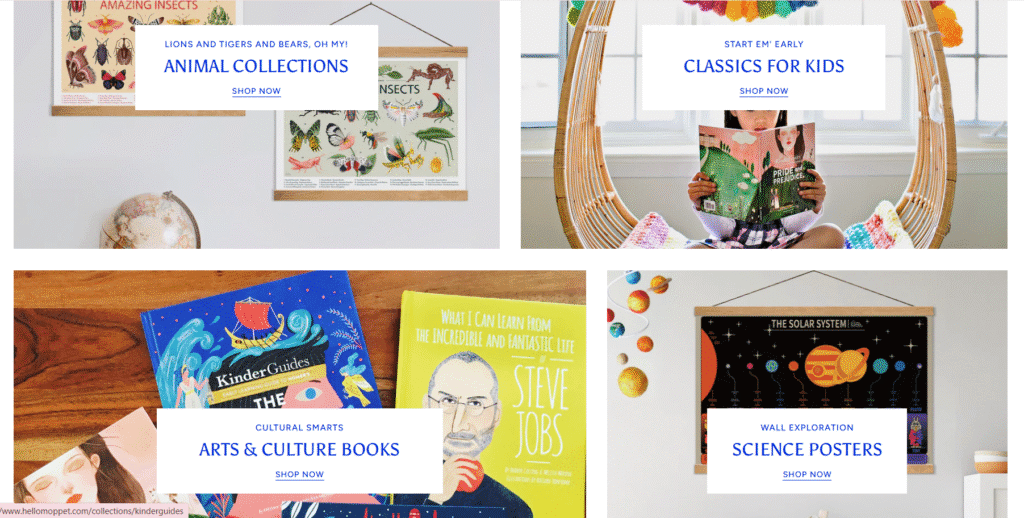
Hello Moppet: Implements clear collection grids to make it easy for shoppers to find specific toys and gifts.
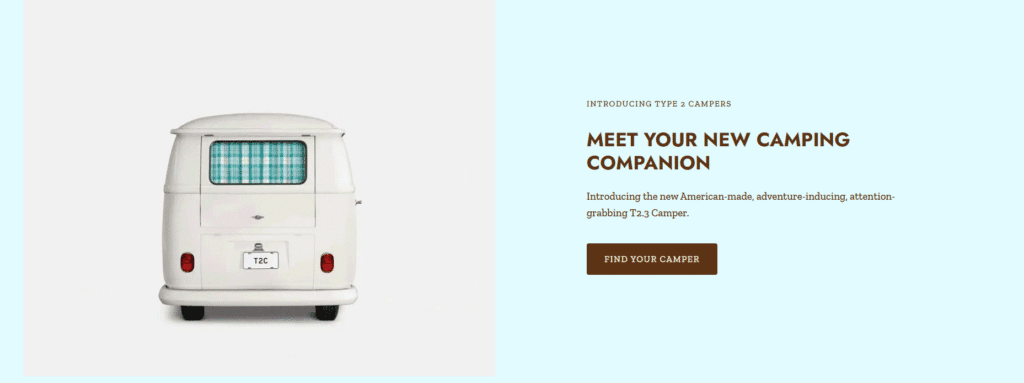
Type 2 Campers: Makes excellent use of the ‘Image with Text’ sections, alternating the layout down the page to tell a compelling visual story for its niche brand.
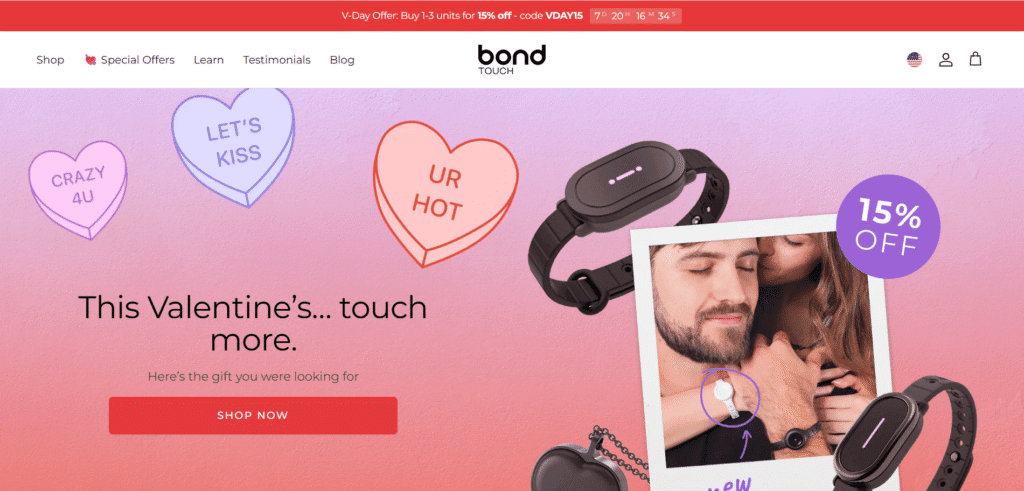
Bond Touch: Drives urgency with a header countdown timer and uses a vertical video grid to vividly demonstrate the product’s emotional impact through social-style storytelling.
What Real Users Say: An Honest Look at Symmetry’s Pros & Cons
While our analysis and performance tests are useful, the most honest feedback comes from merchants who use the theme every day. To provide a balanced view, we analyzed hundreds of reviews on the Shopify Theme Store to see what real users are saying.
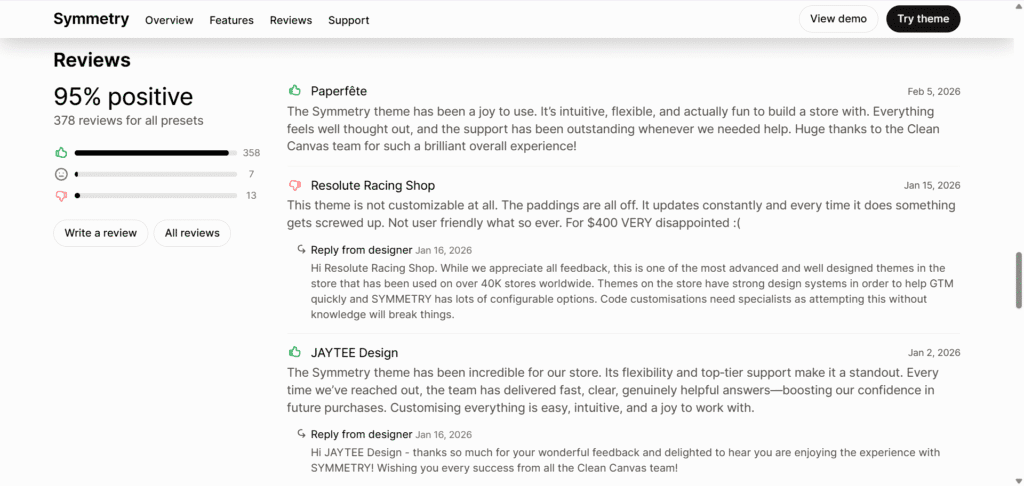
The Overall Score: 95% Positive from 377+ Reviews
The data paints a clear picture. With an impressive 95% positive rating from over 377 public reviews on Shopify, the user sentiment for Symmetry is overwhelmingly favorable. This strong social proof provides crucial context for the specific points of praise and the rare criticisms that follow.
The Pros: What Users Love Most
👍Exceptional Flexibility & Support: Many merchants, like JAYTEE Design, describe the theme as “incredible,” specifically praising its “flexibility and top-tier support.” The developer, Clean Canvas, is consistently commended for delivering fast, clear, and genuinely helpful answers, which gives new store owners immense confidence.
👍Intuitive and a “Joy to Use”: For users worried about a steep learning curve, the feedback is reassuring. The review from Paperfête highlights that the theme is “a joy to use,” “intuitive,” and “actually fun to build a store with,” directly addressing the fear of a complex setup process.
👍Well-Designed and Thought Out: A common thread in positive reviews is that the theme feels “well thought out.” Users appreciate that Symmetry provides a polished and professional foundation right out of the box, allowing them to create a high-end storefront without needing a designer.
The Cons: Common Criticisms and Considerations
👎Potential Customization Challenges: One of the few detailed negative reviews, from Resolute Racing Shop, expressed frustration that the theme was “not customizable” for their specific needs, stating, “For $400 VERY disappointed.”
The Developer’s Perspective: In response to this criticism, the developer provided important context. Clean Canvas clarified that Symmetry is a highly advanced theme used by over 40,000 stores and that deep “code customizations need specialists.” This reframes the issue: the theme is powerful, but like any premium tool, fundamental changes to its core structure may require professional developer help.
Our Verdict on the Reviews
The takeaway is clear: the vast majority of users find Symmetry to be a flexible, user-friendly theme backed by best-in-class support. The rare negative reviews tend to stem from expectations around making advanced, code-level customizations without a developer.
For most businesses, Symmetry Shopify theme will be a powerful and intuitive tool for building a beautiful store. However, if your plans involve extensive custom coding, you should be prepared for a steeper learning curve or budget for professional assistance.
Symmetry vs. The Competition: Impulse & Prestige
No theme exists in a vacuum. If you’re considering the Symmetry Shopify theme, you’re likely evaluating other top-tier themes in the same price range. Two of the most common alternatives are Impulse, known for its powerful conversion features, and Prestige, celebrated for its high-end, editorial feel.
How Symmetry Stacks Up Against Other Best-Sellers
While Symmetry is a fantastic all-rounder, brands with similar needs often evaluate Impulse for its promotion-focused toolset and Prestige for its luxury brand aesthetic. This table breaks down the key differences to help you decide which is the best fit for your specific goals.
| Feature | Symmetry Theme | Impulse Theme | Prestige Theme | The Takeaway |
|---|---|---|---|---|
| Price | $400 USD | $400 USD | $400 USD | All are premium, similarly priced themes. |
| Ideal For | High-volume stores, fashion, and lifestyle brands needing a balance of visuals and conversions. | Stores with large catalogs, flash sales, and a focus on promotions & advanced filtering. | High-end, editorial brands; luxury goods; visual storytelling and brand-focused sites. | Symmetry is the versatile all-rounder; Impulse is for power-sellers; Prestige is for premium branding. |
| Key Feature | “Shop the Look” hotspots, versatile mega menu, reorderable rows, and OS 2.0 filtering. | Custom promotion tiles, sub-collection navigation, menu promotions, and countdowns. | Editorial timeline, media-rich grids, minimalist slide-out cart, and image hotspots. | Choose based on your primary goal: Versatility (Symmetry), Promotions (Impulse), or Storytelling (Prestige). |
| Design Style | Clean, modern, and highly flexible with a professional feel across all presets. | Bold, energetic, and feature-rich, designed for active promotions. | Minimalist, elegant, and editorial, like a high-end digital magazine. | Symmetry is the most adaptable; Impulse is busy and commercial; Prestige is polished and upscale. |
All three themes are sold on the official Shopify Theme Store, which means they are built to high performance standards. As our tests showed, Symmetry is fast out of the box. While Impulse and Prestige are also well-optimized, your choice should ultimately come down to which theme’s core feature set and design philosophy best align with your brand’s specific needs.
How to Get Started with the Symmetry Theme: A 3-Step Guide
Feeling confident that Symmetry Shopify theme is the right choice? Getting started is a straightforward process that lets you fully customize the theme before you commit. Here’s how to get your store up and running.
Step 1: Start Your Free Shopify Trial
Before you can customize Symmetry, you need a Shopify store. If you don’t have one yet, this is the perfect time to sign up. Click HERE to start your free Shopify trial and get full access to the platform while you build out your site. The trial gives you time to get everything perfect before you launch.
Step 2: Add Symmetry from the Shopify Theme Store
Once your Shopify account is active, head to the official Symmetry theme page on the Shopify Theme Store. One of the best features of Shopify is that you can add any paid theme to your store and customize it for free. Simply click the “Try theme” button. You only need to pay the $400 fee when you’re ready to publish the theme to your live storefront.
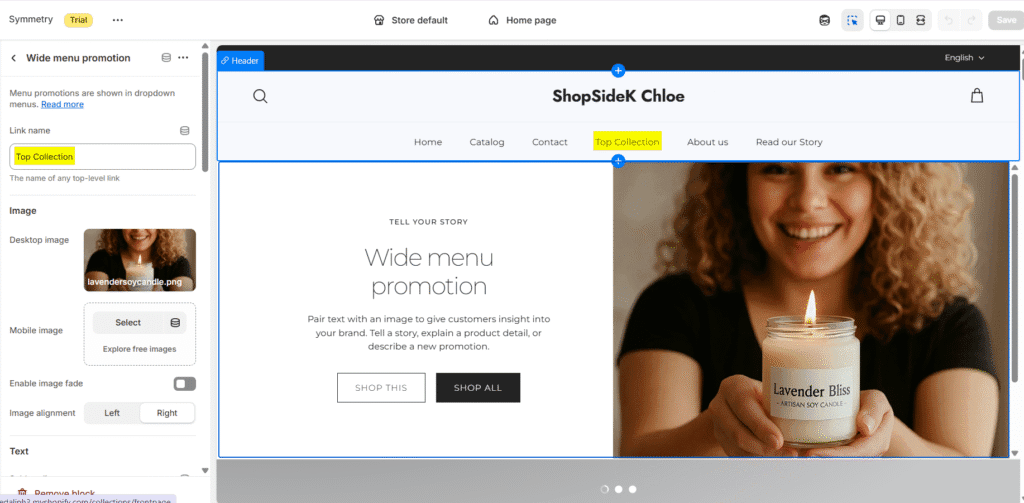
Step 3: A Pro Tip for Setting Up Your Mega Menu
The mega menu is one of Symmetry’s most powerful features for stores with large catalogs. Here’s a quick guide to setting it up:
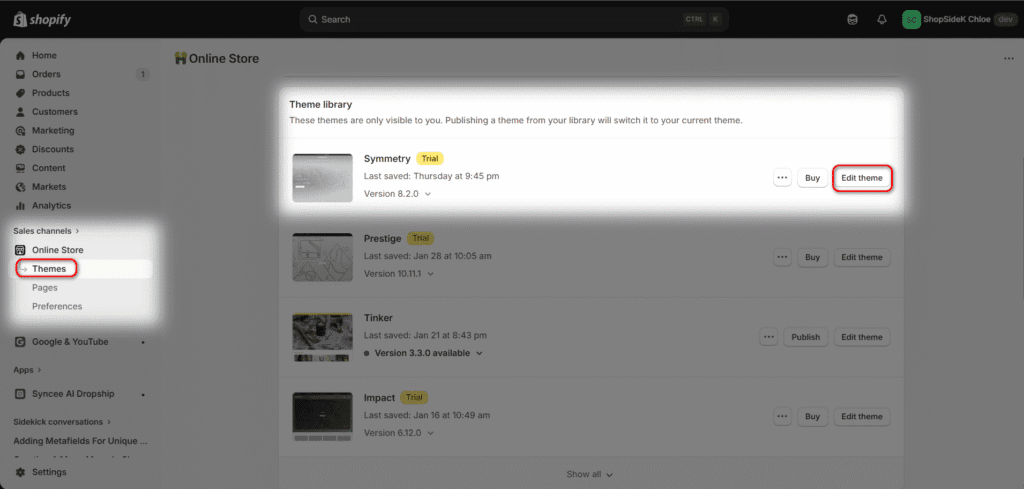
1: From your Shopify admin, go to Online Store > Themes and click Edit theme on your Symmetry theme.
2: In the theme editor, click on the Header section in the left-hand sidebar.
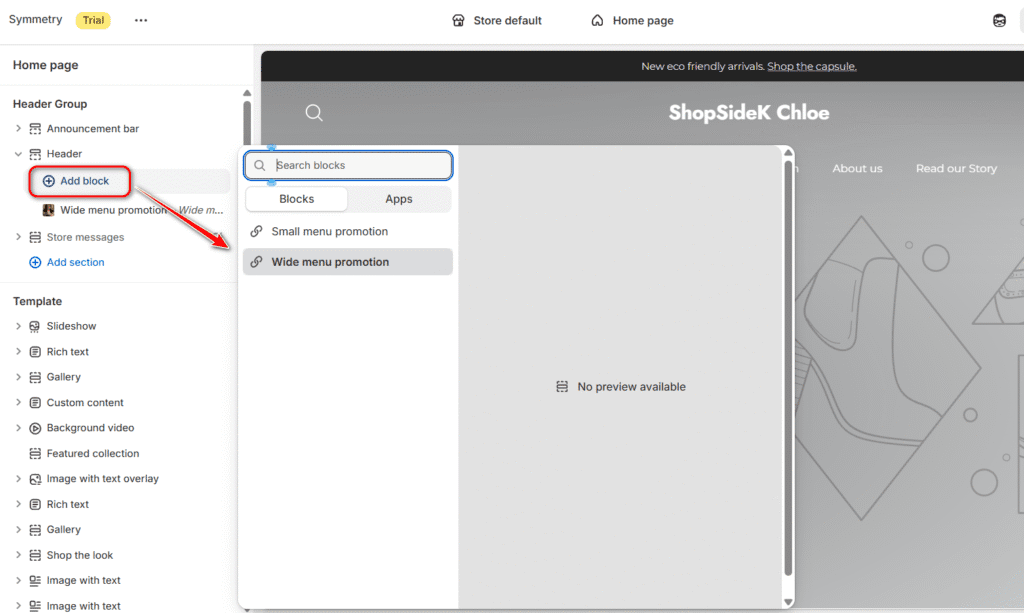
3: Under the “Blocks” area, click Add block and select Small/wide menu promotion.
4: Click on the new Mega menu block and use the sidebar to link it to the specific menu item in your navigation that you want to trigger the dropdown. Customize the columns and add images to create a rich, user-friendly navigation experience.
The Final Verdict: Is Symmetry the Right Theme for You?
After a deep dive into its features, performance, and real-world examples, the conclusion is clear: the Symmetry Shopify theme is a top-tier choice and a worthy investment for ambitious brands. Its balance of stunning design, conversion-focused features, and excellent performance justifies the $400 price tag.
Who is Symmetry For?
This theme is perfect for established or fast-growing stores, particularly in fashion, beauty, and lifestyle niches. If you have a strong visual brand, a medium-to-large product catalog, and want a versatile, professional theme that can grow with you without relying on dozens of third-party apps, Symmetry is an outstanding choice.
Who Should Consider an Alternative?
If your business model revolves heavily around constant flash sales and you need the most aggressive promotional tools available, a theme like Impulse might be a slightly better fit. Similarly, if your brand requires an ultra-minimalist, high-fashion editorial layout, Prestige could be more aligned with your aesthetic.
Finally, if your project requires deep, code-level customizations beyond what the theme editor offers, keep in mind that you may need to budget for developer help to achieve your specific vision, a point echoed in some user feedback.
For most brands, however, Symmetry Shopify theme hits the perfect sweet spot. It delivers the flexibility, features, and professional polish needed to build a trusted and high-converting online store.
Ready to build your store with a theme trusted by thousands of top brands?
Get started with Symmetry on your new Shopify store today.

Transparency Note: I’m an official Shopify Media Partner. If you sign up through my link, I may earn a small commission—never at any cost to you. Your support helps keep this blog free and valuable.
FAQs About Symmetry Shopify Theme
Does Shopify Symmetry theme come with support?
Yes, the Symmetry theme is fully supported by its developer, Clean Canvas. When you purchase the theme, you gain access to their comprehensive help center and ticket-based support system. They are highly responsive regarding bug fixes and questions about existing theme settings, though note that their support does not cover extensive custom coding or third-party app conflicts.
Can I customize the Symmetry Shopify theme without code?
Absolutely. Symmetry is built on Shopify’s Online Store 2.0 architecture, which is designed specifically for non-technical users. You can add, remove, and reorder sections on every page using a simple drag-and-drop interface. You can also easily adjust colors, fonts, and layout settings globally to match your brand guidelines without ever touching a line of code.
What apps integrate well with the Symmetry theme?
Because Symmetry is built with clean, standards-compliant code, it integrates seamlessly with most major Shopify apps. In particular, it works exceptionally well with marketing tools like Klaviyo for email popups, and review platforms like Yotpo and Judge.me. Its robust design ensures these apps display correctly without breaking your store’s layout.
Is there a free download for the Symmetry Shopify theme?
There is no legal Symmetry Shopify theme free download available. I can’t stress this enough: downloading pirated themes poses a major security risk to your customer data. However, Shopify offers an unlimited free trial for all premium themes.
You can install the official version of Symmetry from the Theme Store and customize it for as long as you like for free; you only pay the one-time license fee when you are ready to publish the theme to your live store.