
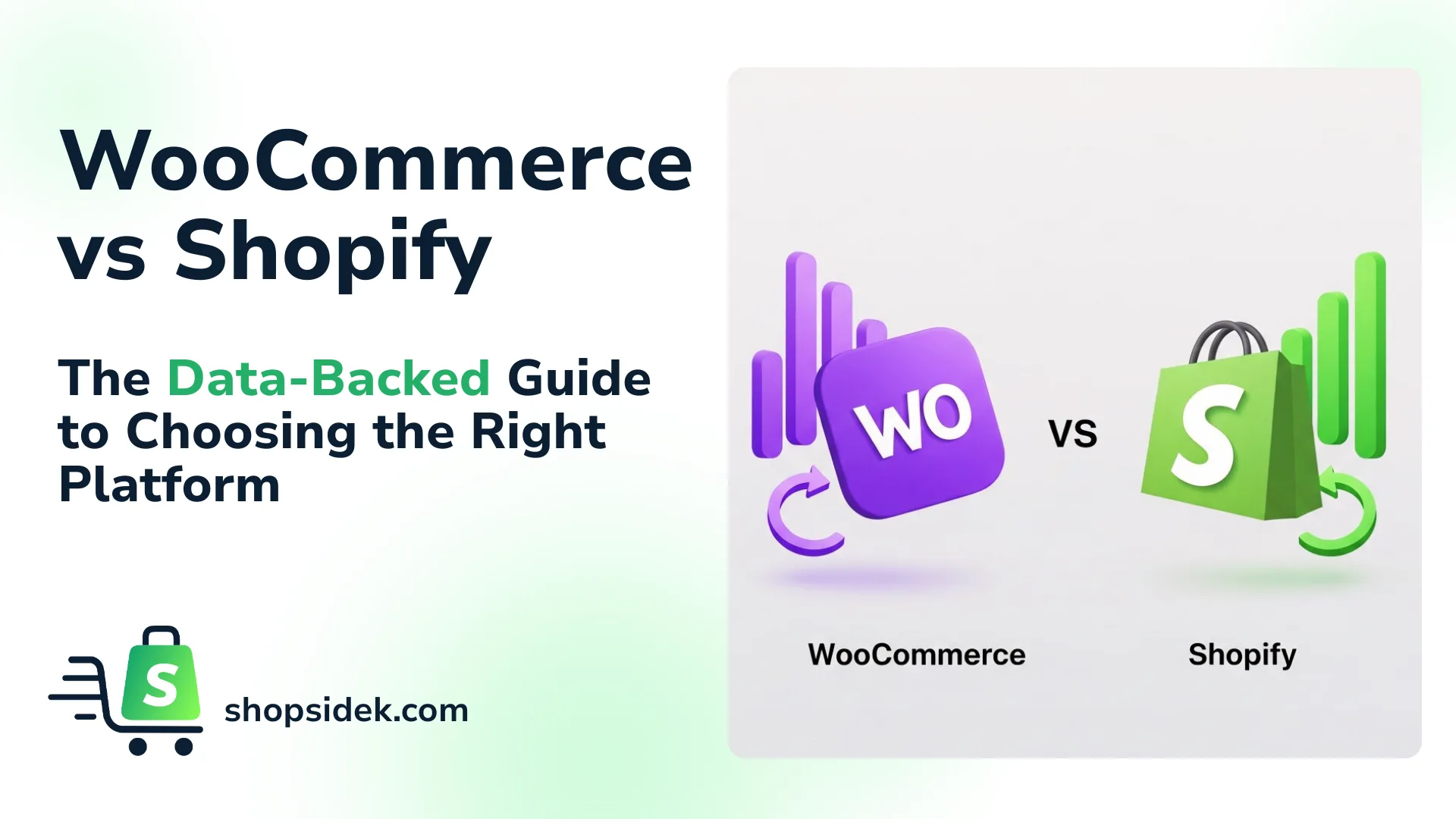
Choosing your ecommerce platform is one of the most critical decisions you’ll make as a business owner. It’s not just about technology; it’s a commitment that will shape your budget, your day-to-day operations, and your ability to grow. The debate between WooCommerce vs. Shopify is often filled with conflicting advice, making a high-stakes choice feel even more confusing.
This guide is different. We’re moving beyond surface-level comparisons to give you a clear, data-backed verdict.
Here, we analyze the true costs over a three-year period, show what “flexibility” actually looks like with real-world examples, and compare how each platform handles the daily grind of running a store. By the end, you won’t just know the difference between Shopify vs. WooCommerce—you’ll know which one is the right strategic partner for your specific business goals.
If you prefer to learn by watching, I’ve also created an explainer video on Shopify vs Woocommerce.
Quick Verdict: A 60-Second Comparison for Busy Founders
For those short on time, here’s the essential breakdown of WooCommerce vs. Shopify. While both are powerful platforms for building a successful online store, they cater to very different needs and priorities.
| Feature | Shopify | WooCommerce | Winner |
|---|---|---|---|
| Best For | Beginners, dropshippers, and brands wanting an all-in-one solution that’s easy to scale. | Tech-savvy owners, businesses on a tight startup budget, and stores requiring deep customization. | Tie |
| Ease of Use | A guided, intuitive setup lets you launch a store in a single weekend. Everything just works. | Requires installing WordPress, choosing hosting, and managing plugins. Has a steeper learning curve. | Shopify |
| Pricing Model | Fixed monthly subscription plans with integrated hosting. Additional transaction fees if not using Shopify Payments. | Free, open-source software. Costs are variable and come from hosting, domain, themes, and extensions. | WooCommerce |
| Startup Cost | Starts at $25/month after a free trial. Predictable and all-inclusive. | Can be started for less with cheap hosting, but premium themes and plugins add up over time. | WooCommerce |
| Design & Customization | 1,000+ vetted themes, an AI theme generator, and page builder apps for advanced, code-free design. | Virtually unlimited design freedom with thousands of themes and page builders like Elementor. | Tie |
| Core Features | Includes robust inventory, shipping, payment processing, and multi-channel selling tools out of the box. | Basic commerce features are included, but most advanced functionality relies on adding extensions. | Shopify |
| SEO | Good built-in SEO features for products and pages. Sufficient for most stores. | Unmatched SEO potential through WordPress and powerful plugins like Yoast SEO, offering granular control. | WooCommerce |
| Security | Fully managed. Includes a free SSL certificate, PCI compliance, and fraud analysis on all plans. | Self-managed. You are responsible for buying an SSL and implementing security via hosting and plugins. | Shopify |
| Support | Award-winning 24/7 support via phone, email, and live chat is included with every plan. | Relies on community forums, documentation, and support from your hosting provider or hired developers. | Shopify |
| Market Share (Top 1M Sites) from BuiltWith | The dominant market leader, powering 28.33% of the top 1M sites. The go-to platform for high-growth brands | A major player with 8.38% market share, especially for businesses already built on the WordPress platform. | Shopify |
In short, choose Shopify if you prioritize speed and simplicity. It’s a powerful, secure, and fully-hosted platform that handles the technical details for you. This allows you to focus 100% of your energy on marketing your products and growing your brand.
Choose WooCommerce if you want total control and ownership over every aspect of your store. If you’re comfortable with the technical side of managing a website—or have the budget to hire help—it offers limitless customization and can be more cost-effective in the long run.
The Real Cost of Selling Online: A 3-Year Total Cost of Ownership Analysis
The sticker price of an ecommerce platform is just the beginning. To truly understand the financial commitment, we need to look at the Total Cost of Ownership (TCO) over three years. This includes not just subscription fees, but also transaction costs, essential apps, and potential developer fees.
In my opinion, many comparisons offer a biased view. We’ve analyzed three distinct business personas using the latest 2026 pricing—including annual discounts—to reveal the true financial reality of running your store on either WooCommerce or Shopify.
While we’ll cover the essentials here, you can explore our complete budget breakdown for a deeper dive into the real cost of a Shopify website.

Persona 1: The Starter Store (First $10k in Sales)
From what I’ve seen, for a brand just launching, minimizing upfront costs is the top priority. To provide the best advice, we’ll assume this persona opts for Shopify’s cost-saving annual plan after the introductory offer.
Shopify
The Basic plan is now $25/month (or $19/month if billed annually). With the $1/month for 3 months offer, the first-year cost is incredibly low. Assuming the user switches to the annual plan after the promo, the total for Year 1 is $228, which equals the cost of paying for the annual plan upfront. For a store using Shopify Payments, transaction fees are around 2.9% + $0.30, which is approximately $290 on $10k in sales.
- Year 1 TCO: $228 (plan) + $290 (fees) = ~$518
- 3-Year TCO: $518 (Year 1) + [($19×12) + $290] (Year 2) + [($19×12) + $290] (Year 3) = ~$1,524
WooCommerce
This persona can get started very affordably with budget-friendly hosting (e.g., Bluehost at ~$2.95/month for the first year) and a free domain, making the initial outlay as low as $35 for the first year. Using Stripe or PayPal incurs transaction fees of around 2.9% + $0.30, adding $290 for $10k in sales.
- Year 1 TCO: $35 (hosting) + $290 (fees) = ~$325
- 3-Year TCO: $325 (Year 1) + [~$120 hosting + ~$290 fees] (Year 2) + [~$120 hosting + ~$290 fees] (Year 3) = ~$1,145
🏆Year 1 Verdict
WooCommerce remains the undisputed winner for the lowest possible startup cost in the first year. For founders focused on minimizing the initial cash required, it offers the most affordable path to getting online.
Persona 2: The Growing DTC Brand ($100k+ in Sales)
This brand is scaling and needs more features. Here, the savings from Shopify’s annual plans become a major strategic advantage.
Shopify
This persona would choose the Grow plan at $65/month, or save 25% by paying $49/month annually ($588/year). We’ll use the annual plan for our TCO calculation. This plan also offers lower Shopify Payments fees (est. 2.6% + $0.30), which equals ~$2,600 on $100k in sales. Add costs for a premium theme (~$300 one-time) and essential apps (~$1,200/year).
- Year 1 (Est.): $588 (annual plan) + $300 (theme) + $1,200 (apps) + $2,600 (fees) = ~$4,688
- Year 2 & 3 (Est.): $588 (plan) + $2,400 (apps) + $2,600 (fees) = ~$5,588/yr
- 3-Year TCO (Est.): ~$4,688 + $5,588 + $5,588 = ~$15,864
WooCommerce
This brand would need better hosting (~$240/year), a premium theme (~$100), and more robust plugins (~$600/year). With standard Stripe/PayPal fees (2.9% + $0.30), transaction costs are ~$2,900 on $100k in sales.
- Year 1 (Est.): $240 (hosting) + $100 (theme) + $600 (plugins) + $2,900 (fees) = ~$3,840
- Year 2 & 3 (Est.): $360 (better hosting) + $1,200 (plugins) + $2,900 (fees) = ~$4,460/yr
- 3-Year TCO (Est.): ~$3,840 + $4,460 + $4,460 = ~$12,760
🏆Verdict
At this sales volume, WooCommerce remains the more cost-effective choice over three years, primarily due to lower fixed software costs and the absence of extra transaction fees. However, Shopify’s new pricing makes the race significantly closer.
Persona 3: The Custom Niche Business (Complex Needs)
This business requires advanced features, possibly for B2B or complex product configurations, pushing them toward higher-tier plans or custom development.
Shopify
The logical step is the Advanced plan at $399/month, or the heavily discounted $299/month annual plan ($3,588/year). This plan has the lowest transaction fees (est. 2.4% + $0.30), totaling ~$12,000 on $500k in sales. Essential app and developer costs could average $1,500/month ($18,000/year).
- 3-Year TCO (Est.): [$3,588 (plan) + $18,000 (apps/dev) + $12,000 (fees)] × 3 = ~$100,764
Note: For needs beyond this, Shopify Plus starts at $2,300/month, pushing the 3-year TCO well over $200,000.
WooCommerce
Here, the core software is free, but costs are driven by premium infrastructure and development. This includes robust hosting (~$900/year), specialized premium plugins (~$6,000/year), and developer time for custom features (~$2,000/year). Transaction fees on $500k in sales are ~$14,500.
- 3-Year TCO (Est.): [$900 (hosting) + $6,000 (plugins) + $2,000 (dev) + $14,500 (fees)] × 3 = ~$69,900
🏆Verdict
For businesses with complex or unique operational needs, WooCommerce offers a significantly lower Total Cost of Ownership. Its open-source nature allows for creating custom solutions at a fraction of the cost of Shopify’s high-tier enterprise plans.
Key Takeaway
The data shows that WooCommerce offers the lowest absolute startup cost for new stores and remains the most financially advantageous choice for complex businesses requiring custom development. However, Shopify’s new annual pricing makes it a powerful and highly competitive option for growing brands, significantly narrowing the long-term cost difference.
Worried about costs? The best way to understand Shopify’s value is to experience it. Start a free trial and get your first 3 months for $1/month to see the platform in action.
But before you decide based on price alone, remember that cost is only one piece of the puzzle. The right platform also depends on ease of use, features, and support. We recommend you keep reading to see the full picture before making your final choice.
Ease of Use: Which Platform Gets You Selling Faster?
For a new entrepreneur, time is the most valuable resource. The ideal platform minimizes technical headaches and accelerates your path to the first sale. In this area, the philosophical differences between Shopify and WooCommerce become crystal clear. One is built for speed and simplicity; the other is built for control and customization.
Onboarding and Setup: The First 24 Hours
The initial setup process is where Shopify establishes its dominant lead in ease of use.
Shopify’s approach is a guided, all-in-one experience.
From the moment you start your free trial, you’re led through a simple setup wizard. You’ll name your store, answer a few questions about your business, and land directly in a clean, intuitive dashboard. Hosting, security, and technical configurations are all handled for you behind the scenes.
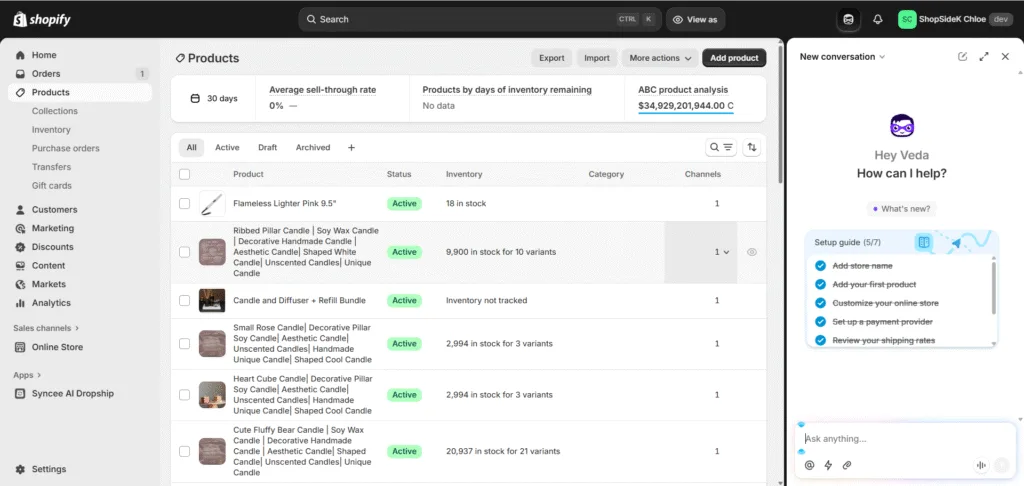
Within an hour, you can choose a theme, add your first product, and configure payment settings—all within the same unified interface. This streamlined process means you can realistically launch a Shopify store in a single weekend.
WooCommerce, on the other hand, requires a multi-step, component-based setup.
Before you can even think about selling, you must:
- Choose and purchase a web hosting plan from a provider like SiteGround or Hostinger.
- Install WordPress on your hosting account.
- Install and activate the WooCommerce plugin from the WordPress plugin directory.
- Find and install a theme that is compatible with WooCommerce.
- Configure basic settings for payments, shipping, and taxes.

While hosts have made this process easier, it still involves juggling different accounts, interfaces, and technical concepts from the very beginning, creating a steeper learning curve for non-technical users.
🏆Verdict: Shopify is the undisputed winner for setup speed and simplicity. It removes technical barriers, allowing you to focus entirely on building your business from day one.
If a simple, guided setup sounds like the right fit for you, you can build your entire store before ever paying a cent. Explore Shopify’s features with a free 3-day trial and launch your business this week.

Day-to-Day Store Management
Once your store is live, your focus shifts to daily tasks: adding products, managing inventory, and fulfilling orders.
Shopify’s dashboard is a centralized command center for your business.
- Everything you need has a logical place in the main navigation menu.
- Adding a product is a single, clean form.
- Fulfilling an order is a clear, step-by-step workflow.
- Viewing analytics is built-in.
If you need to add functionality, the Shopify App Store offers thousands of vetted, one-click-install apps that integrate seamlessly into your dashboard.
This cohesive environment makes daily operations fast and efficient.
WooCommerce management happens within the WordPress dashboard, which can feel fragmented.
While core tasks like adding products and managing orders are straightforward, the experience is less commerce-focused. The interface blends your store management with WordPress’s blogging and content features.
Furthermore, extending your store’s functionality—like adding custom shipping rules or advanced email marketing—requires finding, installing, and configuring separate plugins, each with its own unique settings panel.
This can lead to a disjointed workflow where you’re constantly jumping between different interfaces to manage a single store.
🏆Verdict: Shopify’s integrated nature provides a more intuitive and streamlined user experience for day-to-day management, especially for those who aren’t familiar with the WordPress ecosystem.
Features & Customization: What “Control” vs. “Convenience” Really Means
Beyond cost and ease of use, the platform you choose dictates what you can build. This is where the core philosophies diverge: Shopify offers streamlined convenience within a powerful, structured system, while WooCommerce provides limitless control through its open-source foundation.
Design Flexibility: Themes and Page Building
Your store’s design is your brand’s first impression. Both platforms can create beautiful, professional storefronts, but their approach to customization has evolved significantly.
Shopify: An AI-Powered Ecosystem with Powerful Tools
Shopify has heavily invested in making high-end design accessible to everyone. Its most innovative feature is the AI-powered theme generator. Part of Shopify Magic, this tool allows you to describe the look and feel you want, and the AI will generate a unique, custom theme draft in seconds. This provides an incredible starting point that is already tailored to your brand.

From there, you can explore the official Theme Store, which boasts over 1,000 high-quality themes—all meticulously vetted for speed and security. For even deeper control, powerful page builder apps like PageFly integrate seamlessly, offering true drag-and-drop control to build custom pages without writing any code.
WooCommerce: Unrestricted Freedom with Full Responsibility
Built on WordPress, WooCommerce offers near-infinite design freedom. You have access to thousands of themes from marketplaces like ThemeForest and can build completely custom layouts from scratch using powerful page builders like Elementor or Divi.
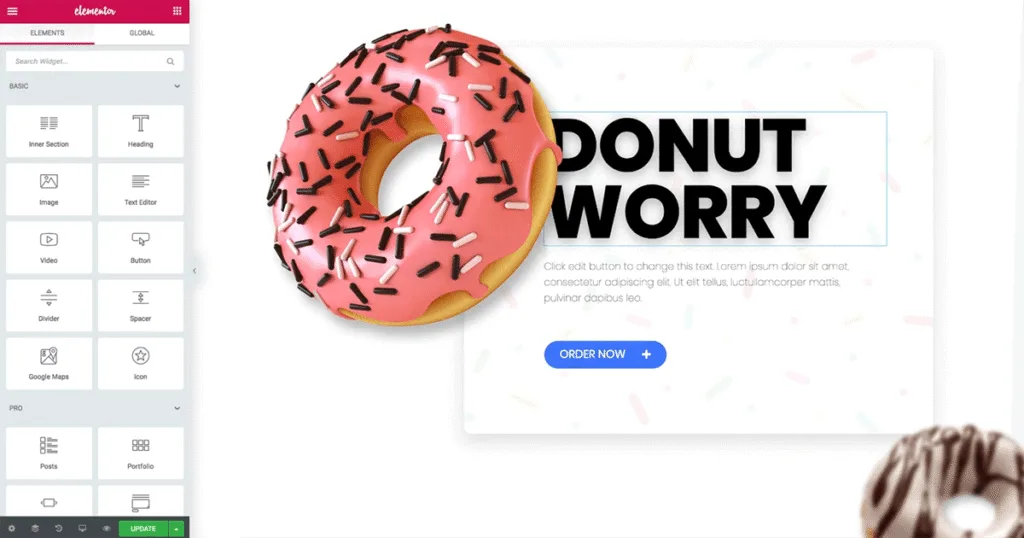
This gives you granular, code-level control over every pixel of your site. The key trade-off is responsibility: you must ensure your chosen theme and plugins are well-coded, secure, and optimized for speed, as there is no central vetting process.
🏆Verdict: The Winner Depends on Your Priorities
Years ago, WooCommerce was the clear winner for customization. Today, the verdict is more nuanced.
For the vast majority of businesses that want a stunning, unique, and high-performing store without the technical overhead, Shopify is the winner. Its combination of an AI theme generator, a huge selection of vetted themes, and powerful page builder apps provides all the flexibility most brands will ever need in a secure and easy-to-manage environment.
WooCommerce remains the champion for those who require absolute, unrestricted control—the ability to modify the site’s core code to build something truly bespoke. This power is ideal for businesses with in-house developers or those who value ultimate freedom over managed convenience.
Core Commerce Features: Payments, Shipping & Dropshipping
This is the engine room of your store, and a platform’s built-in tools can save you significant time and money.
Shopify’s strength is its deeply integrated, out-of-the-box feature set.
- Payments: Shopify Payments is the star. It’s enabled by default, accepts all major credit cards and digital wallets like Apple Pay and Shop Pay, and most importantly, it removes Shopify’s extra transaction fees. If you use a third-party gateway like PayPal, Shopify charges an additional fee (from 0.5% to 2%) on top of what the payment processor charges.
- Shipping: Shopify Shipping provides pre-negotiated, discounted rates with carriers like USPS, UPS, and DHL directly within your dashboard. You can print labels and manage fulfillment in one seamless workflow.
- Multi-channel Selling: Shopify is the leader in social commerce, with best-in-class integrations for selling directly on Facebook, Instagram, TikTok, and more. For dropshippers, apps like Spocket connect you to suppliers like AliExpress with a few clicks.

WooCommerce provides a solid foundation that you build upon with extensions.
- Payments: It has its own WooCommerce Payments (powered by Stripe) and integrates with hundreds of other gateways. Crucially, WooCommerce never charges an extra transaction fee for using a third-party payment provider.
- Shipping: Basic shipping zones are included, but real-time carrier rates and label printing require installing and often paying for additional extensions.
- Multi-channel Selling: Dropshipping and social selling are possible through a wide variety of plugins, but they often require more configuration and may not be as tightly integrated as Shopify’s native solutions.
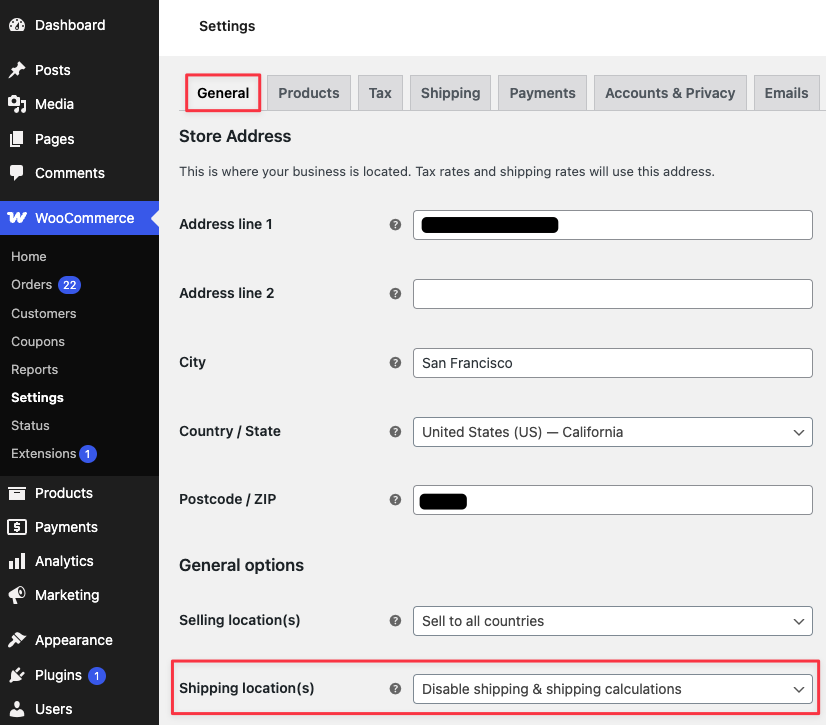
🏆Verdict: Shopify wins on convenience. Its powerful, built-in features for payments, shipping, and multi-channel selling provide a cohesive and efficient experience that requires less setup and fewer third-party add-ons.
Case Study: How Shopify Powers Global Scale and Viral Brands
While WooCommerce excels at deep, code-level customization, Shopify’s strength lies in providing a rock-solid foundation for explosive growth and multi-channel commerce. Its “convenience” is a strategic advantage that allows globally recognized brands to scale without worrying about the underlying technology.
Example 1: The Viral Launch (Kylie Cosmetics)
Few brands have tested the limits of ecommerce infrastructure like Kylie Cosmetics. During their famous product drops, they faced traffic surges that would cripple almost any self-hosted website.
By building on Shopify Plus, they were able to handle hundreds of thousands of visitors and process thousands of orders per minute without the site crashing. This is Shopify’s core value proposition for ambitious brands: a platform engineered for peak performance and reliability, so you can focus on the marketing event, not on server capacity.
Example 2: The Omni-Channel Brand (Forthglade or Gymshark)
Brands like the popular UK pet food company Forthglade or the fitness apparel giant Gymshark thrive by selling wherever their customers are. Shopify acts as their central command center.

They can seamlessly manage their main online store, sell directly through Instagram and TikTok Shop, and even run physical pop-up shops using the integrated Shopify POS system. All inventory, sales, and customer data are synced in one place. This unified commerce model is incredibly difficult and complex to build on WooCommerce, but it’s a core, native feature of Shopify.
These examples show that Shopify’s “convenience” isn’t about limitations; it’s about providing the robust, integrated tools necessary for ambitious brands to scale quickly and sell everywhere.
For more inspiration, we’ve compiled a detailed showcase of 50+ of the best Shopify stores to show you exactly what’s possible on the platform.
Case Study: What WooCommerce’s “Total Control” Unlocks
Many articles say WooCommerce offers more “control,” but what does that actually mean for your business? It means you can fundamentally change the store’s logic to fit a complex business model—something that is often difficult or impossible on Shopify without a hefty price tag.
Example 1: The Custom Product Configurator
Imagine a brand like DVO Suspension, which uses WooCommerce. They sell complex mountain bike components that need to be configured. Let’s say you wanted to build a “Custom Bike Builder” on your site. A customer could visually select a frame, choose their wheels, pick a specific handlebar, and see the price and product image update in real-time.

- On WooCommerce: This is a perfect use case for its flexibility. A developer can use plugins or custom code to create this intricate product builder. Because it’s open source, they have unrestricted access to modify the product page, inventory logic, and checkout process to create a completely bespoke shopping experience.
- On Shopify: Achieving this would be a major challenge. You would need to rely on a specialized, often expensive third-party app with a recurring monthly fee. Even then, you might be limited by the app’s features and Shopify’s more restrictive API.
Example 2: The B2B Wholesale Portal
Consider a business that sells to both individual consumers and wholesale partners. They need a system where logged-in wholesale buyers see entirely different pricing, have unique shipping options, and can place orders with minimum quantity requirements.
- On WooCommerce: This is a common and well-supported use case. Numerous powerful plugins exist to add robust B2B and wholesale functionality. You can easily create different user roles, set complex pricing rules, and customize the entire ordering process for your business clients.
- On Shopify: This level of B2B functionality is a primary feature of Shopify Plus, which starts at over $2,000 per month. While some apps on lower plans can create workarounds, they often lack the deep integration needed for a seamless wholesale operation.
These examples show that WooCommerce’s “total control” is its killer feature for businesses with non-standard needs. It allows you to build a store that operates exactly how your business does, not the other way around.
SEO, Speed & Performance: Which Platform Ranks Higher?
Search engine optimization is the lifeblood of organic growth for any online store. While many factors contribute to your Google ranking, the platform you choose plays a foundational role. The debate here isn’t just about blogging; it’s about the deep technical structure that influences how search engines see your site.
Content and On-Page SEO
On-page SEO refers to the elements you directly control, like your content, keywords, and meta tags. This is where the legacy of WordPress gives WooCommerce a distinct advantage.
WooCommerce is built on WordPress, the world’s most powerful content management system (CMS). This gives you unparalleled control over your content and on-page SEO.
- The WordPress block editor allows for the creation of rich, custom-designed landing pages and blog posts that go far beyond a simple wall of text.
- Legendary plugins like Yoast SEO and Rank Math provide an incredible depth of control, offering features like advanced schema markup, internal linking suggestions, and granular control over every meta tag.

Based on my projects, for businesses where content marketing is a core strategy, this flexibility is a real game-changer.
Shopify, on the other hand, provides all the essential tools most ecommerce stores need to rank successfully. You can easily edit title tags, meta descriptions, image alt text, and URLs for all your products and pages. Its built-in blogging engine is simple and effective for publishing articles.
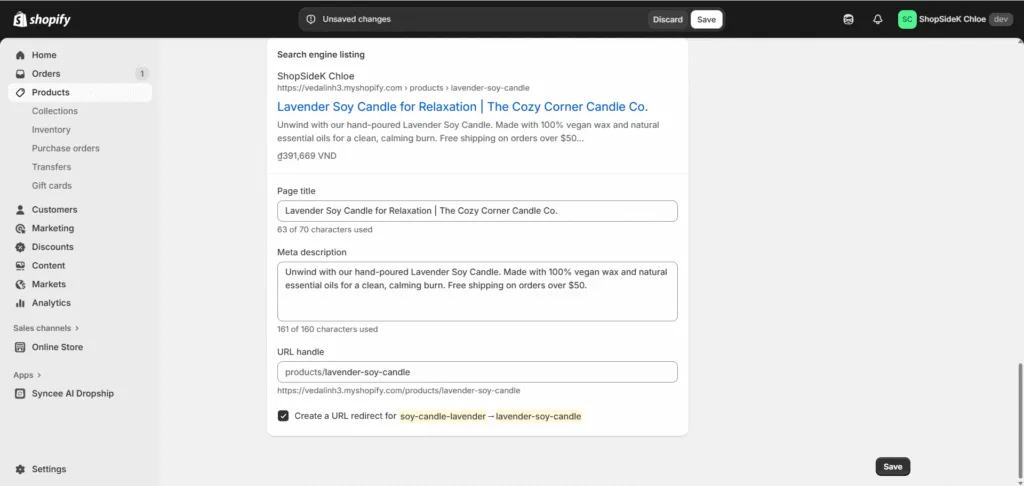
While it lacks the deep customization of a plugin like Yoast, many stores achieve front-page rankings using only these built-in features. We documented the entire process in a beginner’s case study on how to get a Shopify page on the front page of Google.
🏆Verdict: WooCommerce is the undisputed champion for on-page SEO and content flexibility. However, Shopify’s built-in tools are perfectly capable and provide everything a typical ecommerce store needs to rank well.
Technical SEO and Site Speed
Technical SEO involves the behind-the-scenes elements that affect performance, like site speed, security, and mobile-friendliness. This is where Shopify’s managed infrastructure shines.
Shopify is a fully hosted platform, which means they manage the entire technical environment for you. This is a massive advantage for performance. Every Shopify store benefits from:
- Optimized Hosting: Your store runs on a fast, global server infrastructure built for commerce.
- Built-in CDN: A Content Delivery Network (CDN) is included by default, ensuring your site loads quickly for customers anywhere in the world.
- Managed Security: An SSL certificate is included and automatically configured, and the platform is PCI compliant out of the box.
This managed approach leads to consistently fast load times and strong Core Web Vitals scores with minimal effort. One third-party study from LitExtension found Shopify’s average page load time to be a speedy 309ms.

WooCommerce performance is entirely your responsibility. The speed of your site depends on a combination of factors you control:
- Your Hosting Provider: A cheap, shared hosting plan will result in a slow site. A premium managed host will be much faster but costs more.
- Your Theme and Plugins: A poorly coded theme or an excess of plugins can dramatically slow down your store.
- Optimization: You are responsible for setting up caching plugins (like LiteSpeed Cache), optimizing images, and keeping everything updated.
Keep in mind that while a well-optimized WooCommerce site can be incredibly fast, it requires active management. The same LitExtension study found the average WooCommerce load time to be 776ms, highlighting how performance can suffer without proper optimization.
🏆Verdict: Shopify offers superior out-of-the-box performance and technical reliability. It handles the complexities of hosting and optimization, allowing you to focus on your business.
Support and Security: Who Has Your Back When Things Go Wrong?
When you’re running a business, unexpected issues are inevitable. How you handle them—and who you can turn to for help—is a critical factor in your long-term success. Similarly, protecting your store and customer data is a non-negotiable responsibility.
Customer Support Channels
When your site goes down at 2 AM or you can’t figure out a key setting, the quality of support you receive matters immensely.
Shopify offers direct, centralized, 24/7 support.
Included with every plan, you get access to a dedicated team of experts via phone, email, and live chat. Because Shopify is a single, unified platform, their support staff can effectively troubleshoot almost any issue you encounter, from billing questions to theme adjustments. This all-in-one support system provides incredible peace of mind for business owners.
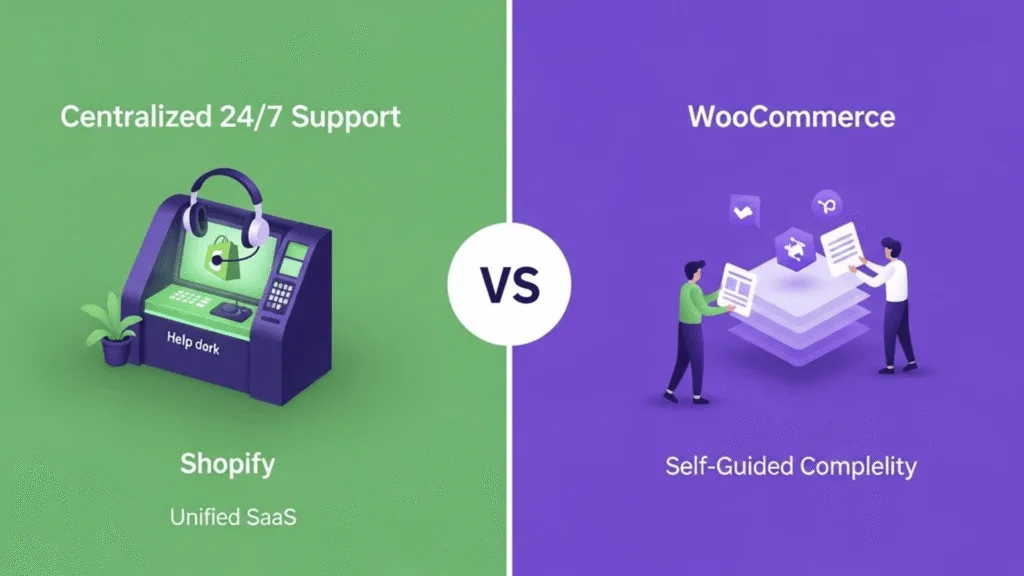
WooCommerce support is decentralized and community-based.
There is no single phone number to call. Instead, you must rely on a fragmented ecosystem for help:
- Official documentation and public support forums on WooCommerce.com.
- Your hosting provider for any server-related problems.
- The developers of your theme and plugins, which often requires a paid license for direct support.
- Hiring a freelance developer for more complex issues.
While the WooCommerce community is vast and helpful, this model requires you to be your own problem-solver, first identifying the source of the issue and then seeking help from the correct party.
Security and Maintenance
In ecommerce, security is paramount. A single breach can destroy customer trust and your business.
Shopify provides “managed security.”
They handle the vast majority of security concerns for you. Every Shopify store automatically includes:
- A free SSL certificate to encrypt data.
- Level 1 PCI DSS compliance, the gold standard for handling credit card information.
- Constant monitoring of their network for threats and vulnerabilities.
- Tools to help with GDPR compliance.
This closed-source environment means Shopify vets its apps and controls the entire infrastructure, significantly reducing your risk.
WooCommerce operates on a “self-managed security” model.
You are entirely responsible for securing your store. This includes purchasing and installing an SSL certificate (though many hosts now offer free ones), ensuring your site is PCI compliant, and—most importantly—keeping everything updated.
The open-source nature of WordPress means you must be vigilant about updating the core software, your theme, and every plugin you use, as outdated code is the number one entry point for hackers.
The risk is tangible; independent security databases like CVE Details cataloged 33 reported vulnerabilities for WooCommerce in 2023, underscoring the diligence required to keep a self-managed site secure. While plugins like Wordfence can help, the ultimate responsibility rests on your shoulders.
The Final Verdict: Which Platform Should You Choose in 2026?
After analyzing the data, from long-term costs to day-to-day management, the choice between WooCommerce and Shopify isn’t about which platform is better—it’s about which platform is a better fit for your specific business model, technical comfort level, and growth ambitions.
One offers a powerful, all-in-one solution that lets you focus exclusively on selling. The other provides a flexible, open-source toolkit that gives you the freedom to build anything you can imagine.

✅ Choose Shopify if…
- You prioritize speed to market and best-in-class ease of use.
- You want a predictable monthly cost that includes hosting, security, and support.
- You value having 24/7 expert support just a click or a call away.
- You are a beginner or non-technical founder who wants to avoid managing the back end.
- Your business relies heavily on selling across multiple channels like Instagram, Facebook, and TikTok.
In essence, what I usually tell clients is that Shopify is the right choice for founders who want a platform that handles the technical complexities so they can focus on building their brand and connecting with customers.
Ready to stop researching and start building? If Shopify is the clear winner for your business goals, don’t wait. Click here to claim your 3-day free trial + 3 months for $1/month and begin your ecommerce journey today.
Friendly Disclosure: As a Shopify Media Partner, I may receive a small commission if you sign up using my link. It doesn’t affect your price and supports the work I do here.
✅ Choose WooCommerce if…
- You need deep, custom functionality that standard platforms don’t offer.
- You want full ownership of your website, data, and code.
- You are on a very tight startup budget and need the lowest possible entry cost.
- You are already comfortable with WordPress or have a budget for a developer.
- Your business model is heavily driven by content marketing and requires advanced SEO control.
I recommend WooCommerce for entrepreneurs who have the technical confidence to trade convenience for complete control and limitless potential.
For those already running on WordPress, if Shopify’s benefits in ease of use, security, and support are resonating with you, the thought of switching can seem daunting. However, the process is more straightforward than you might think. We’ve created the definitive guide to WordPress to Shopify migration to walk you through every step.
Frequently Asked Questions (FAQ): Shopify vs. Woocommerce
We’ve answered the most common questions our readers have when choosing between these two powerful platforms.
Is WooCommerce really cheaper than Shopify in the long run?
While WooCommerce’s software is free, it’s important to understand the total cost of ownership. To run a WooCommerce store, you must pay for essential components like web hosting, a domain name, and often premium plugins to add crucial functionality. These variable costs can add up.
Shopify, in contrast, offers predictable Shopify pricing in an all-inclusive package. Your monthly fee covers high-performance hosting, security, and an SSL certificate.
For a brand-new store, the first-year costs can be surprisingly similar. Over time, the “cheaper” platform depends entirely on your needs. A Shopify store with many paid apps can become more expensive, while a WooCommerce store might face higher transaction fees or require costly plugins. For a detailed visual breakdown, refer back to our 3-Year TCO analysis chart earlier in this article.
Which platform is truly better for SEO?
This is a common debate, and the answer is nuanced. WooCommerce, being built on WordPress, offers a higher ceiling for SEO customization through powerful plugins like Yoast SEO or Rank Math. This gives you granular control over every aspect of your WordPress SEO.
However, this potential requires technical expertise. To achieve great results, you are responsible for optimizing your hosting, implementing caching, and ensuring your site speed is fast to meet Google’s Core Web Vitals.
Shopify, on the other hand, is highly optimized for technical Shopify SEO right out of the box. Its underlying infrastructure is built for speed and reliability. For a beginner or non-technical user, this built-in performance often leads to better and faster results than a poorly configured WooCommerce store. Both platforms can get you to the front page, but Shopify makes it easier to get the technical fundamentals right.
Which platform is better for dropshipping?
For dropshipping, Shopify is the undisputed industry leader. Its primary advantage is the Shopify App Store, which is a mature ecosystem filled with deeply integrated apps designed specifically for dropshipping.
With just a few clicks, apps like Spocket can connect your store directly to suppliers from marketplaces like AliExpress. This allows you to import products, sync inventory, and route customer orders to your supplier seamlessly.
While WooCommerce dropshipping is certainly possible with various plugins, the setup is often more manual and the integrations are less streamlined. For anyone serious about building a dropshipping business efficiently, Shopify is the clear and recommended choice.
Do I need to be a developer to use WooCommerce?
You do not need to be a developer to perform basic tasks in WooCommerce, like installing it on a host or adding products. However, when you choose WooCommerce, you effectively become your own IT manager.
This means you are responsible for all WordPress maintenance, which includes performing regular security updates for the core software, your theme, and all your plugins. You are also responsible for troubleshooting technical issues, such as the common problem of plugin conflicts that can break your site.
For any significant design changes (requiring custom CSS) or when you run into a problem you can’t solve, a certain level of technical comfort—or a budget to hire a developer—is essential. This stands in stark contrast to Shopify, which handles all technical maintenance and updates for you.