

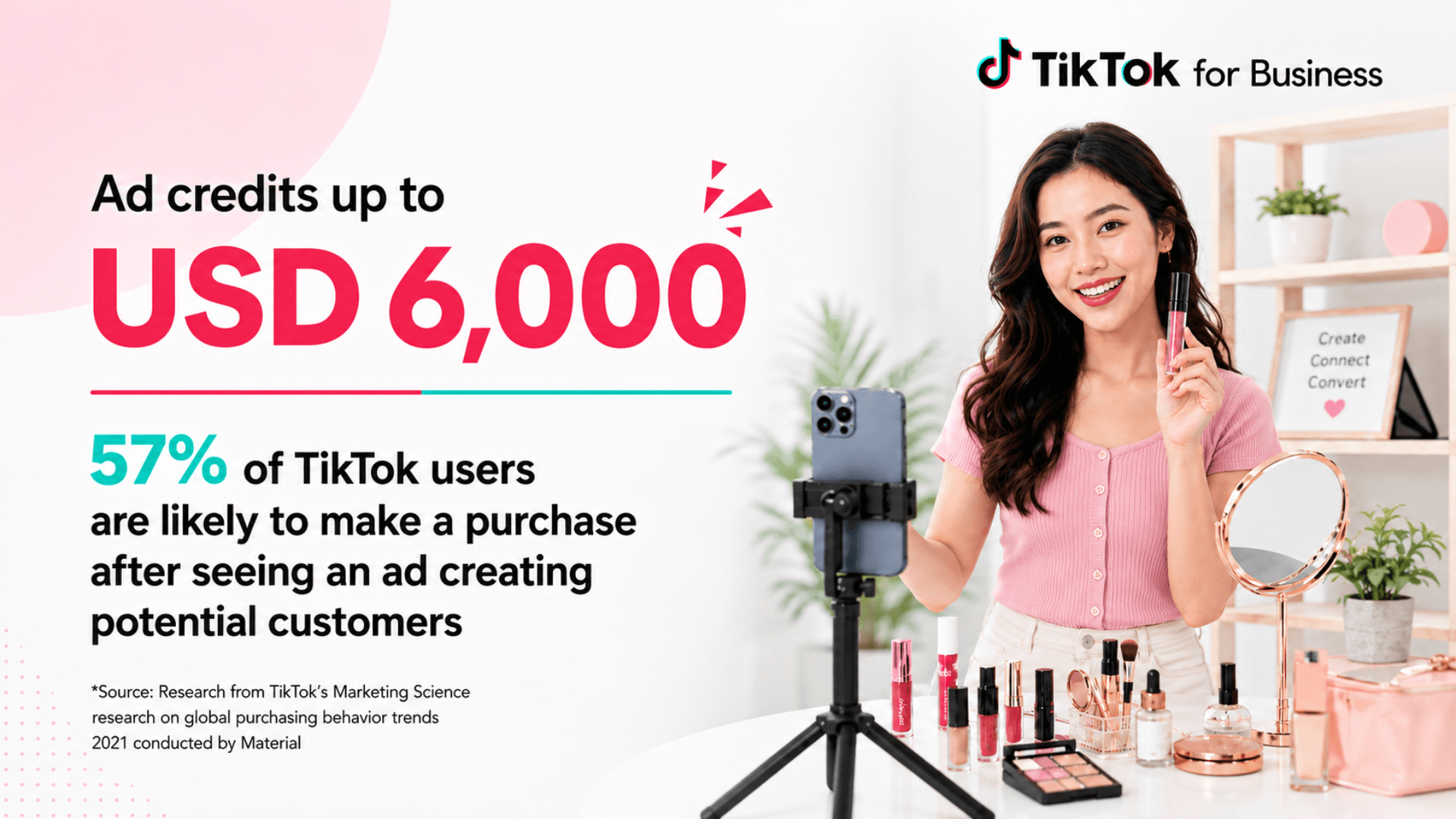
If you run an active Shopify store, you already know that customer acquisition costs on Meta and Google continue to climb. Testing a new paid acquisition channel like TikTok makes strategic sense, but testing unproven creatives on a fresh ad account carries real financial risk.
If you are searching for a TikTok ad credit promo code to offset that initial testing cost, here is what you need to know: TikTok does not hand out free upfront cash or secret coupon codes. Instead, it runs an official 1:1 Matched-Spend Incentive Program that gives eligible new advertisers up to $6,000 in matched ad credits during their first 30 days.
When you register through an official partner link and spend an initial testing budget—such as $200 or $500—TikTok matches that spend dollar-for-dollar. You receive an additional $200 to $500 in promotional ad credit deposited directly into your Ads Manager account. This effectively halves your customer acquisition cost during your initial creative testing phase.
My recommendation is direct: if your store has proven sales and you have never created a TikTok advertiser account before, claim this spend-match incentive before spending a single dollar on ads. Do not waste time hunting for promo codes on aggregator websites. Create your account through an approved partner link, install the TikTok Shopify app with Maximum Data Sharing, and pace an initial $200 to $500 test over 14 to 21 days.
How the TikTok Ads Spend-Match Program Works for Shopify Merchants
Many ecommerce founders assume advertising credits operate like retail promo codes entered at checkout. On TikTok, ad credits work through an automated post-spend matching system governed by official promotional credit program rules.
The core mechanic is simple: TikTok matches your qualifying ad spend 1:1 up to a tier limit within your first 30 days.
[Register via Partner Link] ──► [Spend $200–$6,000 in 30 Days] ──► [Receive 1:1 Matched Credit in 48h] ──► [Deploy Credit Over Next 30 Days]
Here is the exact progression:
- Account Registration: You sign up for a new TikTok Ads Manager account through a verified partner link. The partner referral token attaches automatically to your new account entity behind the scenes.
- Qualifying Spend Period: You launch your ad campaigns and spend real ad dollars. You have exactly 30 calendar days from the date of account creation to hit your chosen spending milestone ($100, $200, $500, $1,500, $2,000, or $6,000).
- Credit Verification & Posting: Once your billed ad spend crosses a qualifying tier threshold, TikTok’s billing engine logs the milestone. The matched credit posts automatically to your account balance within 48 hours.
- Credit Consumption: Your ad account consumes the promotional credit on subsequent ad deliveries. The credit covers future ad impressions, effectively doubling your total ad volume for that budget.
Prepay vs. Autopay Billing Mechanics
How the credit applies to your account depends on your selected billing type:
- Manual Payment (Prepay): If you load funds into your account manually, TikTok exhausts your earned promotional credit balance before deducting from your remaining deposited cash balance.
- Automatic Payment (Autopay): If TikTok charges your credit card automatically when reaching a billing threshold or billing date, the promotional credit offsets your next invoice cycle. You see the credit applied as a deduction against gross ad charges on your statement according to TikTok commercial billing terms.
You remain responsible for applicable local sales taxes, VAT, and any ad spend that exceeds your available credit balance. The credits cannot be withdrawn to a bank account or transferred to another ad account; they apply exclusively against active ad delivery inside that specific Ads Manager ID.
The Complete TikTok Ad Credit Tiers Breakdown ($100 to $6,000)
TikTok structures its promotional incentives across tiered spend thresholds. You do not need to guess how much credit you will receive. The reward is pegged directly to your actual cash spend during your first 30 days.
Below is the complete 5-tier spend-match schedule for eligible new advertisers:
| Tier Level | Qualifying Cash Spend (Within 30 Days) | Matched Ad Credit Issued | Total Ad Purchasing Power | Effective Ad Subsidy % | Best-Fit Shopify Store Profile |
|---|---|---|---|---|---|
| Tier 1A (Starter) | $100 | $100 | $200 | 50% | Single-product stores testing low-ticket impulse items (<$30 AOV). |
| Tier 1B (Core Test) | $200 | $200 | $400 | 50% | ShopSideK Recommended Entry: Validates 2–3 creative hooks with minimal downside. |
| Tier 2A (Growth Starter) | $500 | $500 | $1,000 | 50% | Established stores ($20k–$50k/mo) testing multiple UGC angles & catalog ads. |
| Tier 2B (Growth Pro) | $1,500 | $1,500 | $3,000 | 50% | Stores scaling proven creative concepts with dedicated retargeting. |
| Tier 3A (Scale Builder) | $2,000 | $2,000 | $4,000 | 50% | Multi-SKU brands scaling Smart+ Web Campaigns across broad audiences. |
| Tier 3B (Enterprise Max) | $6,000 | $6,000 | $12,000 | 50% | High-volume stores ($100k+/mo) aggressively migrating ad budget from Meta or Google. |
Tier 1: The $100 & $200 Starter Match (Best for Initial Product Testing)
Tier 1 is designed for stores taking their very first steps on short-form video advertising.
- The $100 Milestone: Spending $100 gives you $100 in credit for $200 total purchasing power. This works if you sell a single impulse-buy item with an average order value (AOV) under $30. However, $100 in ad spend generates limited conversion events, which makes it harder for TikTok’s algorithm to exit the learning phase.
- The $200 Milestone (ShopSideK Recommended Entry): Spending $200 unlocks a $200 match, giving you $400 in total ad spend. At typical TikTok ecommerce CPMs ($6 to $12), $400 buys between 33,000 and 66,000 targeted video impressions. That volume is sufficient to test 2 to 3 distinct creative angles, gather initial click-through data, and register your first batch of purchases.
For most independent Shopify merchants, the $200 threshold represents the ideal balance between low out-of-pocket financial risk and sufficient statistical data.
Tier 2: The $500 & $1,500 Growth Match (Best for Multi-Creative Validation)
If your store generates consistent monthly revenue ($20,000 to $50,000+) on Meta or Google, Tier 2 is your strategic target.
- The $500 Milestone: Spending $500 unlocks a $500 credit match, delivering $1,000 in total ad deployment. A $1,000 total ad budget allows you to test 4 to 6 User Generated Content (UGC) creator assets, run structured ad group splits, and build custom website custom audiences for retargeting.
- The $1,500 Milestone: Spending $1,500 earns a $1,500 match ($3,000 total spend). This tier suits brands ready to test catalog dynamic ads alongside prospecting video campaigns across wider demographic segments.
Tier 3: The $2,000 & $6,000 Scale Match (Best for Proven Scaling Stores)
Tier 3 is built for mature ecommerce operations with established creative production pipelines and strong operating margins.
- The $2,000 Milestone: Unlocks $2,000 in ad credits ($4,000 total ad volume). This spend level provides enough conversion volume (typically 50+ purchases per week) to power TikTok’s automated bidding models and Smart+ Web Campaigns effectively.
- The $6,000 Milestone (Maximum Reward): By deploying $6,000 in cash ad spend within your first 30 days, you capture the maximum possible partner reward of $6,000. You deploy $12,000 in total ad traffic. This tier is suited for brands spending $10,000+ monthly across other paid channels who want to establish TikTok as a major revenue driver immediately.
The Truth About TikTok Promo Codes: Why Coupon Aggregators Don’t Work
If you search online for “TikTok ad coupon code,” “TikTok ads promo code 2026,” or “TikTok voucher $500 off,” you will find dozens of coupon aggregator websites listing strings like TTADS500, TIKTOKSHOPIFY, or DISCOUNT200.
These coupon codes do not work.
TikTok Ads Manager does not operate a public discount coupon box where advertisers paste external promo codes at checkout. TikTok handles promotional incentives through two mechanisms:
- Partner Referral Tokens: Encoded tracking URLs provided to official ecosystem partners (like Shopify, certified agencies, and approved developer platforms). Clicking a verified partner link passes a cryptographic referral parameter to the registration endpoint, automatically flagging that ad account entity for the spend-match promotion.
- Direct Managed Account Grants: Custom incentive credits assigned manually by dedicated TikTok Enterprise account representatives for major brand accounts.
When you enter a fake code from a coupon website, you risk creating your Ads Manager account without an attached partner token. Because the spend-match promotion applies only to new accounts, creating an account through an unverified route permanently burns your new-advertiser eligibility for that business entity.
The only verified path to claim the spend-match incentive is registering through an approved partner link before launching campaigns.
New Advertiser Qualification: Who Is Eligible for the Spend Match?
The spend-match incentive has clear platform boundaries. Understanding these requirements protects you from planning a budget around an ineligible account.
1. Zero Prior TikTok Advertiser Spend (Strict Rule)
The credit program is reserved exclusively for new TikTok advertisers.
- Eligible: A business that has never created a TikTok Ads Manager account, or an account that was registered recently but has never launched an ad campaign or billed any ad spend.
- Ineligible: An existing Ads Manager account that has previously spent ad dollars, even if that spend was only $5 years ago.
If your brand already has an active, spending TikTok Ads Manager account, you cannot claim this specific new-advertiser credit on that existing account ID. Check our full TikTok Ads Credit Eligibility Guide to understand how TikTok Business Center asset structures and multi-account rules apply to mature brands.
2. Geographic Availability
The official spend-match program is active across major international Shopify markets. You can claim the credit if your business and billing address are located in:
- United States
- Canada
- United Kingdom
- Australia
- Germany
- France
- Brazil
Note: While ad credits are available in these confirmed countries, the promotion currency matches your account’s local billing currency equivalent (e.g., £150 in the UK or €200 in Germany).
3. Valid Business & Payment Verification
To qualify, your ad account must:
- Complete standard advertiser identity registration.
- Add a valid, active payment method (credit card, debit card, or verified PayPal depending on region).
- Maintain an account in good standing without ad policy violations or payment rejections during the 30-day window.
TikTok does not audit your historical Shopify store revenue before approving credit. As long as you have a verified payment method, zero prior spend on that advertiser ID, and comply with TikTok Advertising Policies, your account qualifies for the spend match.
How to Claim Your TikTok Ads Credit via Official Partner Link
Claiming your credit requires a precise sequence. Follow this 4-step workflow to ensure your account attaches the partner token properly.
Step 1: Click Verified Partner Link
   ▼
Step 2: Create New Ads Manager Account
   ▼
Step 3: Connect TikTok Shopify App (Max Data Sharing)
   ▼
Step 4: Run $200–$500 Test Within 30 Days
Step 1: Open the Official Partner Registration Link
Click the approved partner access link: https://getstartedtiktok.partnerlinks.io/i5hn823qrfsr.
This directs you to the official TikTok for Business registration landing page with the partner promotion token active. Avoid opening other affiliate links or coupon tabs during this process so your browser does not overwrite the referral parameter.
Step 2: Register Your Ads Manager Account
Sign up using your primary business email address. If you already have a personal TikTok account for browsing, create your Ads Manager account using your business email rather than linking your personal phone number.
Fill in your store details:
- Legal Business Name (matching your Shopify store entity)
- Store Industry / Product Category
- Billing Country and Currency (ensure your currency matches your Shopify store settlement currency to avoid exchange fees)
Step 3: Install the TikTok Shopify App with Maximum Data Sharing
Navigate to your Shopify Admin and install the official TikTok app from the Shopify App Store. Connect your newly created Ads Manager account.
When prompted to select your data sharing level, choose Maximum Data Sharing.
- Why this matters: Standard browser pixels lose 20% to 40% of conversion data due to iOS privacy controls and ad blockers. Maximum Data Sharing activates TikTok’s Events API (server-side tracking) alongside the browser pixel. This sends verified checkout and purchase data directly from Shopify’s servers to TikTok, improving conversion attribution and speeding up campaign optimization.
For complete onboarding instructions, follow our step-by-step TikTok Ads Manager signup walkthrough.
Step 4: Add Billing & Launch Your Initial Testing Campaign
Set up your billing profile under Tools → Payments. Choose your preferred billing method (Automatic or Manual).
Launch your ad campaign and pace your ad spend to hit your target milestone (e.g., $200 or $500) within 30 calendar days.
Once your billing statement confirms you have reached the threshold, your matched credit posts to your account automatically within 48 hours according to TikTok x Shopify program specifications. You can verify your balance by navigating to Tools → Payments → Promotions inside Ads Manager.
>> Claim Up to $6,000 TikTok Ad Credit →
How to Pace Your Ad Spend to Hit the $200–$500 Match Safely
The biggest mistake new advertisers make is blowing their entire testing budget in 48 hours. Setting an ad group budget to $100/day on day one forces TikTok’s algorithm to spend aggressively before finding your target audience, resulting in high CPMs and poor conversion rates.
To unlock your 1:1 match while gathering clean performance data, use ShopSideK’s 14-to-21 Day Spend Pacing Blueprint.
The $200 Starter Pacing Framework (14 Days)
If your initial testing budget is $200, pace your spend as follows:
- Daily Budget: $15 to $20 per day total.
- Campaign Structure: 1 Campaign using Website Conversions (Optimized for “Complete Payment”).
- Ad Sets: 2 Ad Sets at $10/day each:
- Ad Set A: Broad Targeting (Age 18–45+, no interest targeting, let the creative filter the audience).
- Ad Set B: 1 High-Affinity Interest Stack (e.g., “Beauty & Personal Care” or “Online Shopping”).
- Creatives: 2 to 3 distinct short-form video hooks per ad set (9:16 vertical video, 15–30 seconds, clear product demonstration in the first 3 seconds).
- Milestone Timeline: Reaches $200 total spend on Day 11 to 13.
- Reward: On Day 13 to 15, your $200 matched credit lands in your Promotions dashboard, giving you another $200 to scale the winning creative.
The $500 Growth Pacing Framework (21 Days)
If your testing budget is $500, use this structure:
- Daily Budget: $25 to $35 per day total.
- Ad Sets: 3 Ad Sets at $10/day each:
- Ad Set 1: Broad targeting (Open demographics).
- Ad Set 2: Category Interest + Hashtag Engagers stack.
- Ad Set 3: TikTok Custom Audience or dynamic creative test.
- Creatives: 4 to 6 unique UGC-style videos testing 3 different hook variations (e.g., Problem-Solution vs. “TikTok Made Me Buy It” vs. Unboxing).
- Milestone Timeline: Reaches $500 total spend on Day 15 to 17.
- Reward: On Day 17 to 19, a $500 matched credit posts to your account, giving you $500 in zero-cost ad budget to scale into week 4.
For granular bid cap adjustments and ad group kill/scale rules, view our full $200–$500 testing budget plan.
The Unit Economics of Ad Credits: How the 1:1 Match Halves Your CAC
To understand the real commercial power of the spend match, look at the unit economics through the lens of a direct-to-consumer P&L.
Let us analyze a real-world scenario using a brand named PureGlow Skincare:
- Store Profile: Shopify brand selling an organic vitamin C facial serum.
- Product Pricing: $48 Average Order Value (AOV).
- Gross Margin: 65% ($31.20 gross profit before ad spend).
- Existing Paid Channels: $35,000/month on Meta Ads.
- Current Problem: Meta Customer Acquisition Cost (CAC) has increased from $18 to $28, squeezing net margins. The founder wants to test TikTok Ads but cannot afford an unoptimized $30+ CAC on a cold channel.
The Financial Simulation: Normal Spend vs. 1:1 Matched Spend
PureGlow registers via the official partner link and commits a $500 test budget:
| Financial Metric | Standard Testing (No Credit) | With 1:1 Partner Spend Match |
|---|---|---|
| Out-of-Pocket Cash Spent | $500 | $500 |
| Promotional Ad Credit Issued | $0 | $500 |
| Total Ad Traffic Deployed | $500 | $1,000 |
| Estimated CPM (Average) | $8.00 | $8.00 |
| Total Video Impressions Generated | 62,500 impressions | 125,000 impressions |
| Outbound Clicks (at 1.2% CTR) | 750 clicks | 1,500 clicks |
| Store Orders (at 2.0% Conversion Rate) | 15 orders | 30 orders |
| Gross Store Revenue Generated | $720 ($48 AOV × 15) | $1,440 ($48 AOV × 30) |
| Gross Margin Generated (65%) | $468 | $936 |
| Net Ad Profit / (Loss) | ($32.00) loss | +$436.00 profit |
| Effective CAC per Customer | $33.33 ($500 / 15) | $16.67 ($500 / 30) |
Because TikTok doubles PureGlow’s ad purchasing power, their effective customer acquisition cost drops from $33.33 down to $16.67—well below their Meta benchmark.
The $500 promotional credit acts as a direct financial cushion. It absorbs the inevitable inefficiencies of the algorithm’s learning phase, turning an otherwise breakeven ad test into a profitable channel expansion.
Timeline & Expiration Rules: The 30-Day Dual Clock Explained
A critical operational requirement that many merchants overlook is the Dual 30-Day Clock. There is not one 30-day timer; there are two separate countdowns that govern earning and spending your ad credits.
┌────────────────────────────────────────┐     ┌────────────────────────────────────────┐
│               CLOCK 1                  │     │               CLOCK 2                  │
│          The Earning Window            │     │         The Expiration Window          │
├────────────────────────────────────────┤     ├────────────────────────────────────────┤
│ 30 Days from Account Registration Date │     │ 30 Days from Date Credit Posts         │
│ Goal: Reach qualifying spend ($200+)   │     │ Goal: Spend promotional credit balance │
└────────────────────────────────────────┘     └────────────────────────────────────────┘
Clock 1: The Earning Window (30 Days from Registration)
Clock 1 starts ticking the minute you create your TikTok Ads Manager account entity. You have exactly 30 calendar days from that registration timestamp to accumulate qualifying billed ad spend.
- Rule: If you create your account on June 1st but do not launch your first ad until July 5th, your 30-day earning window has expired. Even if you spend $500 in July, you will not receive a matched credit.
- Actionable Rule: Do not create your Ads Manager account until your store setup, creative videos, and Shopify app integration are ready to go live within 48 hours.
The 48-Hour Crediting SLA
When your cumulative billed spend crosses your target tier threshold, TikTok’s automated billing system reconciles the data. Your credit posts to Tools → Payments → Promotions within 48 hours.
If your credit does not appear after 48 hours, read our ad credit troubleshooting guide for step-by-step instructions on verifying billing threshold receipts and contacting TikTok Partner Support.
Clock 2: The Expiration Window (30 Days from Credit Issuance)
Clock 2 starts the moment the promotional credit balance lands in your account.
- Rule: Promotional credits expire 30 calendar days after issuance according to TikTok Promotional Credit Policies. Unused ad credits cannot be extended or re-issued.
- Actionable Rule: Once your credit posts, keep your winning ad sets running to consume the matched credit balance before the 30-day expiration window closes.
FAQs About TikTok Ads Credit for Shopify
Do I need to install TikTok Shop to get this advertising credit?
No. This spend-match incentive applies to standard TikTok Ads Manager accounts running traffic directly to your external Shopify website checkout. You do not need to register a TikTok Shop Seller account or sell products inside the native TikTok Shop marketplace to qualify.
What happens if I spend $400? Do I get a $400 credit or $200?
TikTok’s match program works on discrete milestone tiers ($100, $200, $500, $1,500, $2,000, $6,000). If you spend $400, you have crossed the $200 milestone but have not yet reached the $500 milestone. You will receive a $200 matched credit. If you increase your spend by another $100 before your 30-day earning window closes to hit $500 total, your tier updates and you unlock the full $500 match.
Can I withdraw the ad credit as cash back to my bank account?
No. Promotional ad credits carry no cash value. They exist solely as digital advertising credits applied against future ad impressions delivered within that Ads Manager account.
How do I verify that the partner promotion is active on my account?
When you register through the official partner link, the referral token links directly to your advertiser ID. Once you set up your billing profile, navigate to Tools → Payments → Promotions in Ads Manager. Your active promotional campaign tracking and spend progress will display in that dashboard.
Does ad spend on boosted organic TikTok posts count toward the milestone?
Only ad spend run through your connected TikTok Ads Manager account counts toward the spend-match threshold. “Promote” coins purchased through the mobile consumer TikTok app on personal profiles do not count toward official Ads Manager partner spend incentives.
What if my store is located outside the United States?
The spend-match incentive is fully supported in Canada, the United Kingdom, Australia, Germany, France, and Brazil in addition to the United States. Your account receives the matching credit in your local registered billing currency equivalent.
Next Steps: Lock In Your 1:1 Spend Match
Testing TikTok Ads with a 1:1 spend match provides the safest, most cost-effective path to validate a new customer acquisition channel for your Shopify store.
Instead of risking $500 of unprotected ad spend, the spend-match incentive cuts your creative testing costs in half while providing the impression volume required to discover winning ads.
To claim your credit before launching your first campaign:
- Click the official partner link below to open your Ads Manager registration.
- Complete your business profile and select your primary billing currency.
- Install the TikTok Shopify app with Maximum Data Sharing.
- Launch your initial $200–$500 test using the 14-day pacing framework.




