Shopify Theme & App Detector
Analyze any Shopify store to uncover its theme and tech stack.
Analyze any Shopify store to uncover its theme and tech stack.

If you’d rather see these tools in action, I’ve recorded a video demonstrating how to use Shopify Theme Detector & App Detector.
Ever wonder what makes a top Shopify store tick? Our free Shopify theme detector instantly reveals the exact theme and key apps powering any website. Paste a URL below to uncover the technology behind your favorite brands, find design inspiration, and gain a competitive edge for your own store.
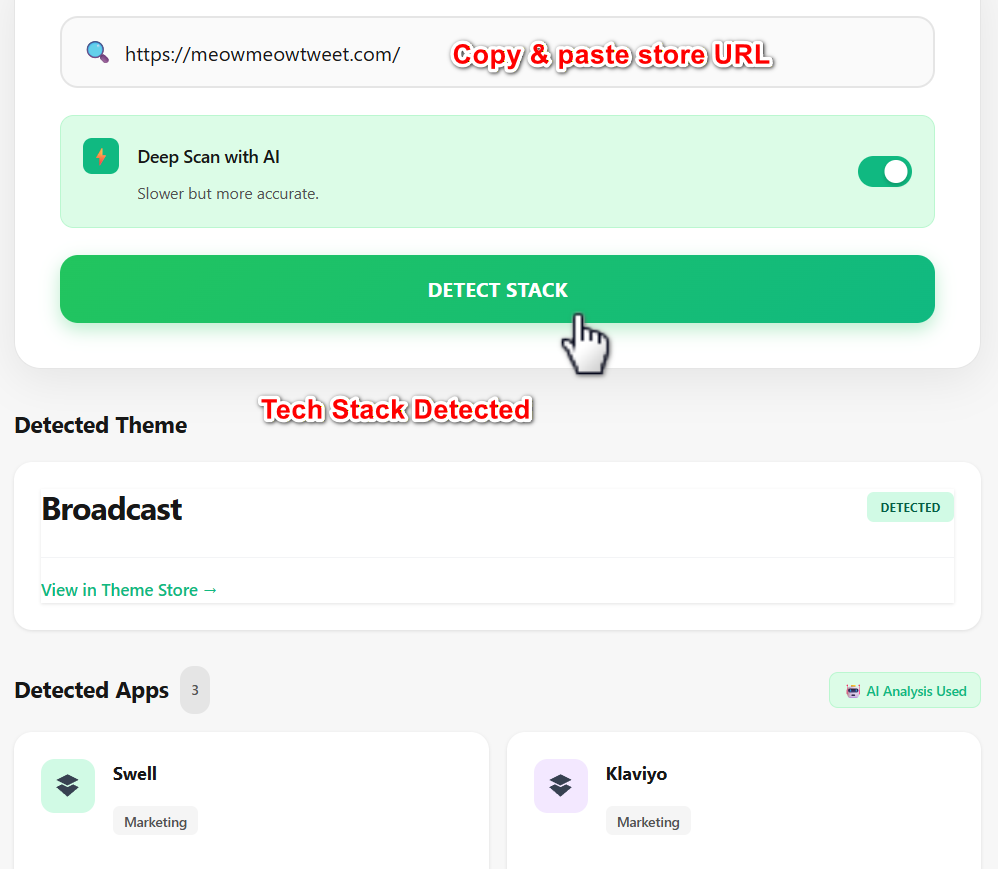
Uncovering a store’s core technology is a simple three-step process. Our tool scans the site’s source code in real-time to give you an instant, accurate answer, saving you from complex manual checks.
Detecting a theme is just the first step. The real value comes from turning the information from our Shopify theme detector into a winning strategy for your own store. Depending on your result, your next move will be different. Here’s a simple playbook for translating inspiration into action.
To me, this is the most straightforward and often the best-case scenario. It means the store is using a theme available directly from the Shopify Theme Store, and you can buy or install it yourself. Our tool provides a direct link to the theme’s page, where you can see its price, features, and reviews.
Before you commit, evaluate if it’s the right fit for your brand. It’s worth remembering that a great theme for one store might not be perfect for another. Use this quick checklist:
Themes like Dawn, Craft, and Symmetry offer incredible functionality out of the box, while premium themes like Impulse and Prestige are favorites among high-growth apparel and lifestyle brands.
💡If you want to skip the guesswork, you can also use our Shopify theme matchmaker to get personalized recommendations based on your store’s specific needs.
You’ll often find that a successful store started with a popular theme but then modified it. This means they hired a developer to add custom sections, change the layout, or integrate unique functionality. While you can’t get their exact design with a single click, you can absolutely achieve a similar high-end result.
The secret is to pair a great base theme with a powerful page builder app. This approach gives you the creative freedom of a custom design without the high cost of hiring a developer. You can start with a theme like Impulse and then use a drag-and-drop tool like PageFly to create unique product pages, landing pages, and collection layouts. This strategy gets you 80% of the custom look for a fraction of the budget.
You can achieve a similar custom look by pairing a premium theme with a powerful page builder. Try Shopify free and explore best-in-class themes and apps.
If Shopify theme detector labels a theme as “custom-built” or brand name. It means the brand has an in-house development team or hired an agency to code their site from the ground up. Enterprise-level brands like Allbirds and Gymshark invest tens of thousands of dollars into themes that are completely unique to their business.
In my opinion, for most entrepreneurs, trying to replicate this is unnecessary and financially impractical. Instead, treat these sites as pure inspiration.
Don’t focus on copying the entire site. Instead, analyze what you admire about it.
Identify those specific elements, then look for a premium theme like Impulse or Prestige that offers similar features and functionality right out of the box. This allows you to adopt their strategic thinking without needing their massive budget.
Theory is great, but seeing how real brands use specific themes and apps is even better. We ran our Shopify theme detector on three distinct Shopify stores to show you the complete tech stack that defines a brand’s digital presence and drives its growth.
Asceno is a luxury brand known for its sophisticated sleepwear and resort wear. Their website needs to feel high-end and exclusive to justify a premium price point.
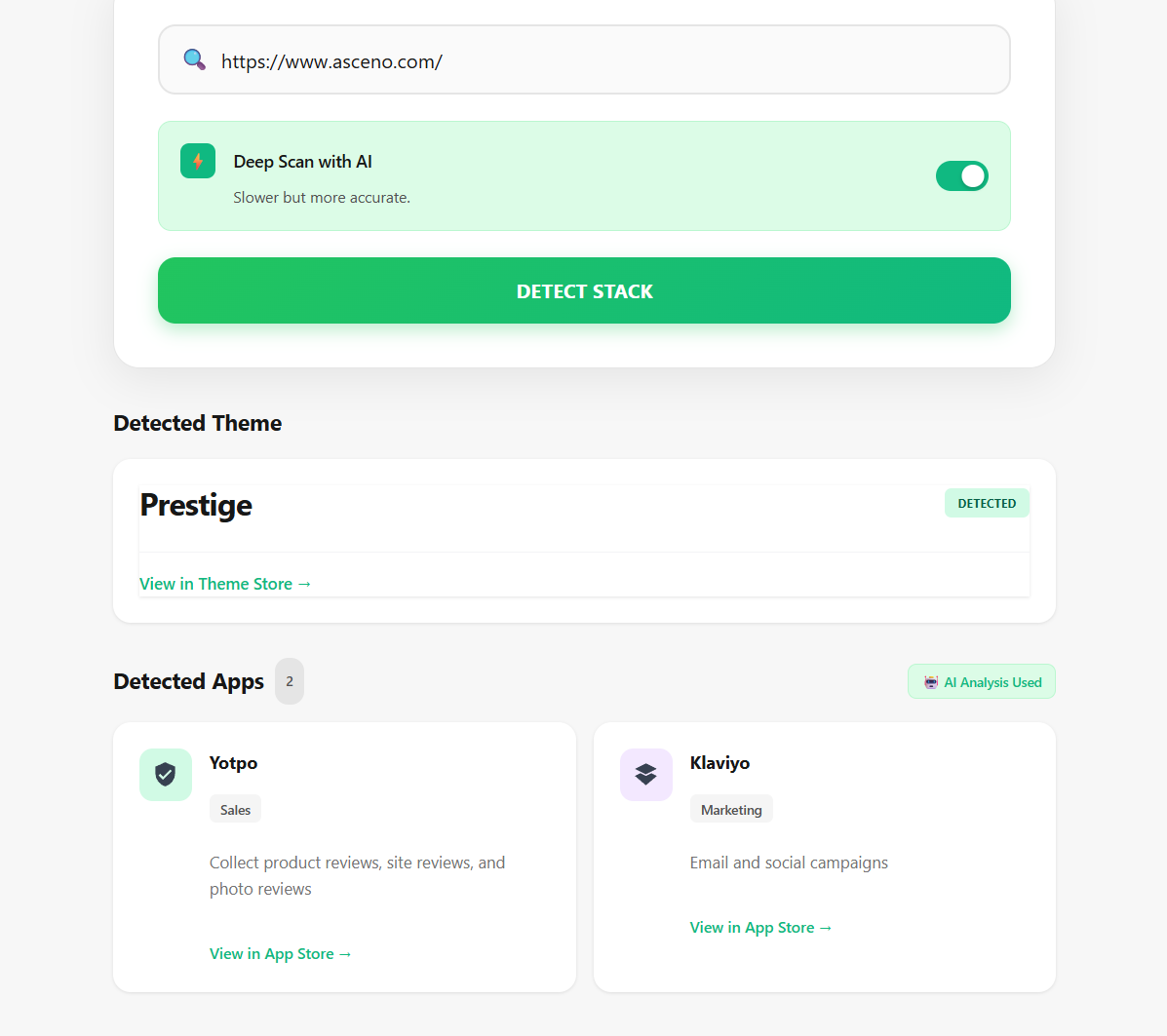
The Strategy: This tech stack is a classic for high-end D2C brands. The Prestige theme creates the premium look, while Klaviyo and Yotpo work to maximize customer lifetime value. They use Yotpo to foster loyalty among high-spending customers and Klaviyo to send targeted, elegant email campaigns that drive repeat purchases.
Meow Meow Tweet is a vegan skincare brand with a vibrant, mission-driven identity. Their site needs to do more than just sell products; it has to build a community and create trust.
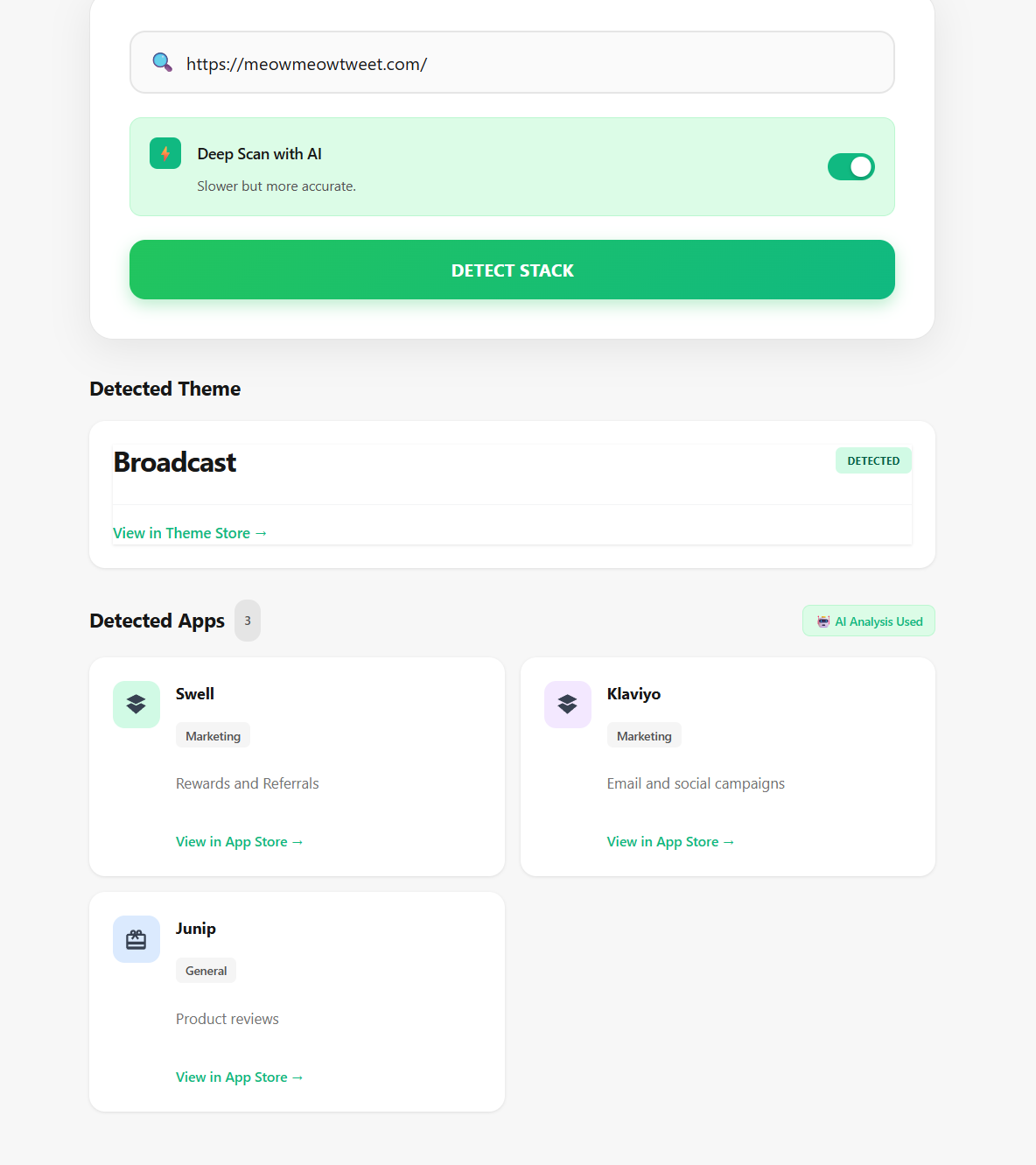
The Strategy: Meow Meow Tweet’s stack is all about community and trust. The theme tells their story, while the apps build and engage their audience. Junip is crucial for gathering authentic reviews (essential for skincare), Yotpo rewards their loyal community, and Klaviyo keeps everyone engaged. It’s a perfect example of a brand using technology to turn customers into advocates.
Oswenkoln is a menswear brand focused on high-quality, minimalist essentials. Their brand aesthetic is clean and distraction-free, and their website needs to reflect that while catering to an international audience.
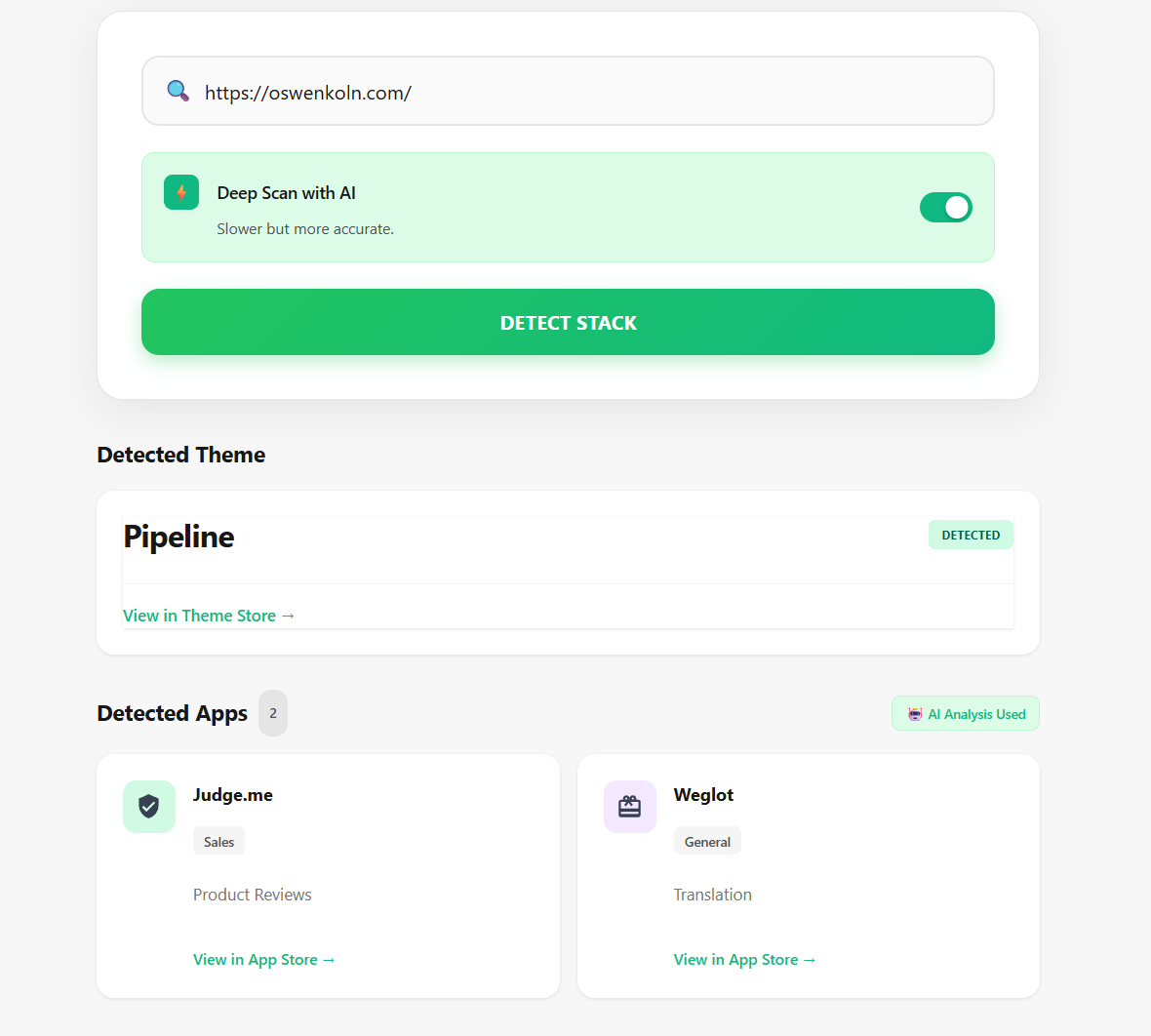
The Strategy: Oswenkoln’s stack is built for clean aesthetics and international growth. The Pipeline theme establishes the sophisticated, clutter-free shopping experience. Judge.me adds vital social proof without disrupting the minimalist design. The inclusion of Weglot is a key strategic move, allowing them to easily translate their store and sell their universally appealing products to a global customer base.
The way these brands use their tech stacks is just the beginning. To explore a wider range of winning strategies, check out our data-backed analysis of the 50+ best Shopify stores to see what makes them win.
To help you understand the current landscape, we analyzed data from thousands of Shopify stores to determine which themes are most popular. This data reveals clear trends in how merchants, from new startups to global brands, are building their online presence.
Our analysis shows a clear dominance by Shopify’s own free themes, but a strong presence of powerful premium themes among high-growth stores.
| Theme Name | Market Share | Theme Type |
| Dawn | 23.4% | Free |
| Debut | 14.1% | Free (Legacy) |
| Impulse | 8.2% | Premium |
| Prestige | 6.5% | Premium |
| Craft | 5.1% | Free |
| Brooklyn | 4.7% | Free (Legacy) |
| Refresh | 3.9% | Free |
| Sense | 3.2% | Free |
| Impact | 2.8% | Premium |
| Symmetry | 2.1% | Premium |
This data tells a compelling story about the Shopify ecosystem. Here are the key takeaways for store owners:
While our tool is highly accurate, some stores use advanced setups like headless commerce or password protection that can block automated detection. If you ever get an unclear result or just want to verify it for yourself, there are two simple manual methods you can use.
Every website is built on a foundation of code, and you can often find the theme’s name hidden there in plain sight. This method is quick, reliable, and works on any web browser.
The browser will highlight a line of code that looks something like this, which contains the theme’s name:
“name”: “Prestige”
Another popular option is to use a browser extension designed for Shopify store analysis. Tools like Koala Inspector or Fera.ai’s Shopify Detector can be installed in your browser and provide theme information with a single click.
However, it’s important to consider the trade-offs. Browser extensions often require broad permissions to access your browsing data, which can be a privacy concern. Additionally, their databases may not be updated as frequently as a dedicated online tool, sometimes leading to outdated or inaccurate results. They are a convenient option, but for a quick, private check, the page source method is often more reliable.
Yes, absolutely. Our tool is 100% free to use, and you can perform unlimited checks. There are no hidden fees or sign-up requirements.
Our detector is highly accurate for any theme available on the Shopify Theme Store. If a store uses a theme that isn’t publicly listed, it will be identified as “custom-built.” This tells you the brand has invested in a private, proprietary design.
Free themes like Dawn are fantastic for launching your store. They are fast, reliable, and come with all the essential features you need to start selling. Premium themes typically offer more advanced features, greater design flexibility, and dedicated customer support from the theme’s developers, making them a powerful investment as your business grows.
Some stores use highly advanced or private setups that can be difficult to identify automatically. If you’ve tried our Shopify theme detector & the manual methods above without success, our team can help. Send us the store URL, and our eCommerce experts will take a look for you, free of charge. Email: chloephungbiz@gmail.com.